

I. Purpose
Allow restaurants to control employees’ Refire permissions on each sales device, helping prevent unnecessary kitchen ticket reprints and reduce the risk of misuse during daily operations.
This feature is useful for restaurants that provide table service and use kitchen printers or a KDS to receive orders.
II. Instruction Steps
1. Check Refire permissions on the dashboard
- On the dashboard, go to Settings → Staff → Manage roles.
- Select a role –> click edit icon –> on Order tab, locate the Order taking permission group.
- Under Refire, grant or remove permissions as needed.
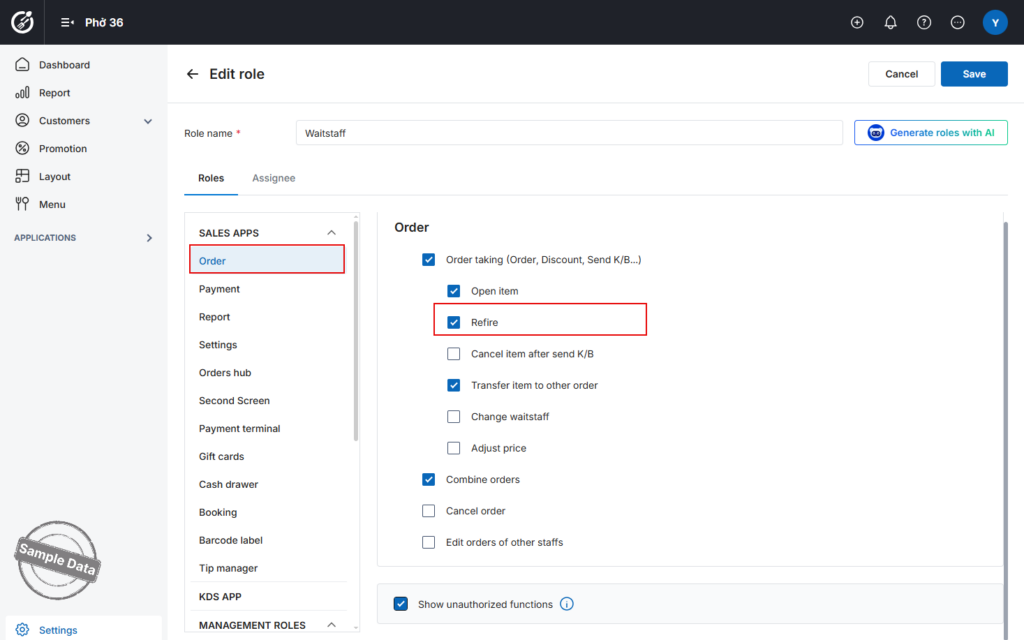
After configuring the permissions, click Save to apply the changes.
Permission Rules:
- Only employees with the Order taking permission can be granted Refire permissions.
- Once granted, employees can use Refire features according to the configuration on the sales device.
2. Use Refire function on POS
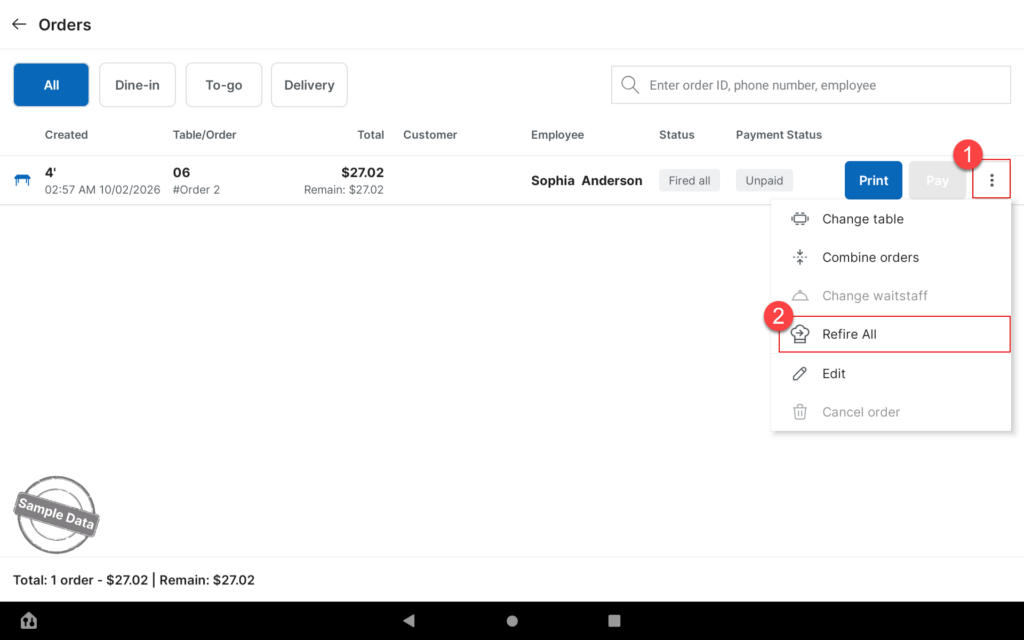
- Open the order you want to reprint.
- Click three-dot button and select Refire all to reprint the entire order,
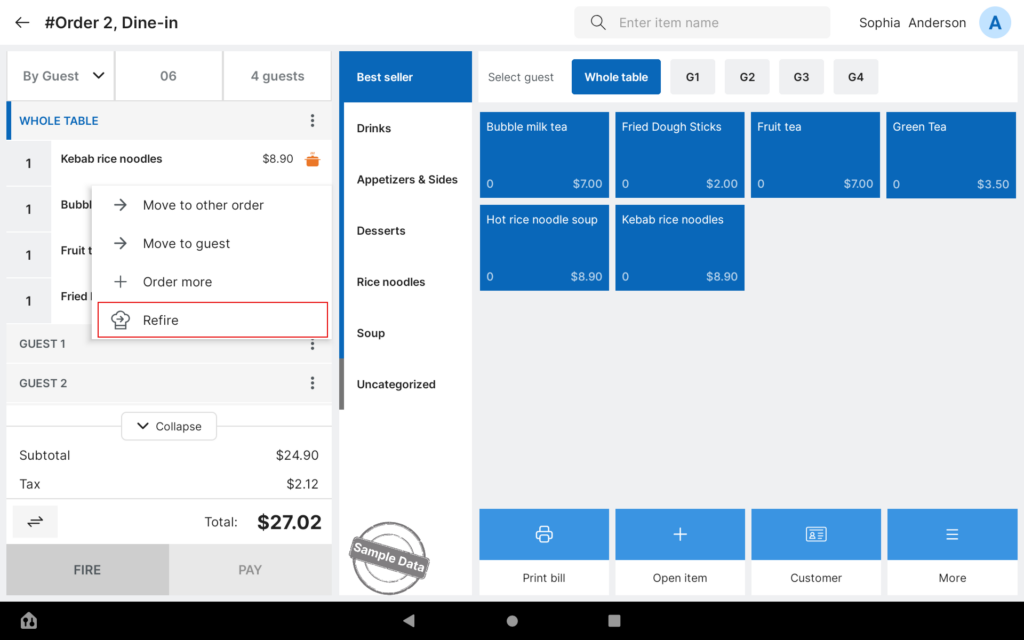
- Or tap an item and select Refire to reprint an individual item.
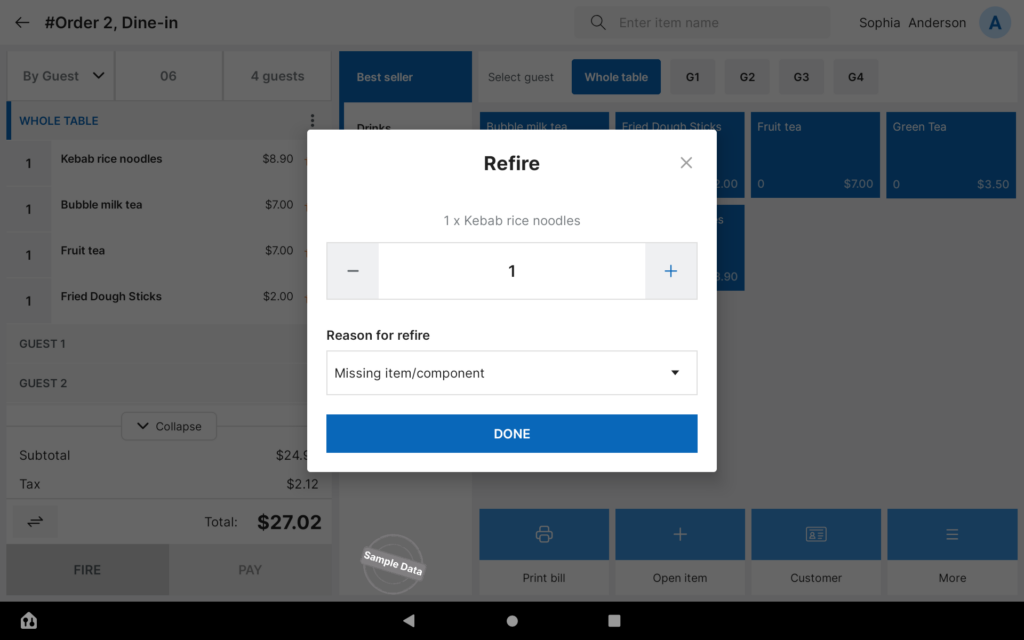
- Enter the quantity and select a reason.
- Click Done to confirm the action to resend the ticket to the kitchen printer or KDS.
Note:
- A connected kitchen printer is required to use this feature.
Have a nice day!


