

Nội dung có trong bài
Ẩn
I. Purpose
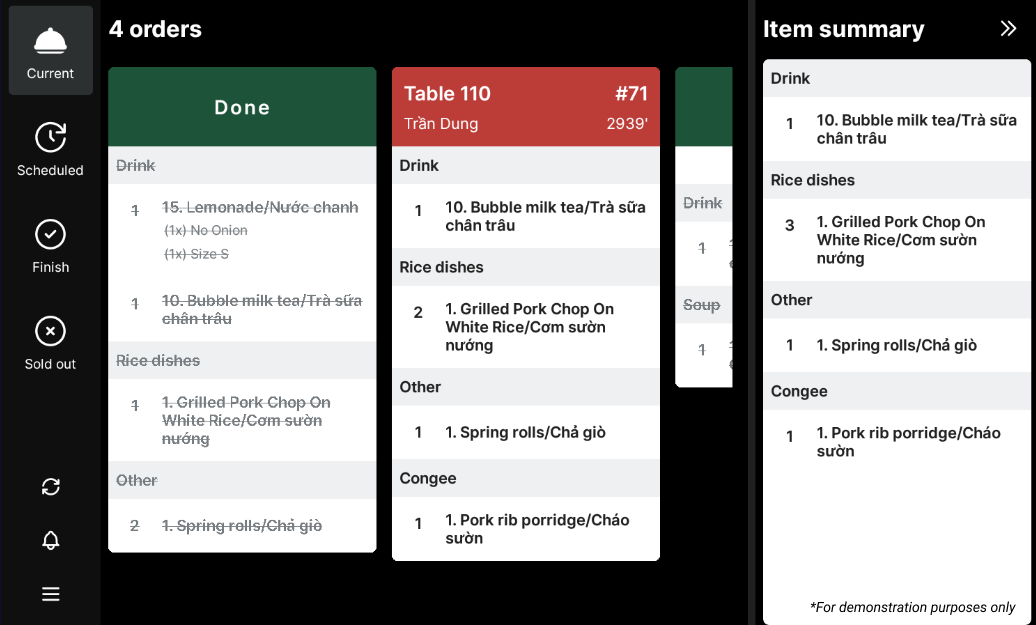
Ensure the kitchen receives a real-time list of dishes to prepare as soon as the cashier or server sends an order to the Kitchen/Bar.
II. Instruction Steps
- On the dashboard, go to Settings → Staff.
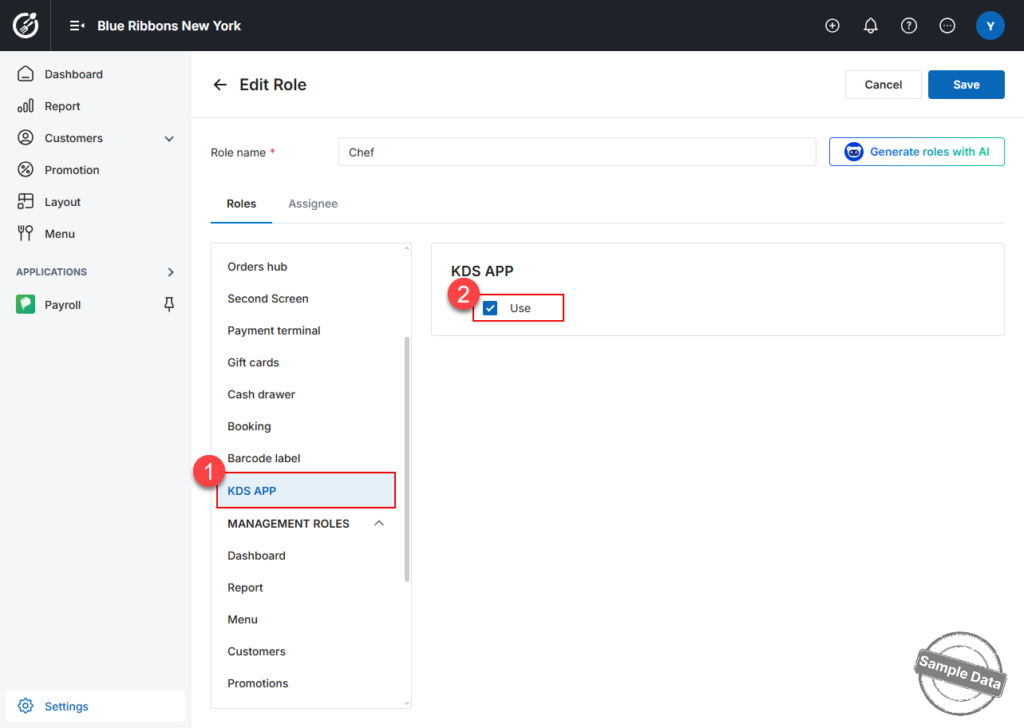
- In Manage roles, click the edit icon for the role you wish to grant access.
- Scroll to the KDS App tab, check Use.
- Click Save.
- Use the employee account that holds the newly granted role to sign in and start working on the KDS.
Notes:
- Only the roles Chef, Manager, or Owner are allowed to access the KDS app.
- You can assign a role only to employees already created under Settings → Staff.
Have a nice day!


