

Nội dung có trong bài
Ẩn
I. Purpose
For restaurants that use an Online Ordering website, customers may not know how to check their order status after placing an order successfully. For example:
- Has the order been confirmed?
- Has the order been sent to the kitchen or bar for preparation?
- How long will it take for the customer to receive the order?
This may lead to a poor ordering experience. Therefore, CUKCUK provides an online order tracking feature that allows customers to easily check their order status after placing an order.
II. Instruction Steps
After selecting items and completing the order, the customer clicks Here in the “success” message to track the order progress and estimated completion time.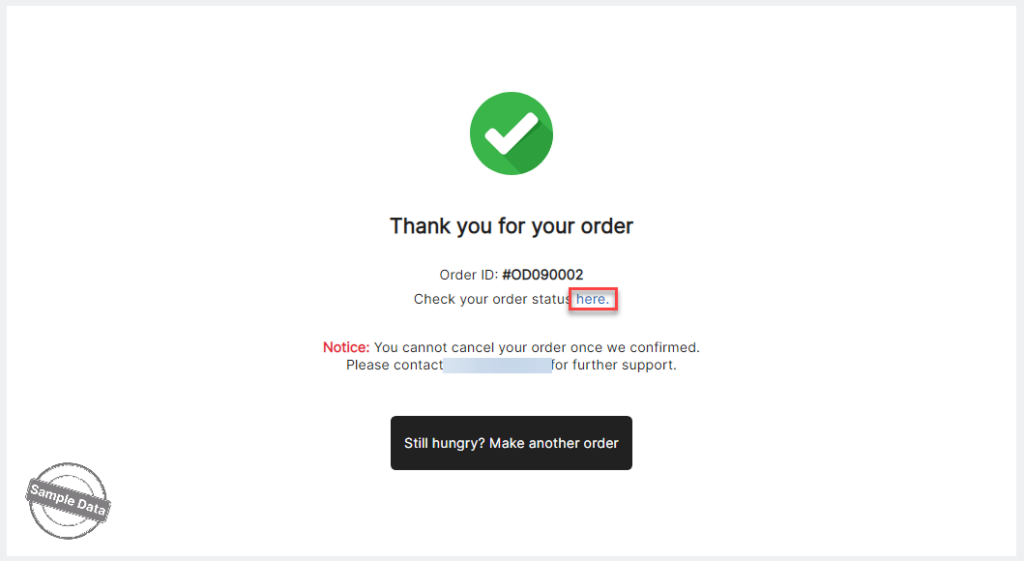
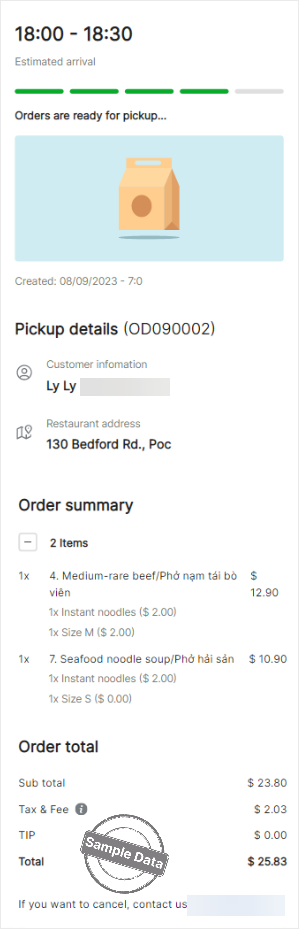
The order progress is displayed as follows:
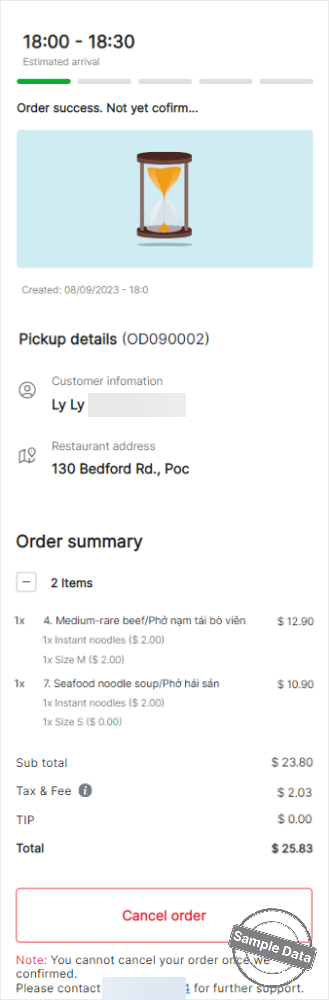
- After the customer successfully places an order on the Online Ordering website, the order is assigned the Unconfirmed status.At this stage, the customer can cancel the order before the restaurant confirms it.
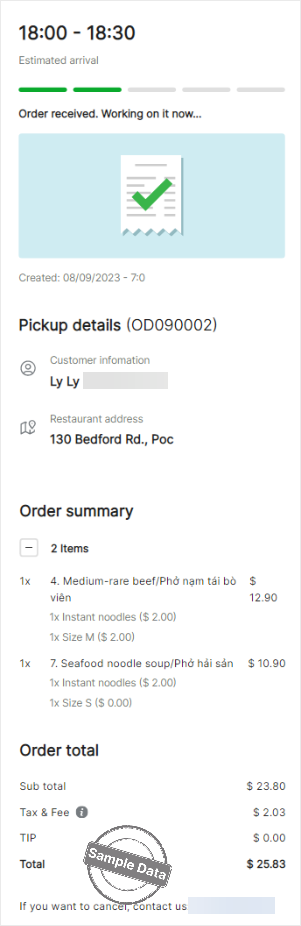
- The cashier receives a notification about the new order confirmation request on the sales screen. After the cashier confirms the order, its status changes to Order confirmed.
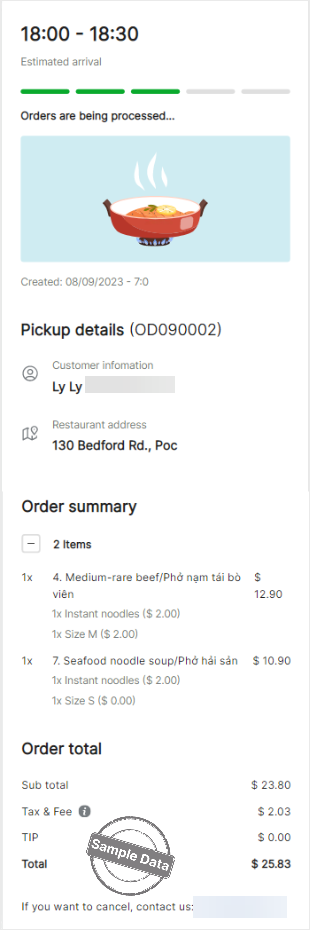
- After the cashier confirms the order, the items are sent to the kitchen or bar for preparation. The order status changes to Order in progress.
- When the kitchen or bar finishes preparing the items, the order status changes to Ready for pickup.
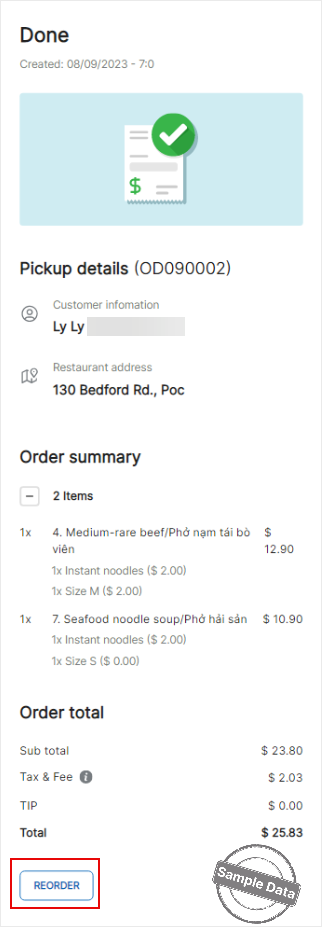
- After the order is completed, the customer can click Reorder to place a new order.
Your online order tracking process is now complete.
Have a nice day!


