

I. Purpose
The restaurant manager can connect a card terminal to a tablet in order to process bill payments via card swipe.
II. Instruction Steps
1. Connect with EPN
Go to the EPN website: https://www.eprocessingnetwork.com/
After obtaining an EPN account, log in to the EPN portal.
To retrieve the Account Information required to connect with CUKCUK, follow these steps:
Step 1: Retrieve EPN Account Information
- Go to Web Services / Processing Controls.
- In the Advanced section, copy the following two fields:
- EPN ID
- EPN Generate Restrict Key
Note: After copying the codes, paste them into WordPad or Word (Ctrl + V) to save the EPN ID and EPN Generate Restrict Key for later use.
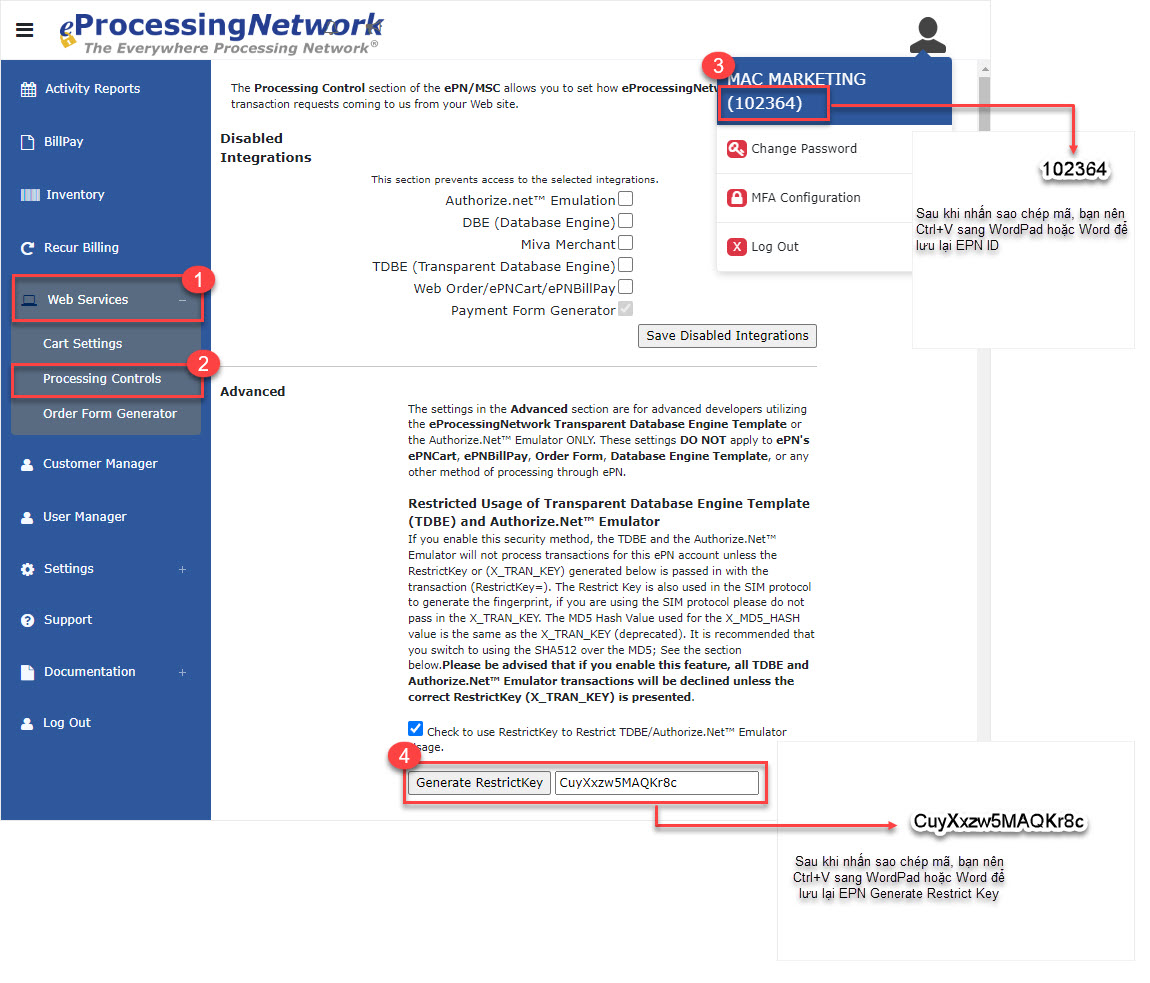
Step 2: Connect EPN to CUKCUK
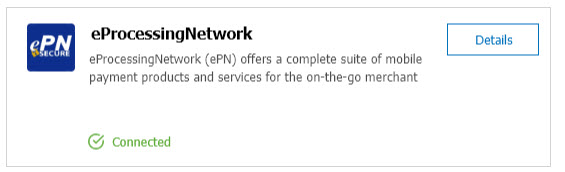
- On the management page, go to Integrations and click Connect.
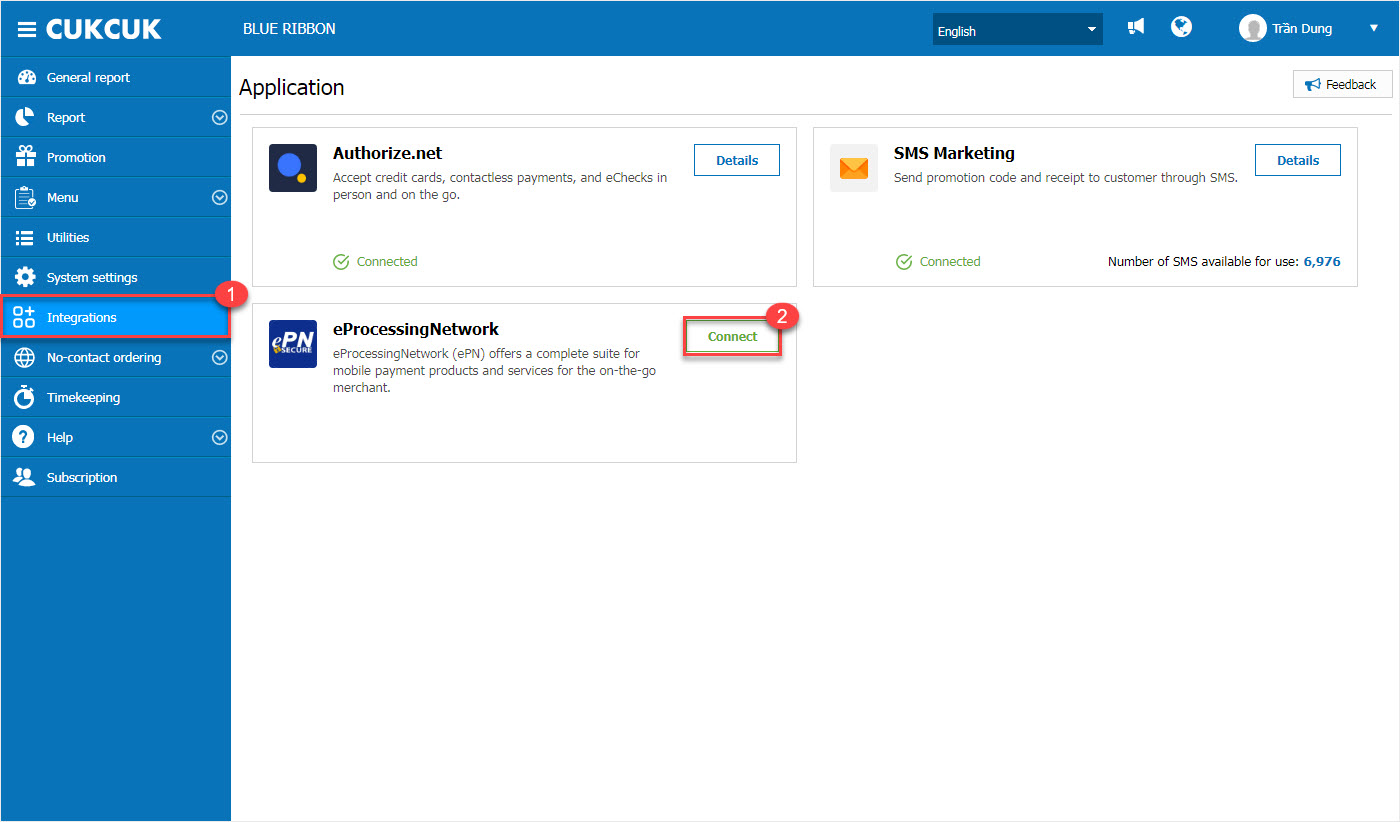
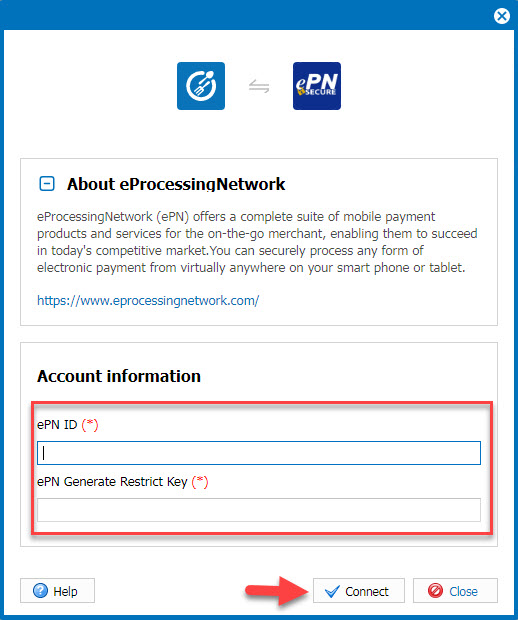
- Tại phần Account infomation, thực hiện dán mã vừa sao chép vào ô ePN ID và ePN Generate Restrict Key.
Sau đó, nhấn Connect.
- In the Account Information section: Paste the copied codes into the fields: ePN ID and ePN Generate Restrict Key
Then, click Connect.
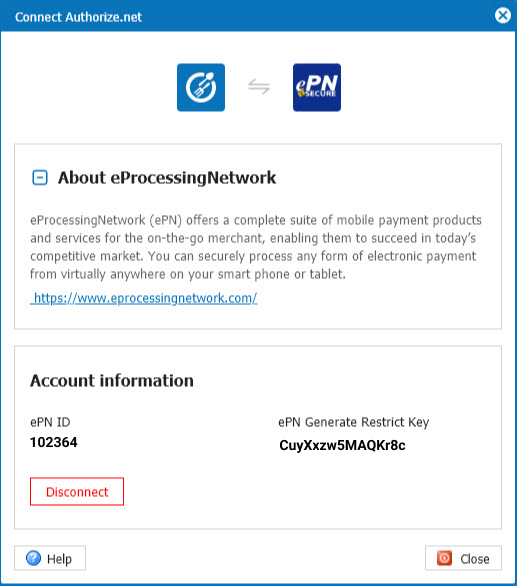
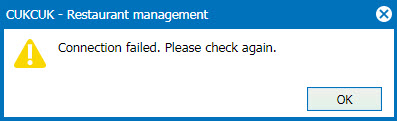
Note: If the information is entered incorrectly, the system will display the message: Connection failed. Please check again. Click OK and re-enter the correct information.
2. Process Payments on Tablet
After successfully connecting EPN, proceed to connect the tablet to the card terminal via Bluetooth.
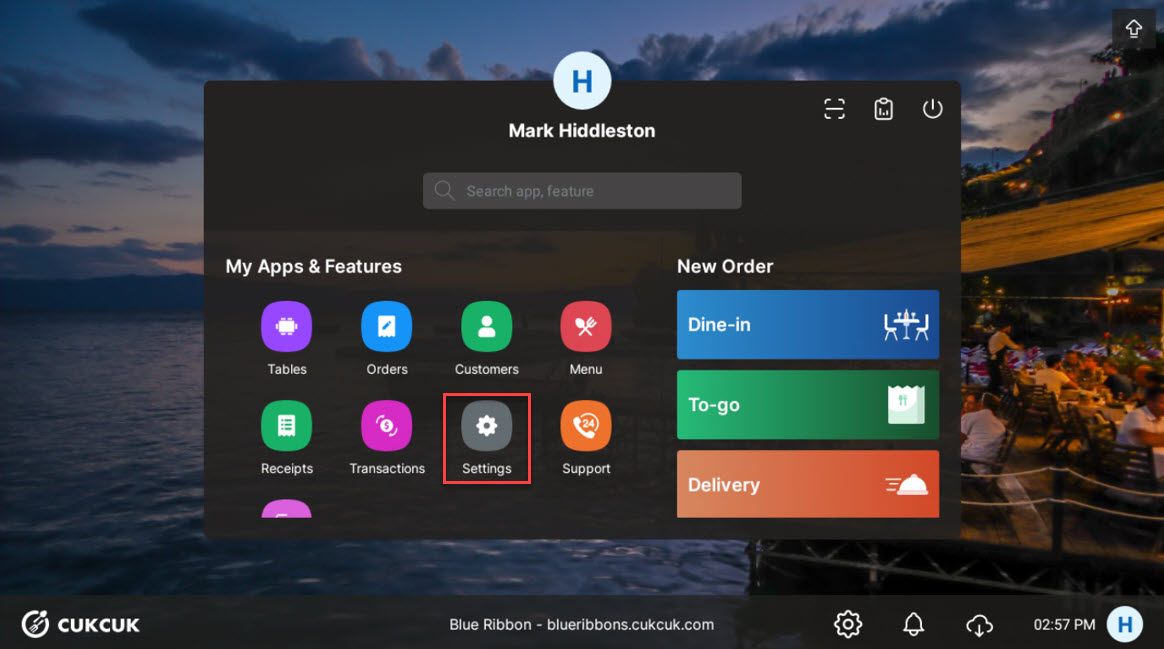
Step 1: Open the Tablet app and go to Settings.
Step 2: Select Payment Terminal and check PAX TERMINAL CONFIGURATION.
- Click the icon
 to find the device you want to connect.
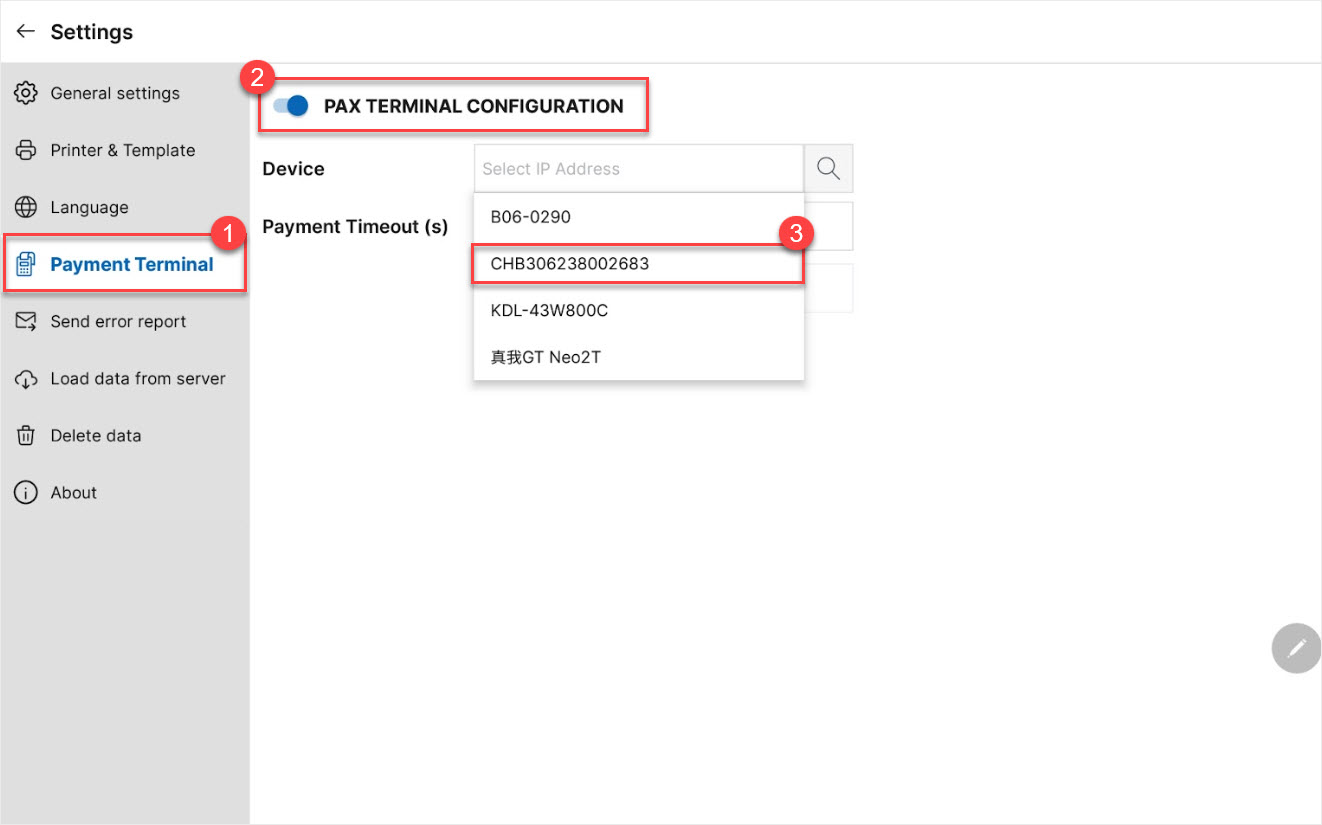
- Then click CONNECT.
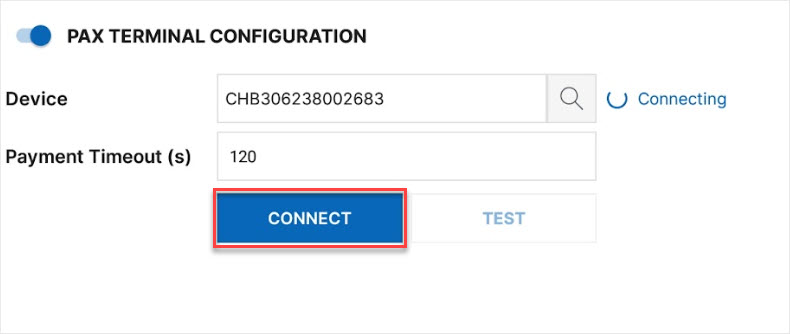
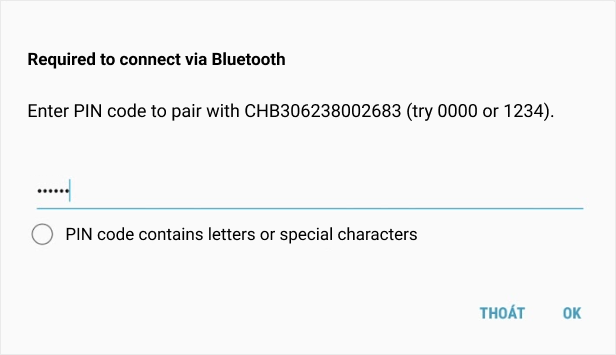
Step 3: Enter the PIN code to pair with the selected device. (Note: The PIN code is displayed on the back of the pairing device.)
Click OK to complete the connection.
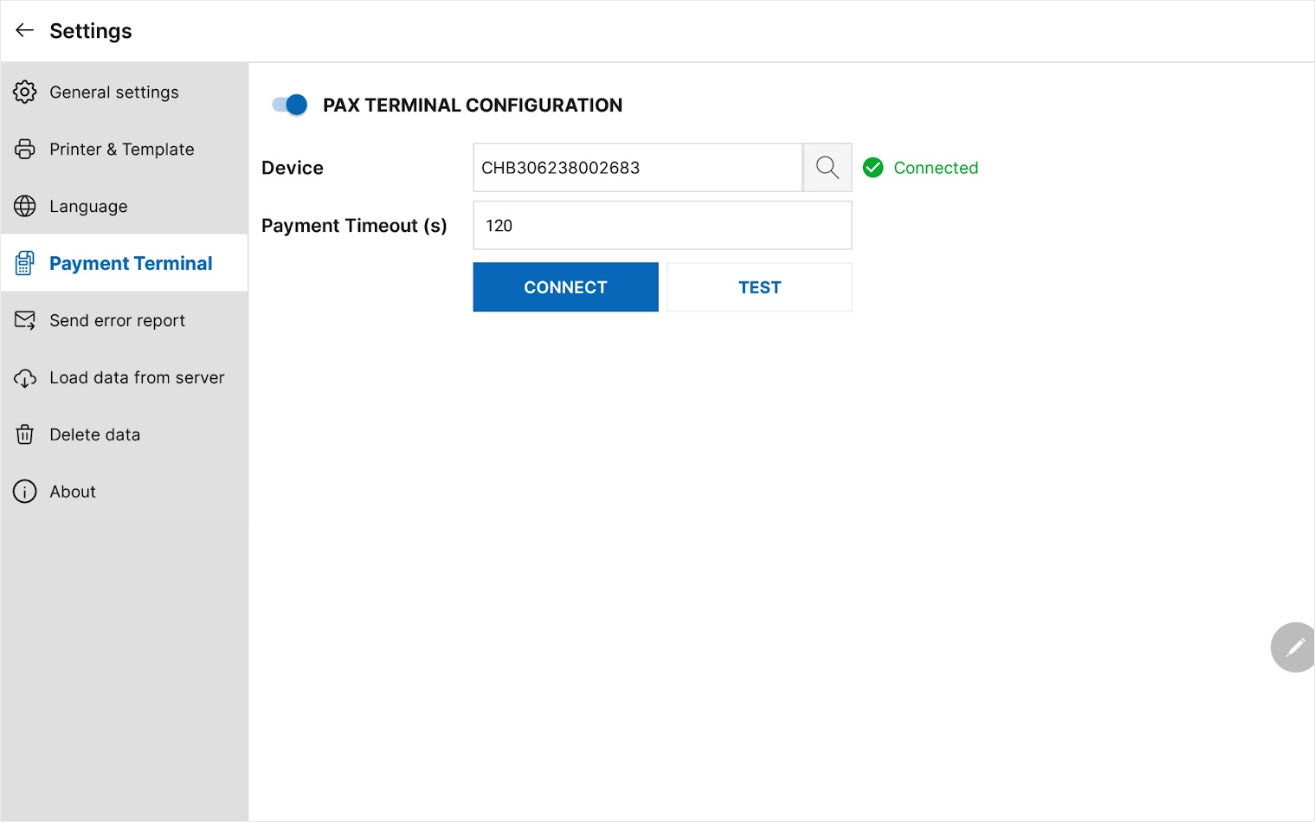
Step 4: After successfully configuring PAX TERMINAL CONFIGURATION, go to Orders and select the order you want to process payment for.
(Refer to detailed payment methods here.)
III. Note
- For payments processed via EPN, the system does not allow adding or adjusting tips afterward.
- To filter EPN payments, go to the Device filter and select “Mobile EPN.”
Have a nice day!


