

Nội dung có trong bài
Ẩn
I. PURPOSE
To ensure accurate attendance tracking for employees, CukCuk provides a feature that requires employees to clock in before starting work.
II. INSTRUCTION STEPS
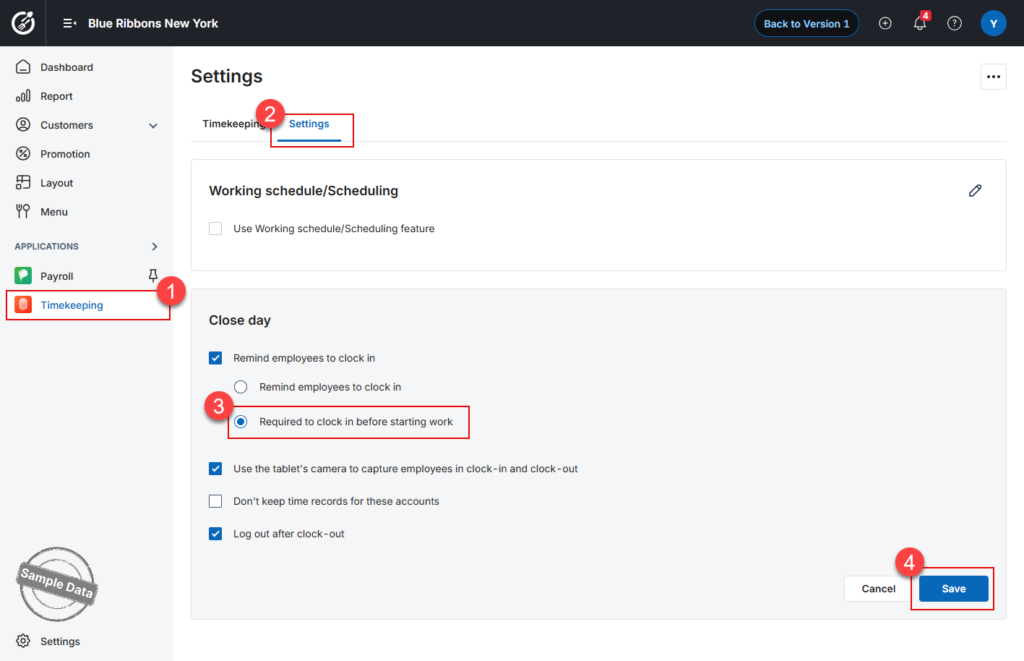
On the dashboard, go to Timekeeping app.
In the Settings tab, click edit icon on Close day part and check Required to clock in before starting work. Then click Save to apply the settings.
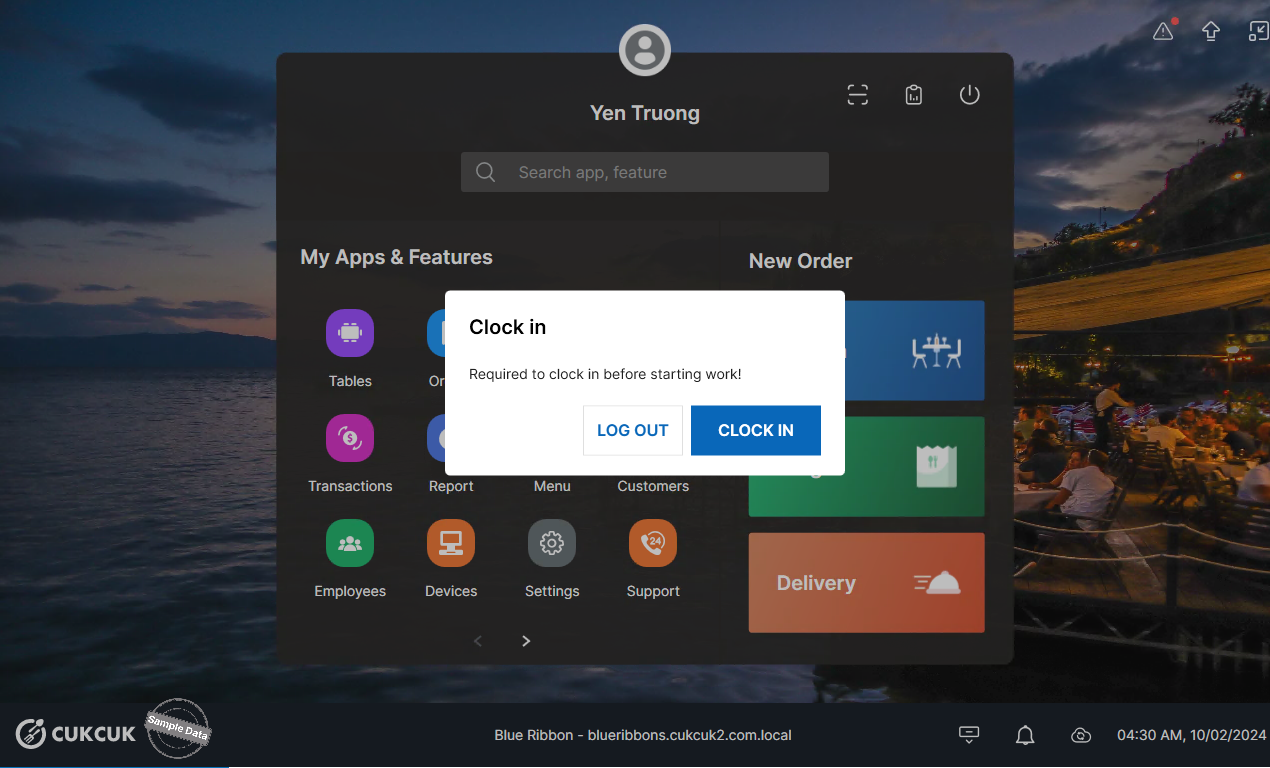
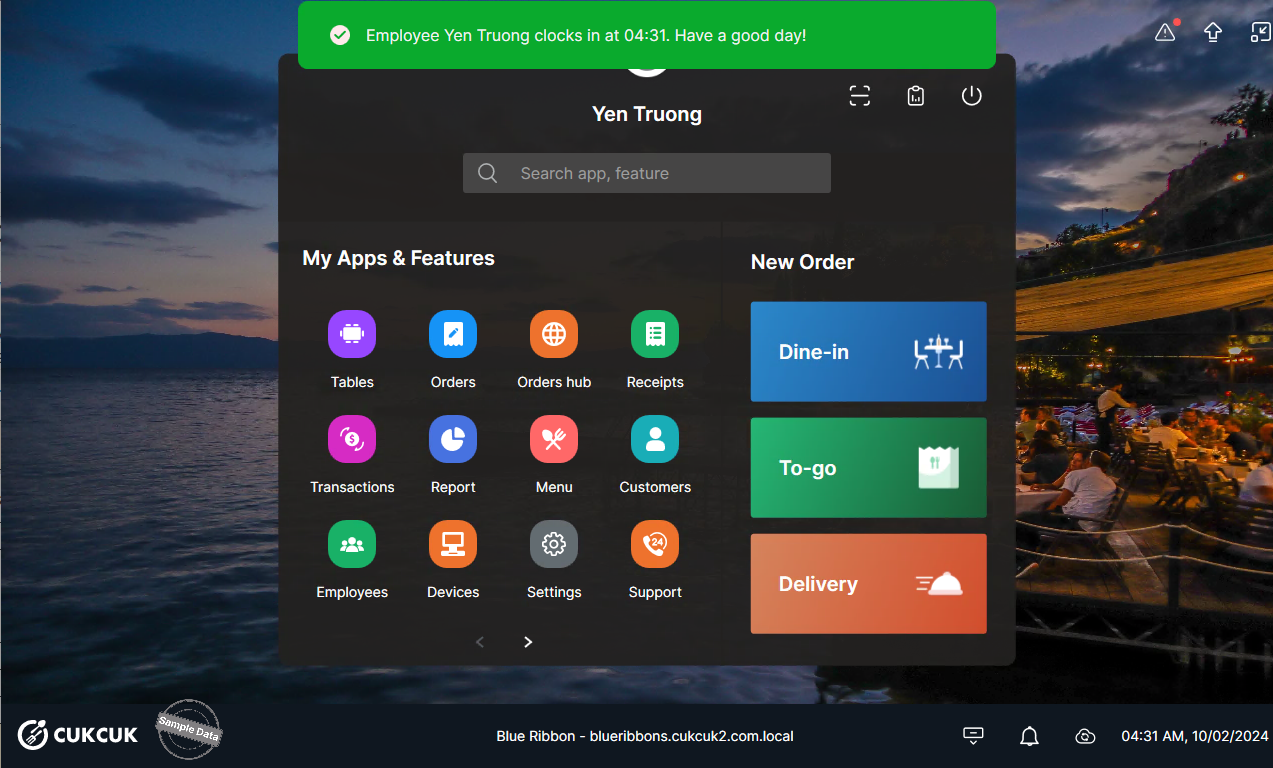
After this is enabled, when employees log in to the system, they will be required to select Clock in before they can start working.
Have a nice day!


