1. Trang chủ
  2. Payments
  3. Payment Methods
  4. Integrate with Aurora Payment
  1. Trang chủ
  2. Payments
  3. Payment Settings
  4. Integrate with Aurora Payment

Integrate with Aurora Payment

Nội dung có trong bài Ẩn

I. Purpose

Enable seamless integration between CUKCUK POS and Aurora payment services, allowing restaurants to process card payments directly within the POS system.

II. Instruction steps

1. Set up on the dashboard

Go to Applications and scroll down to Aurora Payments. Click Install.

Enter Merchant ID. Then, click Connect.

2. Connect with Aurora Payments on the POS

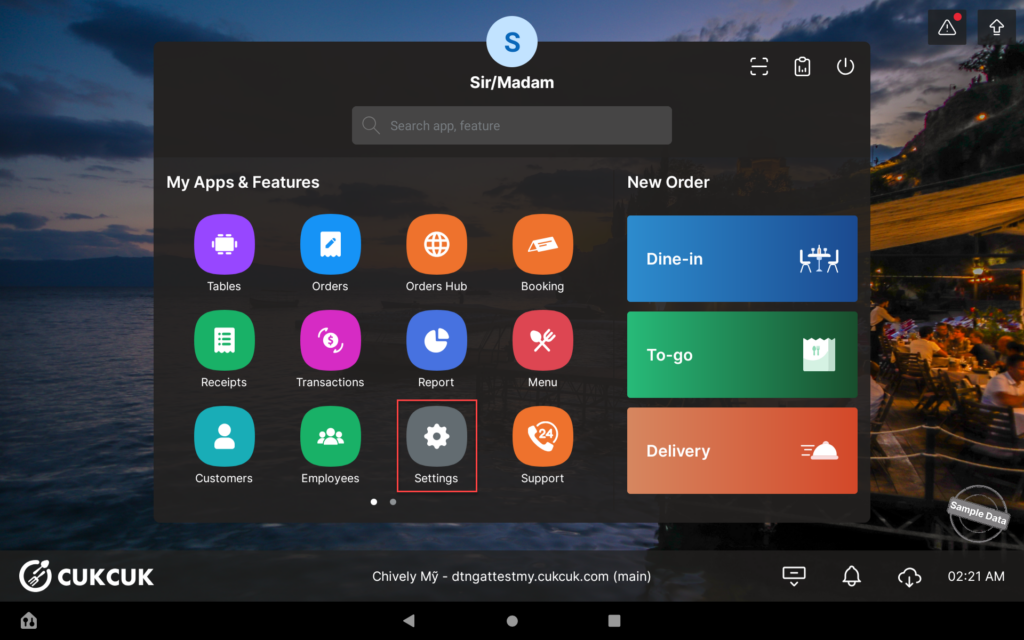
Go to Settings.

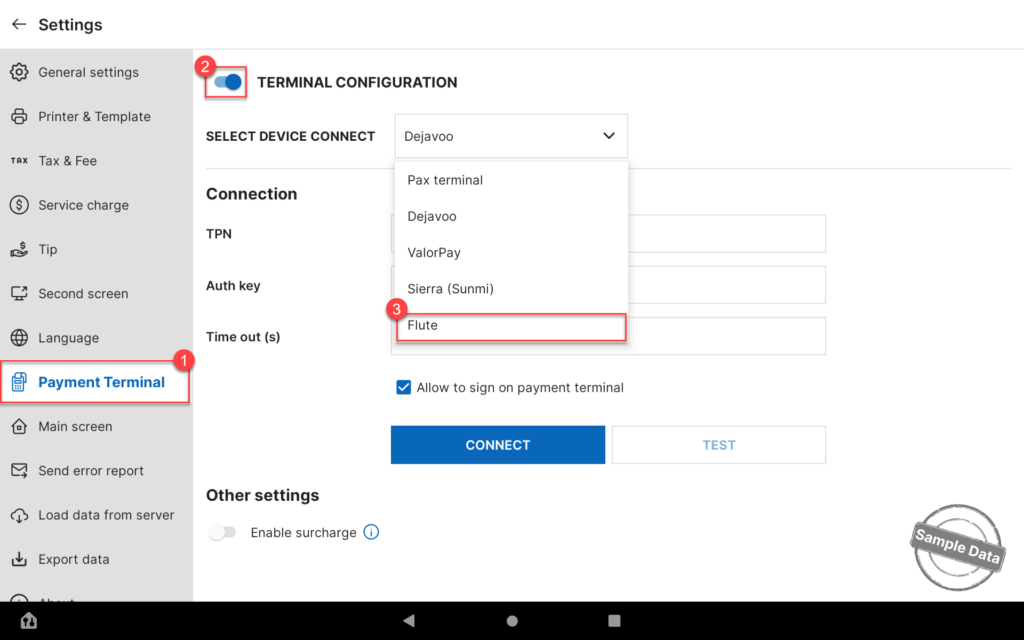
On Payment Terminal tab, turn on Terminal configuration and select Aurora. 

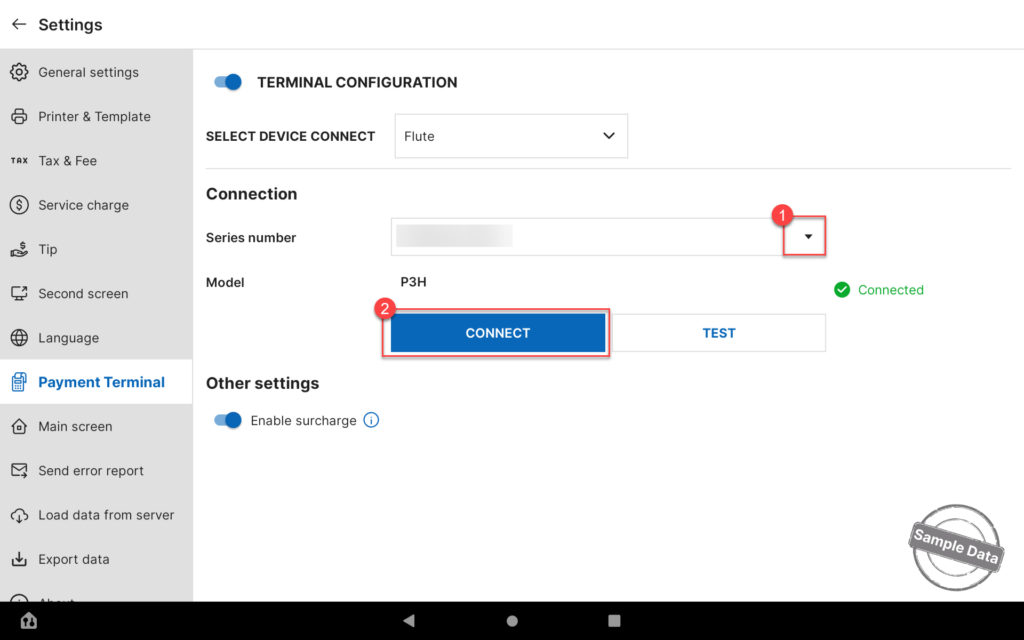
Click the arrow icon and select Series number. Then, click Connect.

You can click Test to verify that the payment terminal is properly connected and ready to process transactions.

Have a nice day!

Cập nhật 03/06/2026

Hãy giúp chúng tôi hoàn thiện trang trợ giúp phần mềm. Bài viết này có hữu ích với bạn không?

Bài viết liên quan

Set up cash discount
Xem thêm more
Integrate with Valor Paytech
Xem thêm more
Set up to get payment via EBT Card
Xem thêm more
Integrate with Dejavoo Payment Terminal
Xem thêm more
Set up automatic discount by bill when customers pay in cash
Xem thêm more
Thiết lập công thức tính gợi ý tiền tip
Xem thêm more