

I. Purpose
This feature allows managers to assign configured kitchen workflows to existing menu items, ensuring consistent routing for multi‑station processing.
II. Instruction Steps
Step 1: Access Quick Edit
- Go to the Items tab.
- Click the icon
 and select Quick Edit.
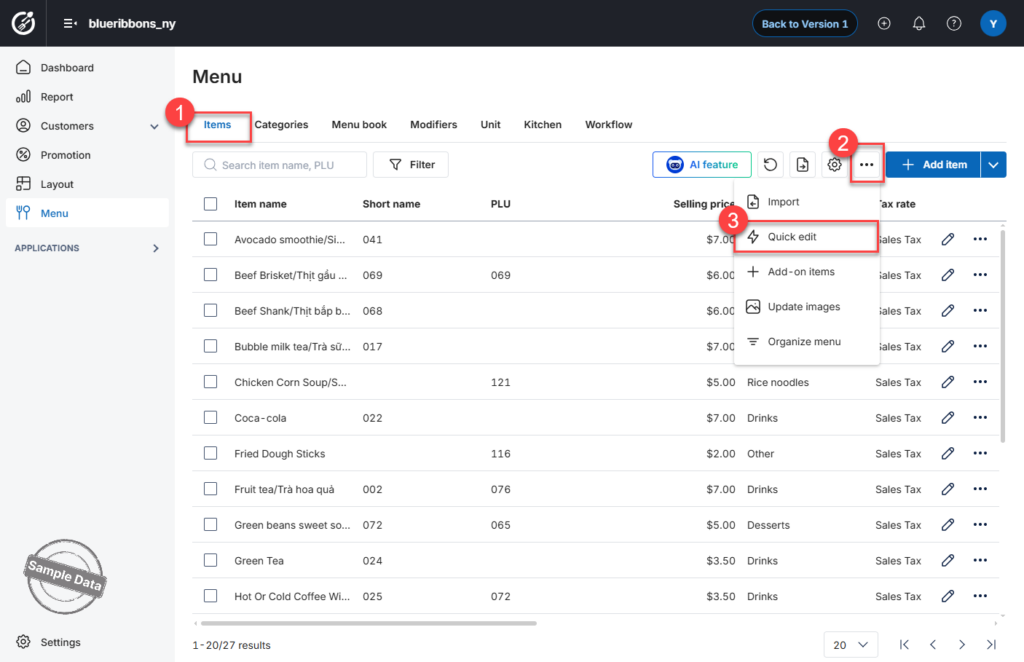
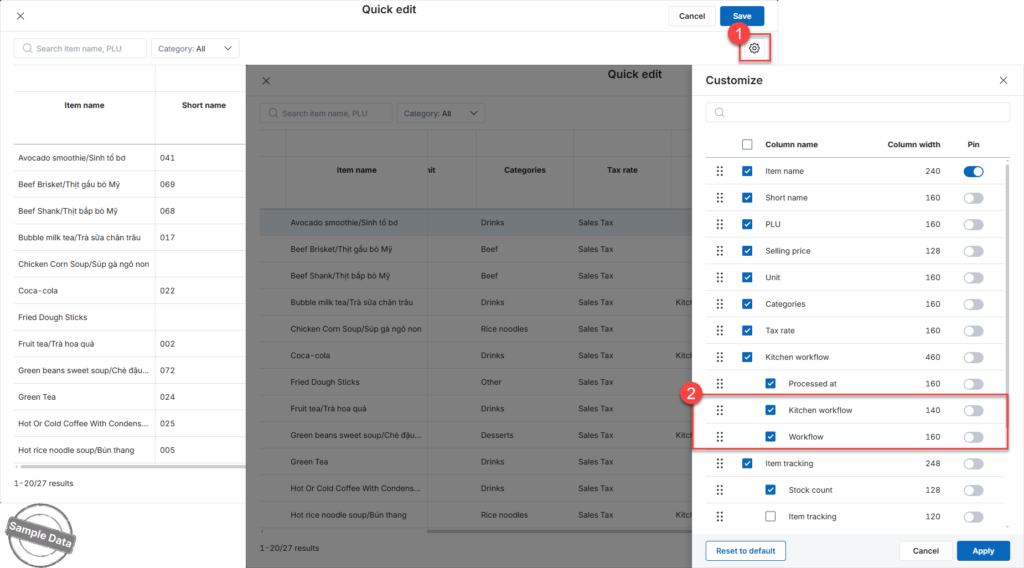
Step 2: Display Workflow Columns
- Click the settings icon

- Check Kitchen workflow and Workflow to display these columns in the table.
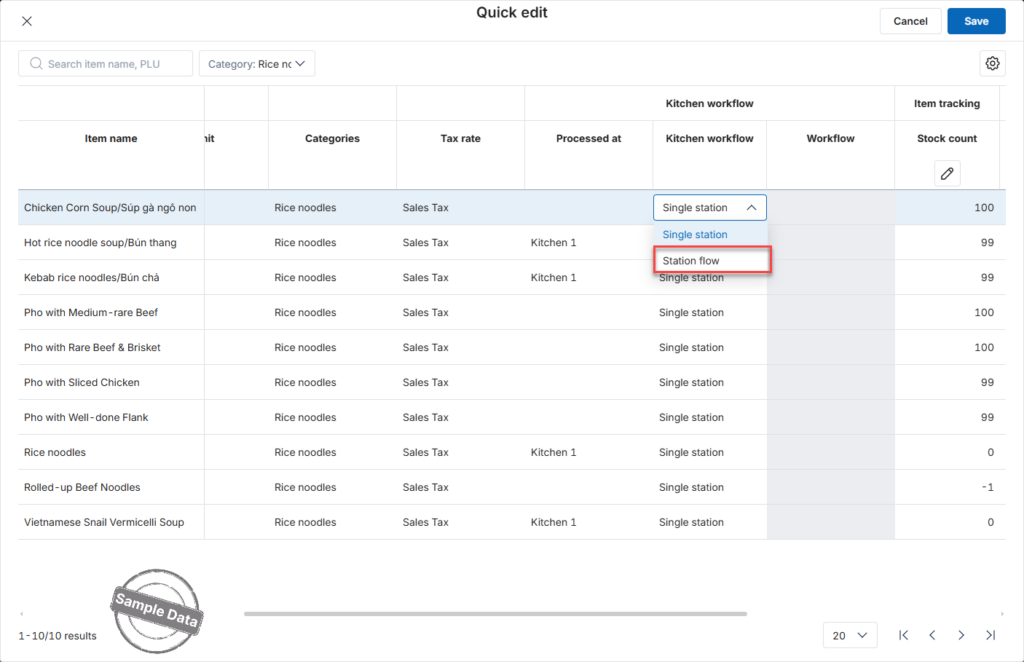
Step 3: Assign Workflow to Items
- In the row of the item you want to configure, select Station flow.
- In the Workflow column, choose the appropriate workflow.
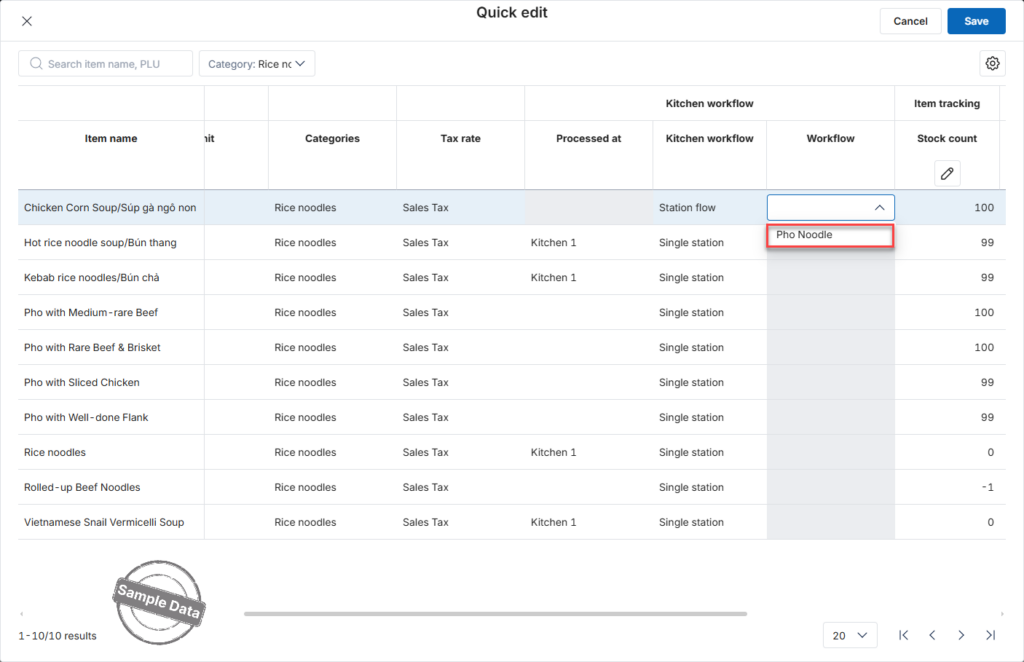
Repeat the same steps for other items as needed.
Click Save to apply the changes.
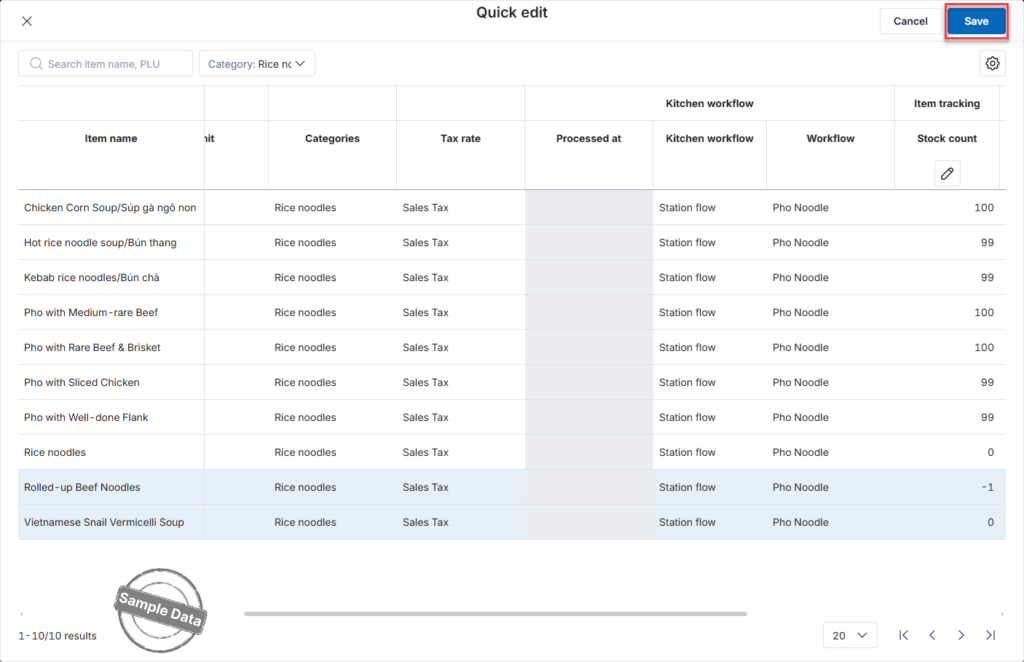
The selected items are now successfully assigned to the configured workflow.
Have a nice day!


