

I. Purpose
This guide explains how multi‑station workflows operate on the KDS (Kitchen Display System), ensuring proper coordination between kitchen stations.
II. Instruction Steps
This guide is applied to this configuration.
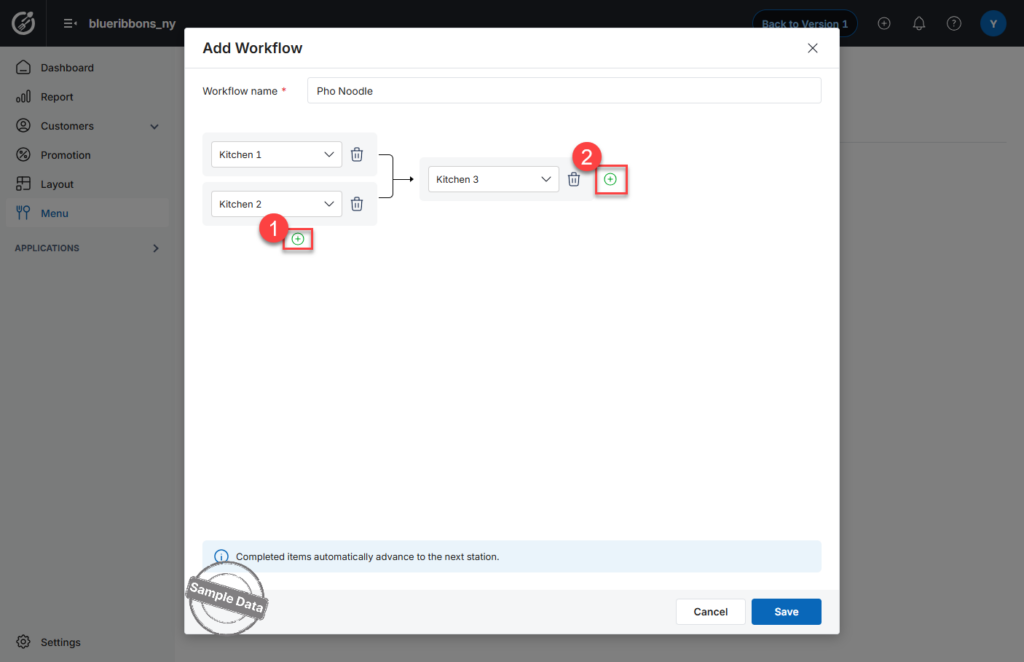
Step 1: Log in and Select Kitchen Station
- Log in to the KDS app.
- Select the assigned kitchen station (Kitchen 1, Kitchen 2, or Kitchen 3).
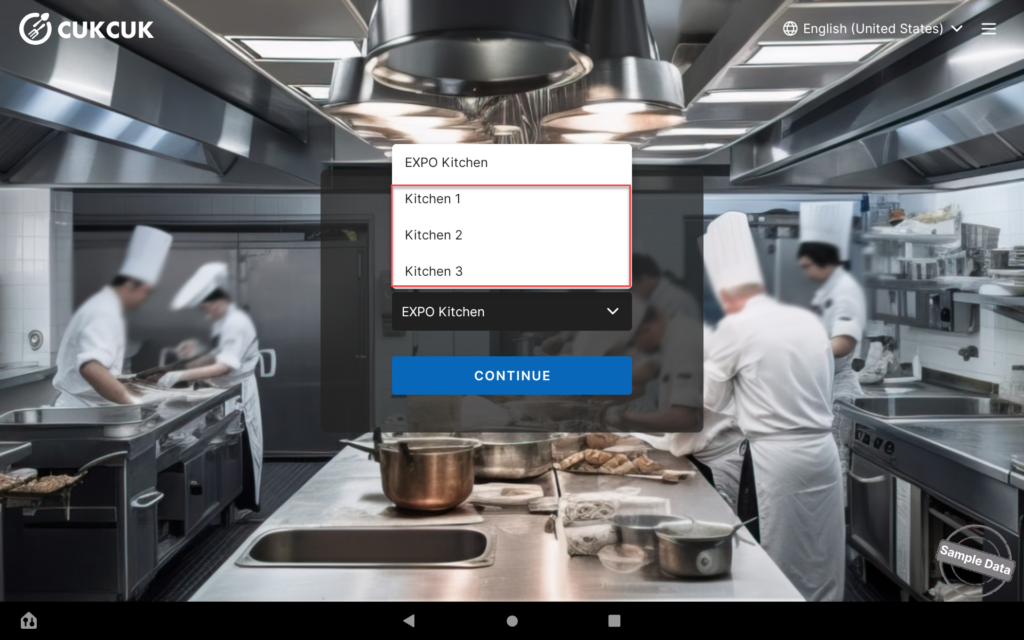
Step 2: Parallel Processing (Kitchen 1 & Kitchen 2)
In this workflow:
- Kitchen 1 and Kitchen 2 process different components of the dish at the same time.
- Each kitchen works independently on its assigned tasks.
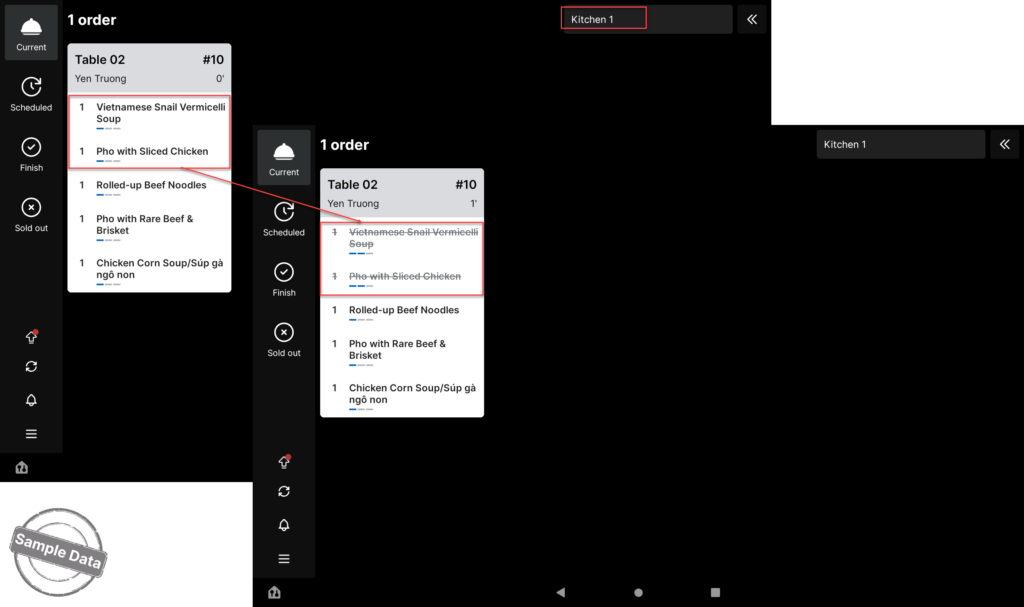
After completing their part:
- Staff must tap on the item to mark it as completed.
- Once both kitchens finish their tasks, the item is automatically moved to Kitchen 3.
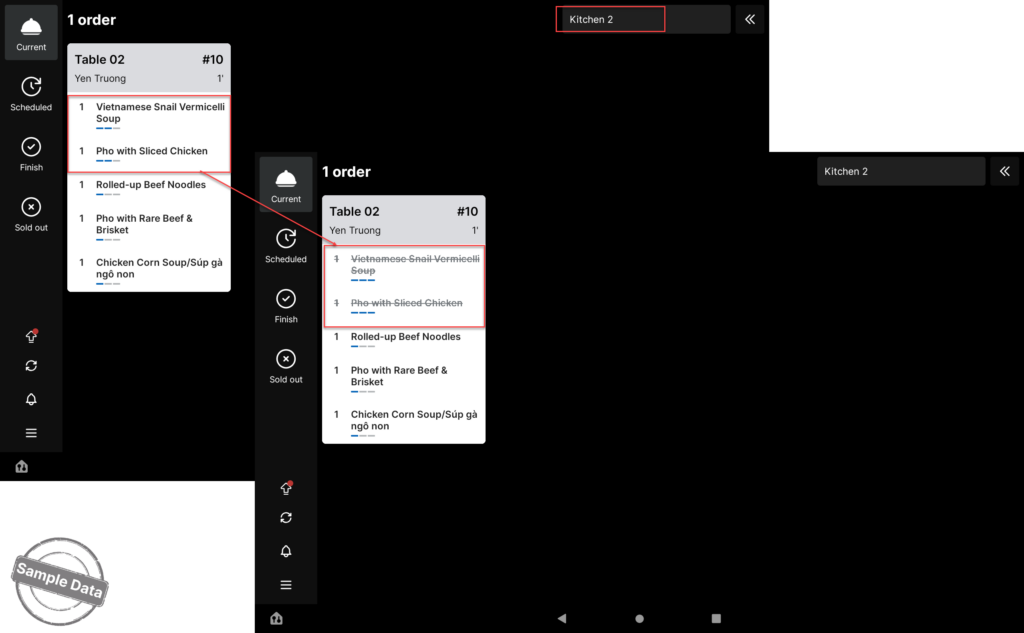
Step 3: Final Assembly (Kitchen 3)
- The item will appear on Kitchen 3’s KDS screen.
- Staff at Kitchen 3:
- Assemble the components
- Decorate or garnish the dish
- Perform the final quality check
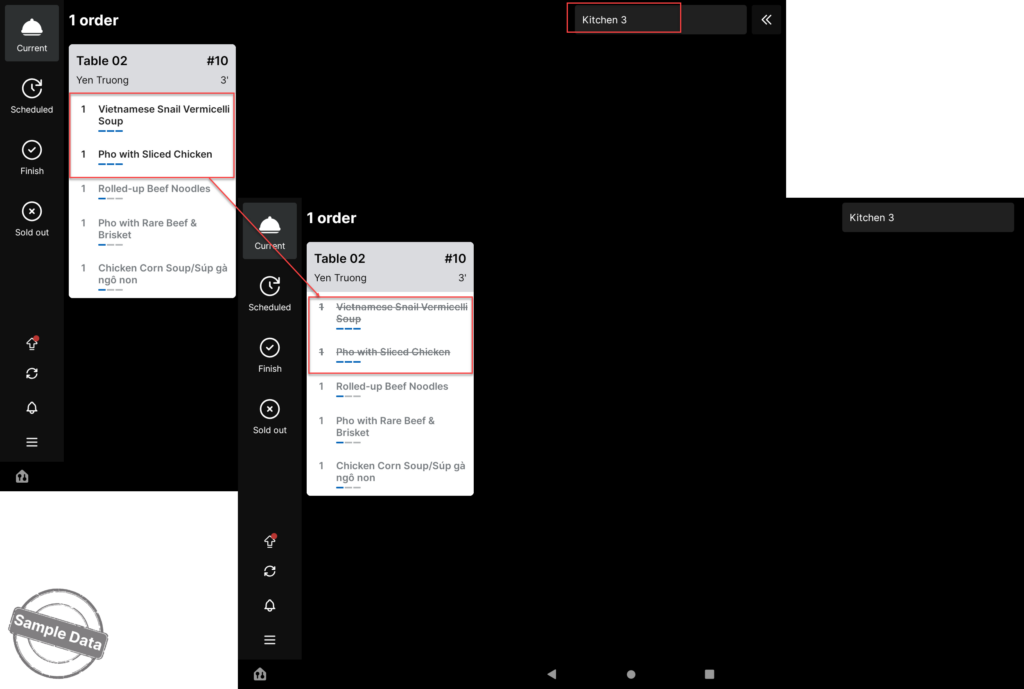
- After completion, tap the item to mark it as Done.
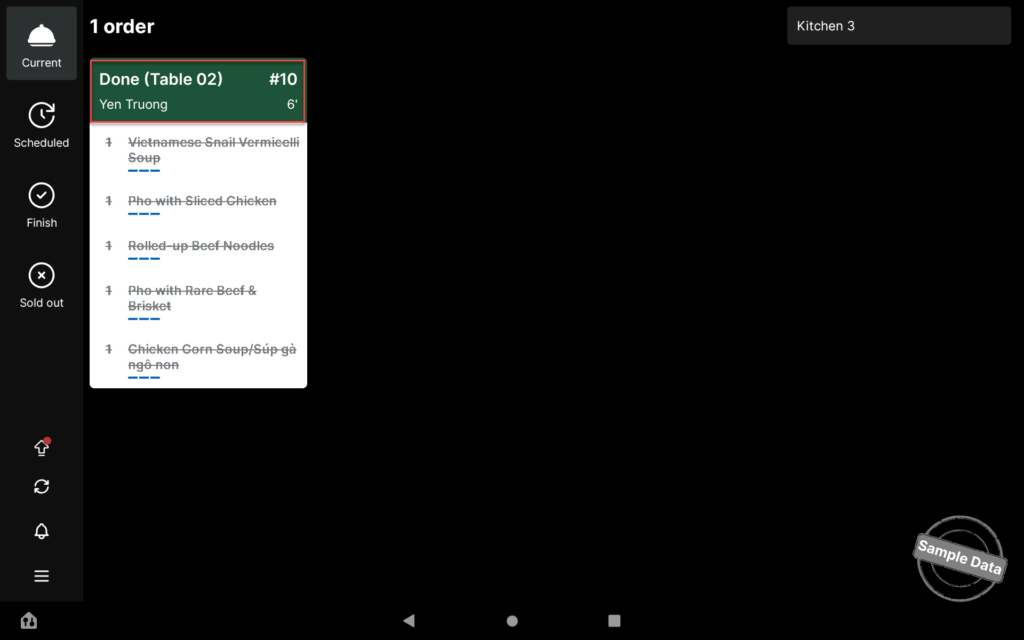
The dish is now fully completed and ready to be served to the customer.
Have a nice day!


