

Nội dung có trong bài
Ẩn
I. Purpose
This feature allows restaurants to connect Flute Payments with CUKCUK at the system level using a Merchant ID, enabling centralized payment processing configuration.
II. Instruction steps
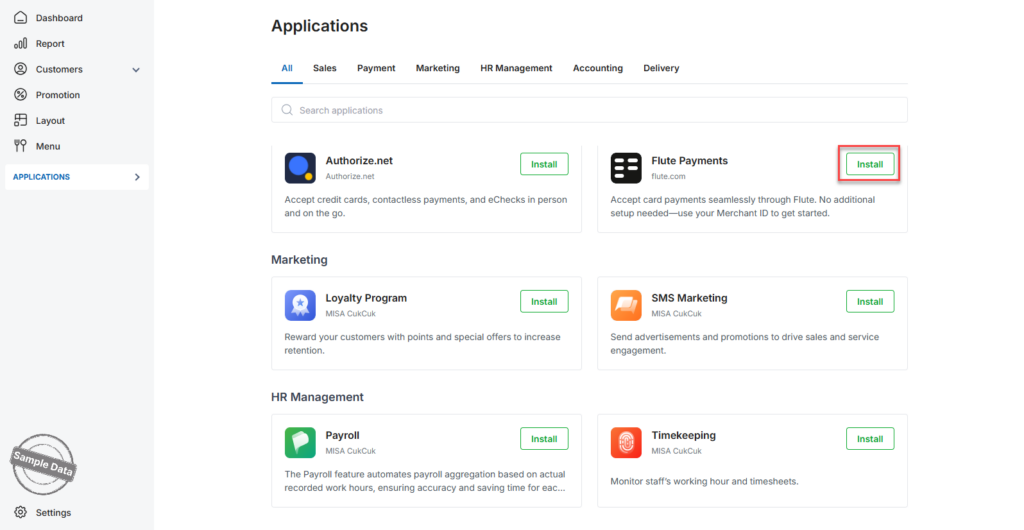
- On the Dashboard, go to Applications.
- Scroll down to Flute Payments.
- Click Install.
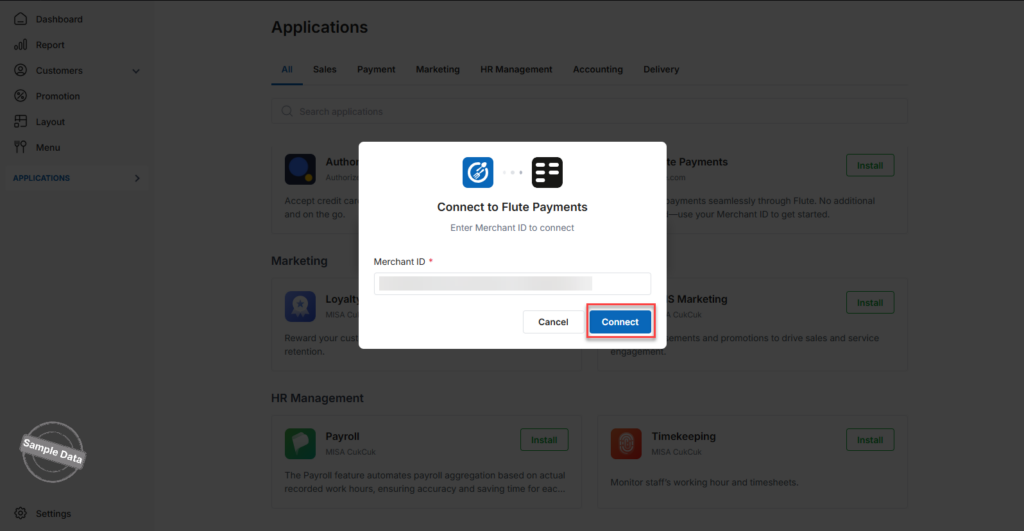
- Enter your Merchant ID. To obtain the Merchant ID, please contact your Flute payment terminal provider or the Flute Independent Sales Organization (ISO).
- Click Connect to complete the installation.
Flute Payments is now successfully connected.
Have a nice day!


