

I. Purpose
The manager can set up to take orders by seat.
II. Instruction steps
1. Set up to take order by seat
- On the dashboard, go to Settings –> Sales.
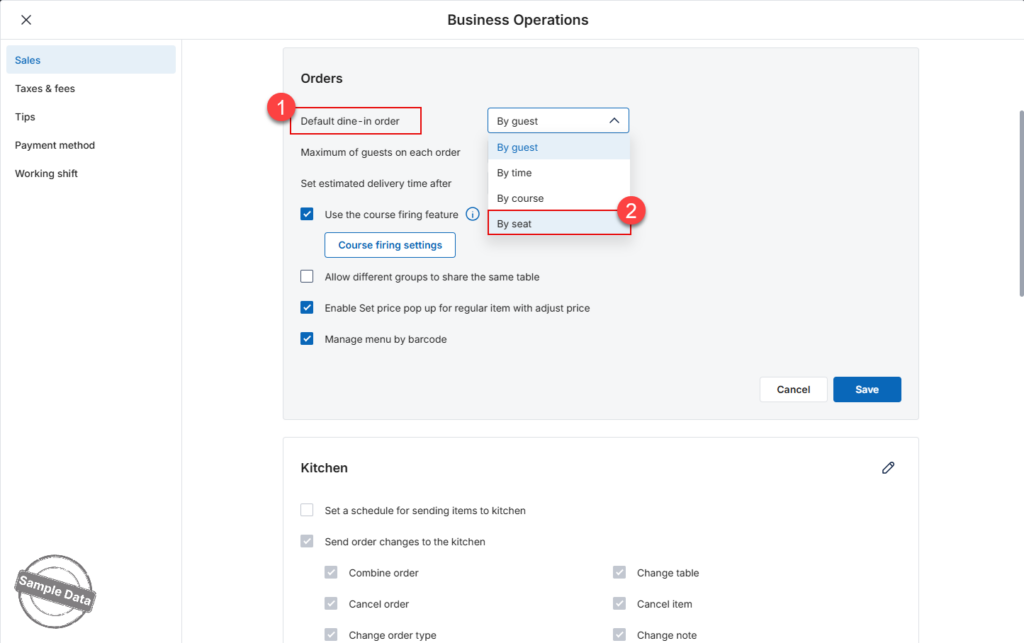
- On Sales tab, scroll to Orders and check By seat on Default dine-in order as a default order taking method.
- Click Save.
2. Set up seat naming pattern
a. Set up each table
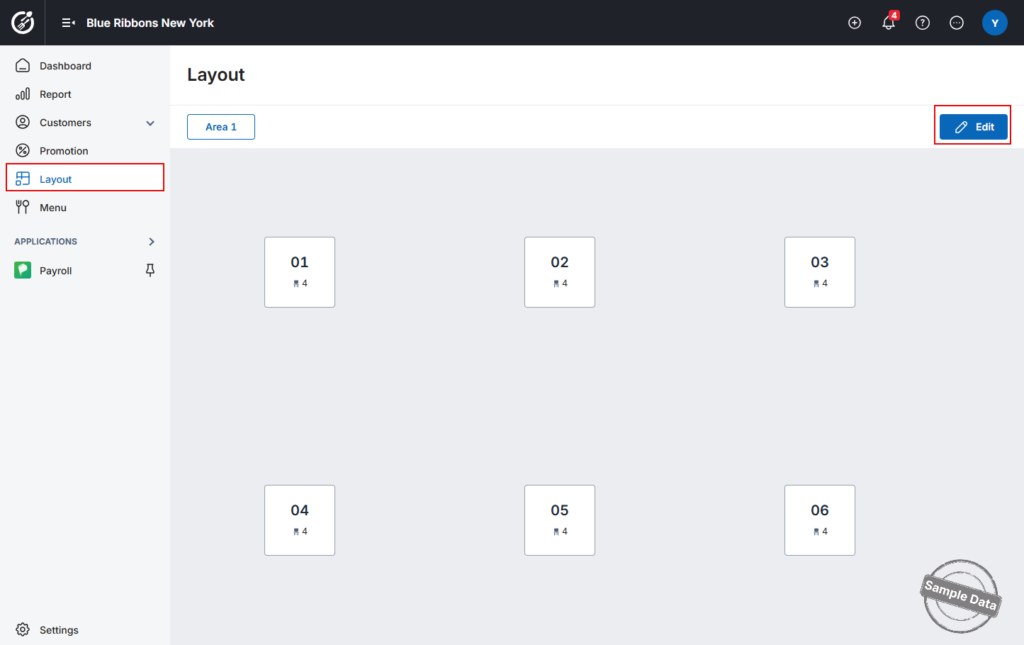
Go to Layout. Click Edit and select a table.
On Table name box, enter the table name currently used in the restaurant.
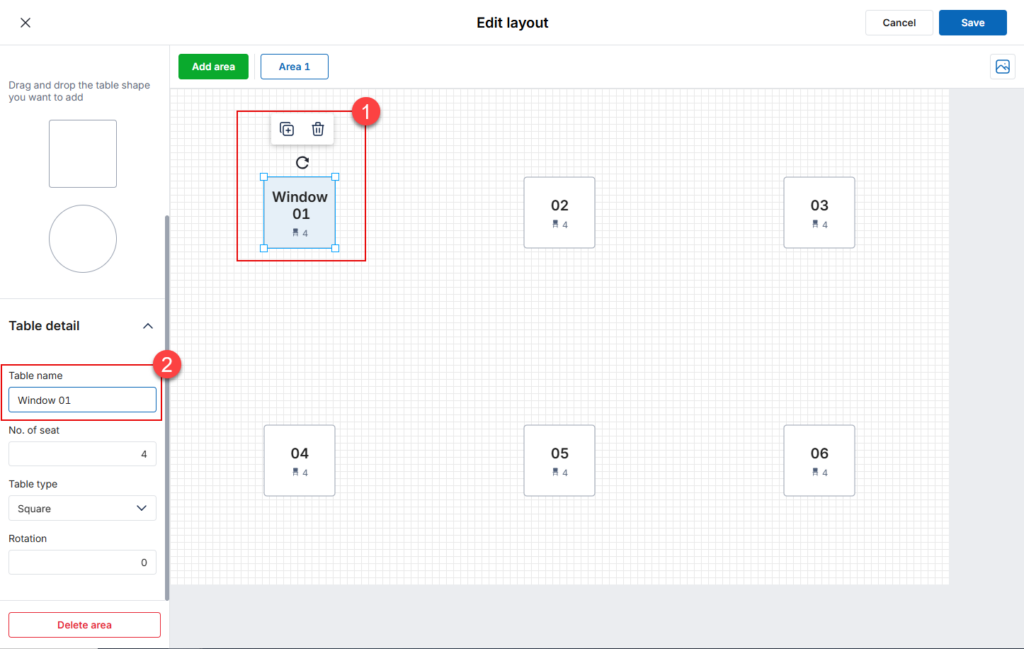
Follow the same steps for other tables.
b. Set up all tables with Quick settings
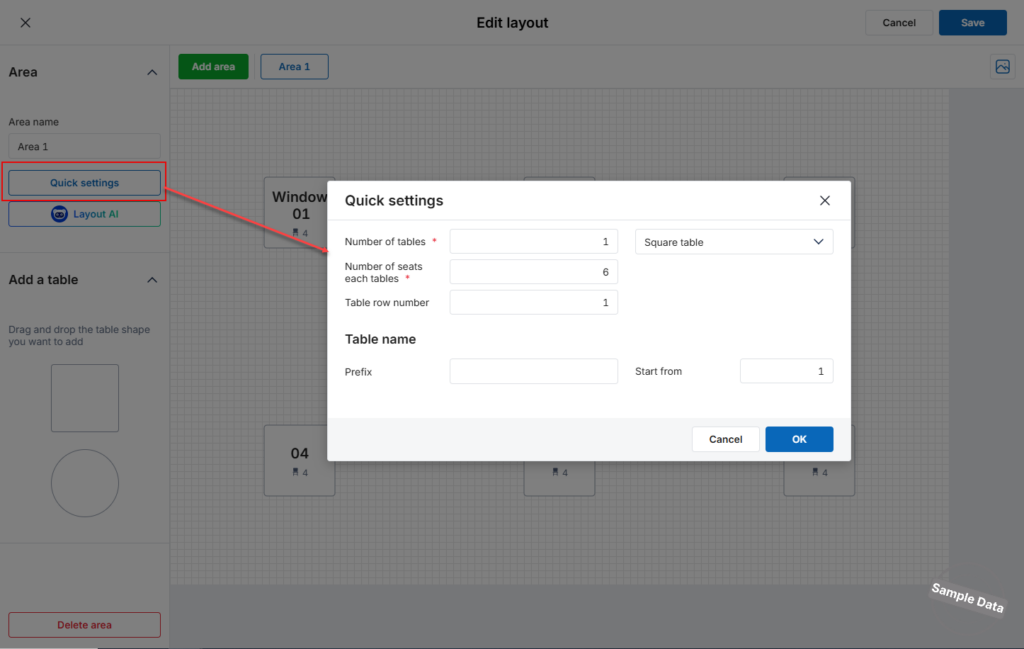
Click Quick settings. Fill in required information. Enter prefix if applicable and start number. Then, click OK.
3. Take order by seat
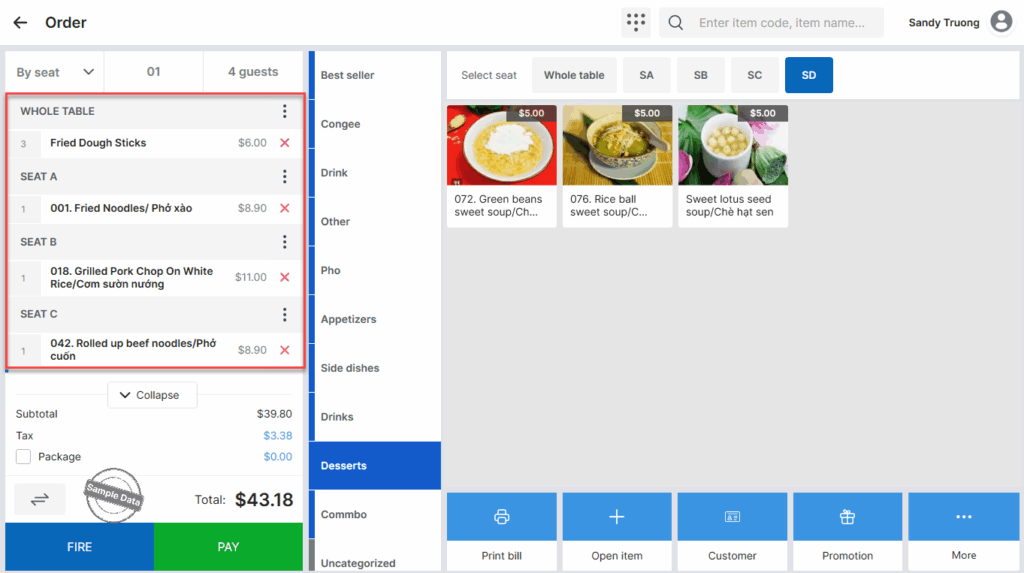
Upon taking order, the staff can take order for the whole table and each seat.
4. Get payment by seat
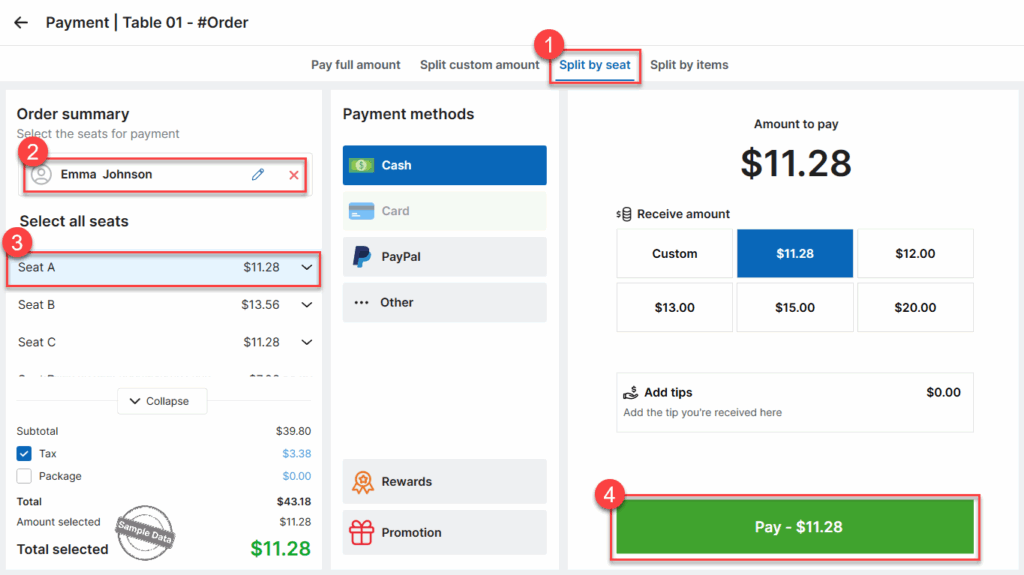
Upon checking out, click Split by seat, select customer and their seat. Click Pay.
Have a nice day!


