

Nội dung có trong bài
Ẩn
I. Purpose
The manager can directly integrate with Uber Eats.
II. Instruction steps
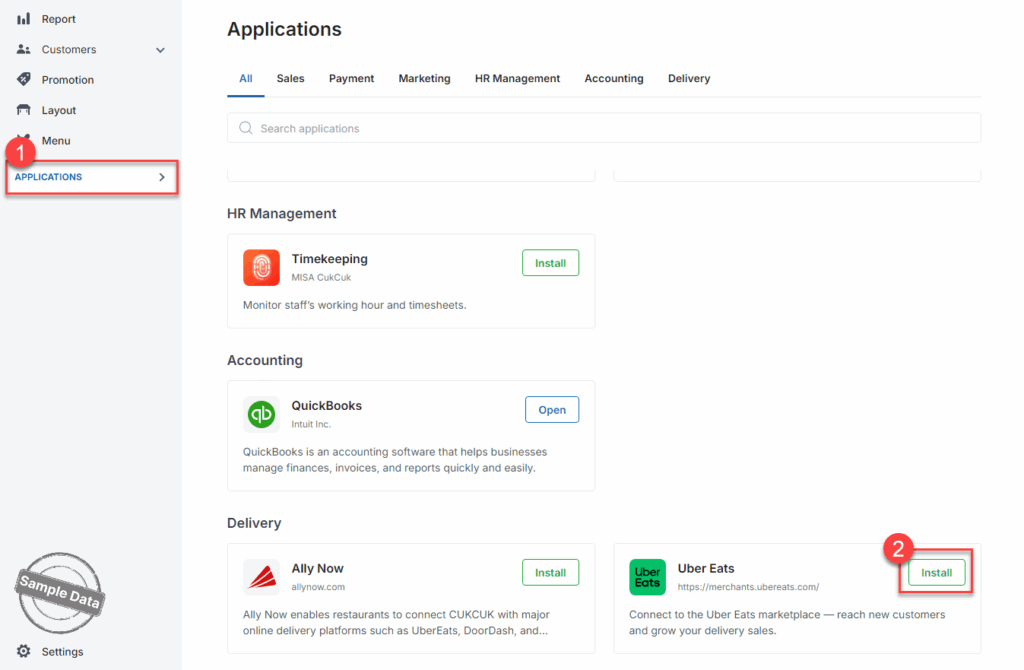
On the dashboard, go to Applications and scroll down to Uber Eats. Click Install.
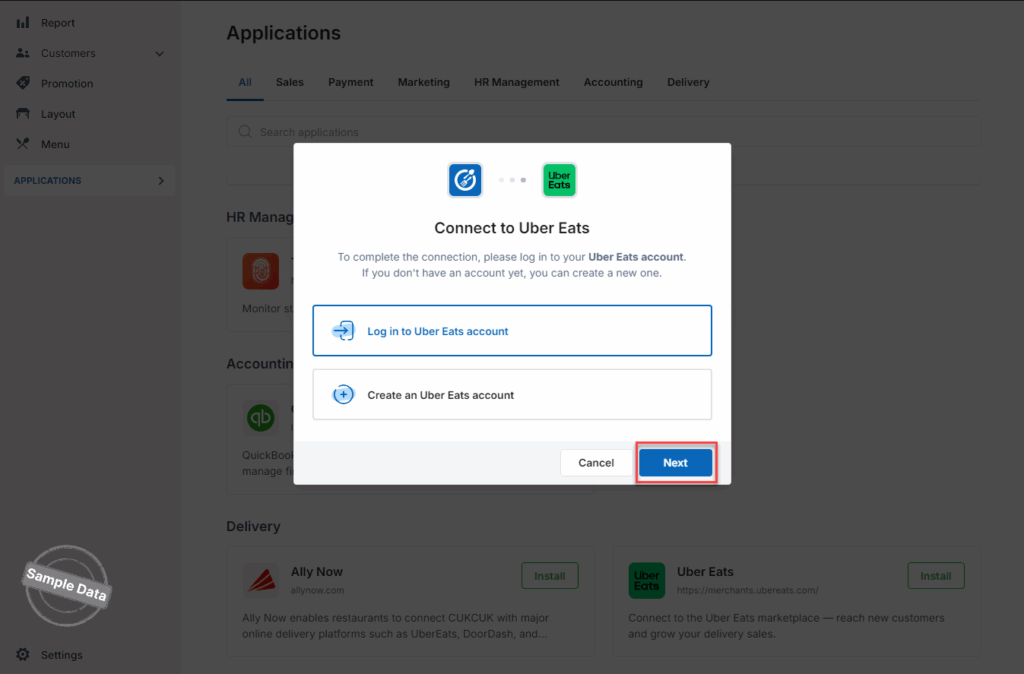
If you already have an Uber Eats account, click Log in to Uber Eats account. If you do not have any Uber Eats account, click Create an Uber Eats account. Click Next.
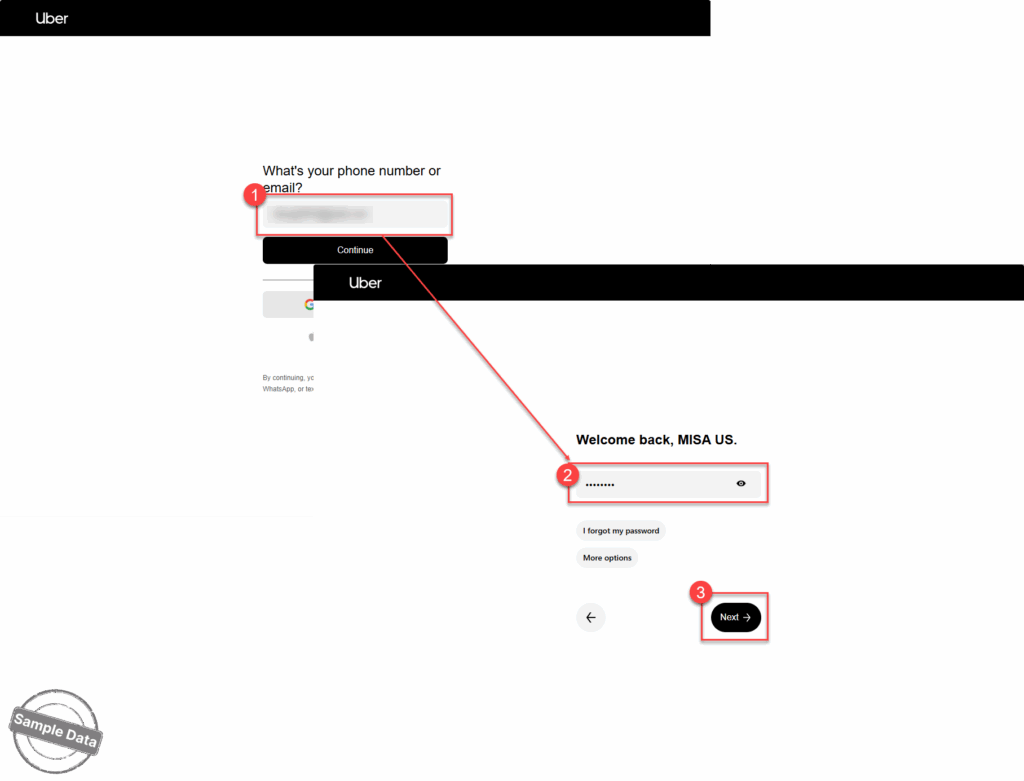
Enter your registered email and password. Click Next.
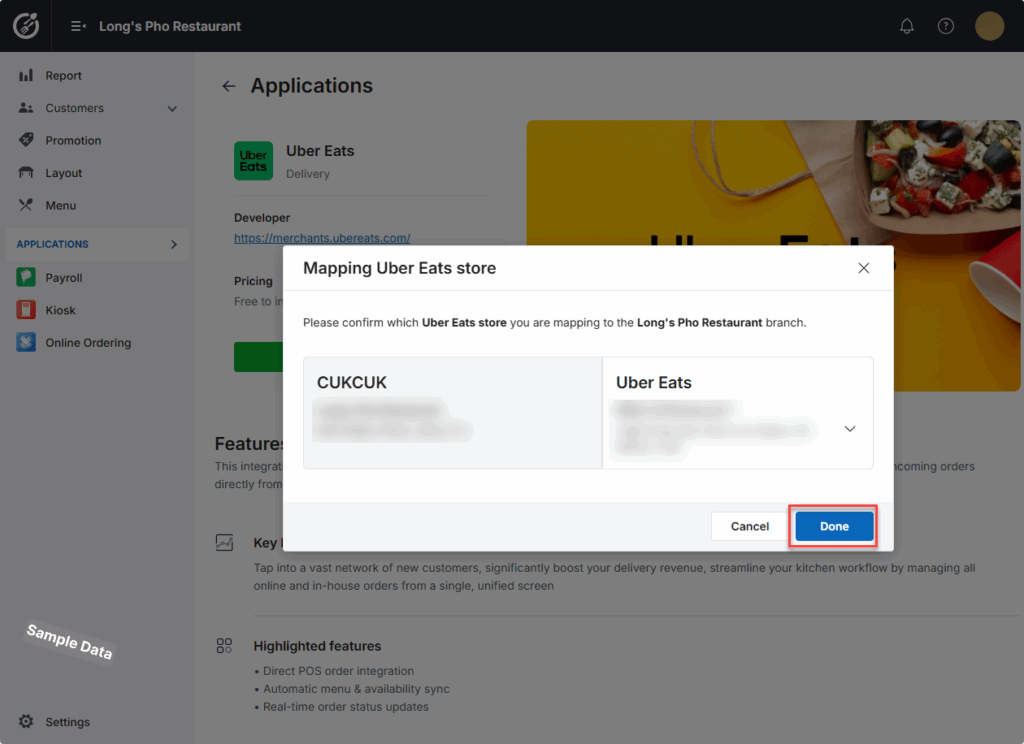
This window appears and select a location to connect. Then click Done.
Uber Eats is successfully installed.
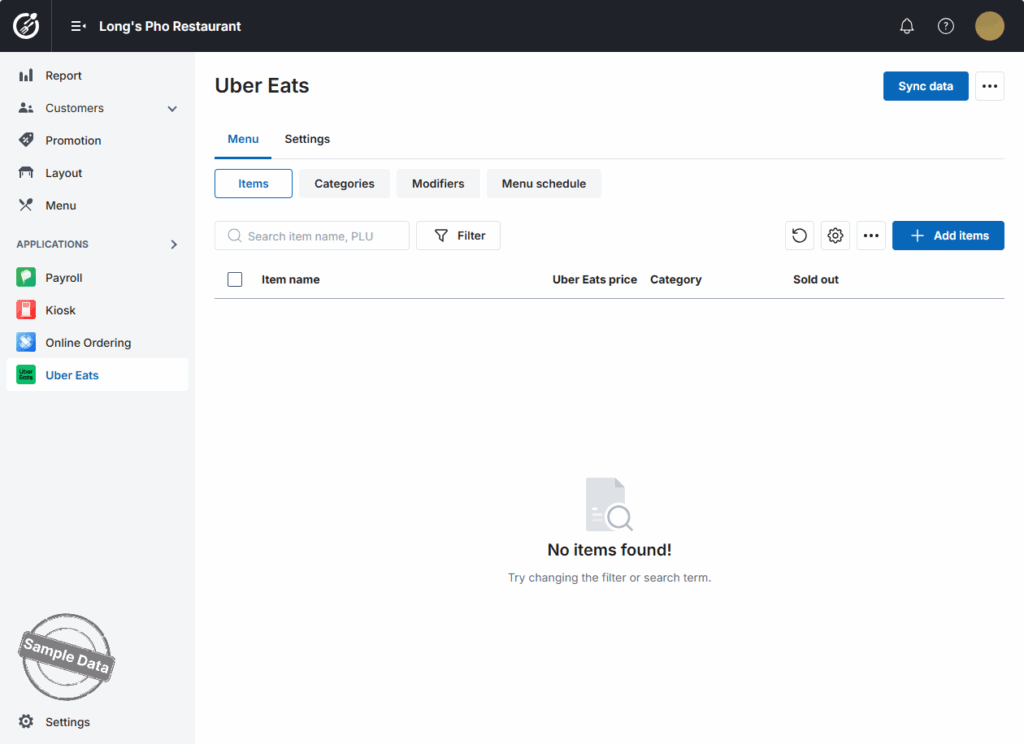
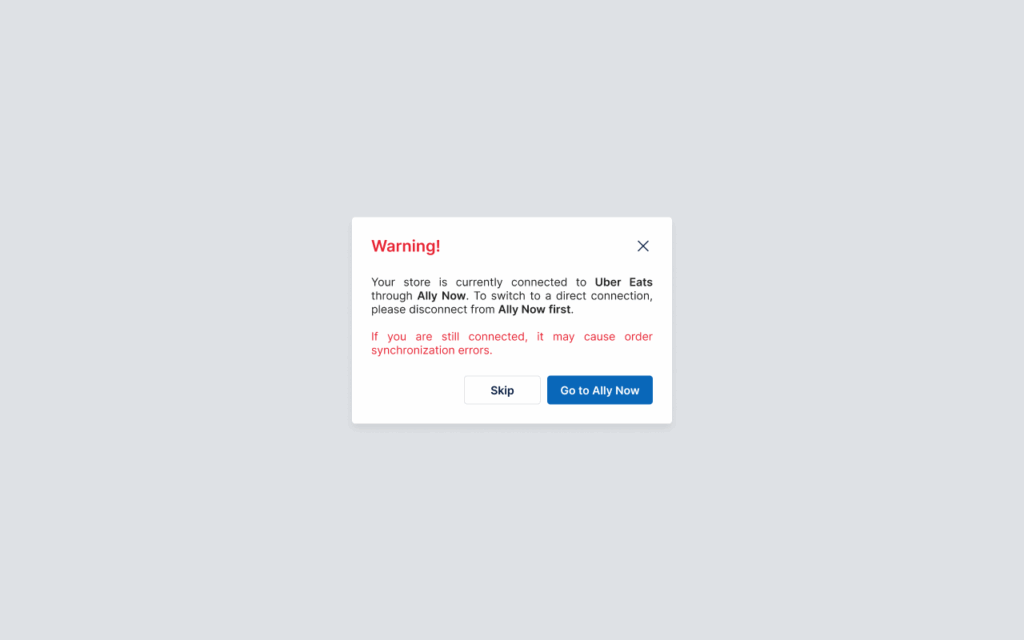
Note: If your restaurant is connected to Ally Now but you want to connect directly to Uber Eats, please disconnect with Ally Now first and then proceed with the next steps.
Have a nice day!


