

Nội dung có trong bài
Ẩn
I. Purpose
Help staff record customers’ special requests and preparation instructions by adding notes to an order, so the Kitchen/Bar can prepare items as requested. The notes also appear on the cashier’s order screen, allowing staff to review the customer’s instructions.
II. Instruction Steps
If a customer requests special instructions for their order, follow these steps:
- On the Order details screen, tap the icon
 on the customer’s order and select Note.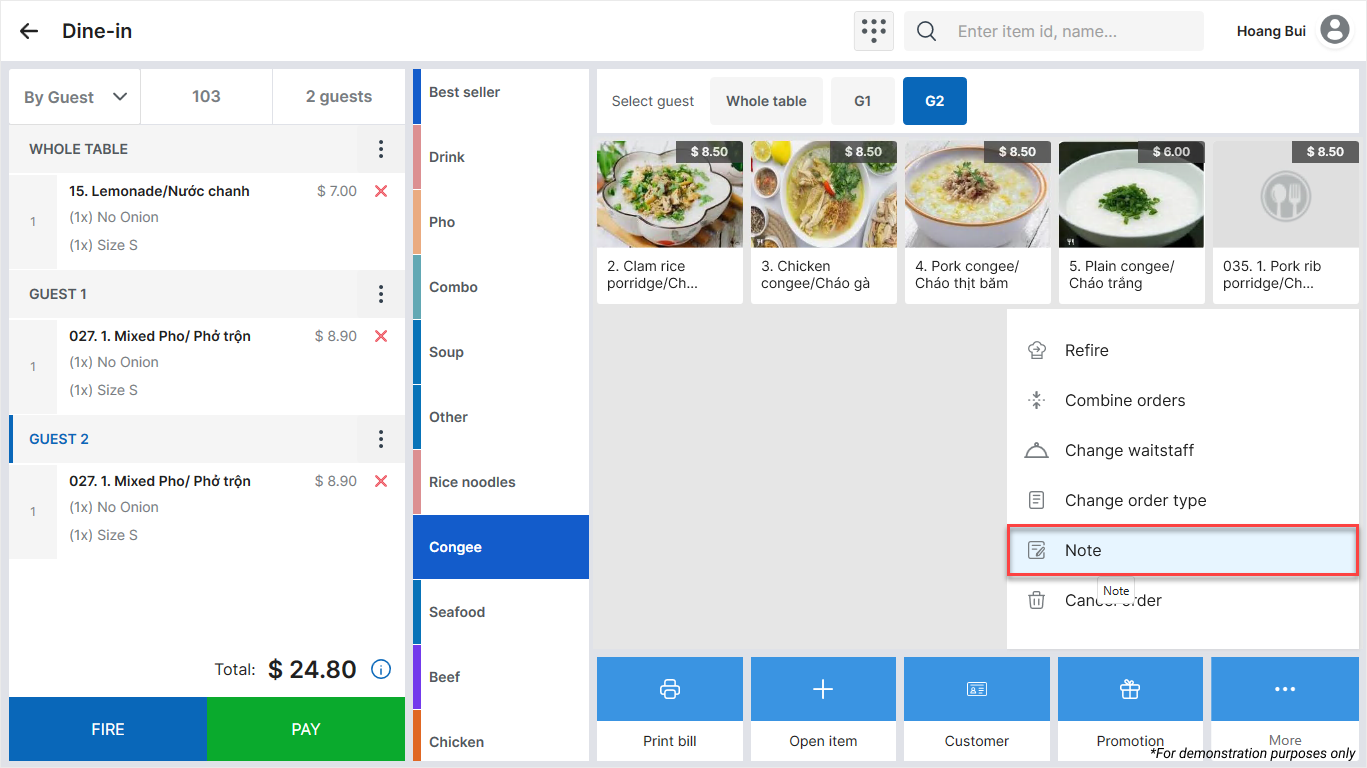
- Enter the customer’s special instructions.
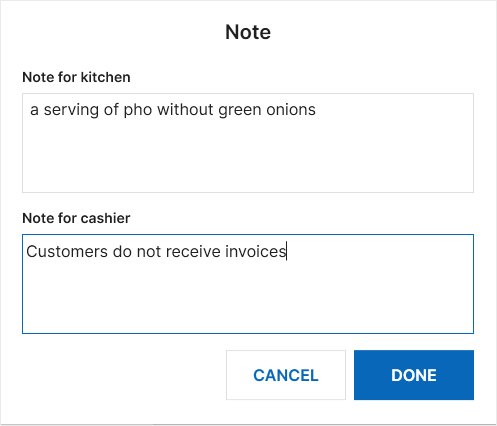
- Tap Done to save.
The saved note appears on the cashier’s order screen.
Have a nice day!


