

I. Purpose
The managers can set up item prices included tax
II. Instruction steps
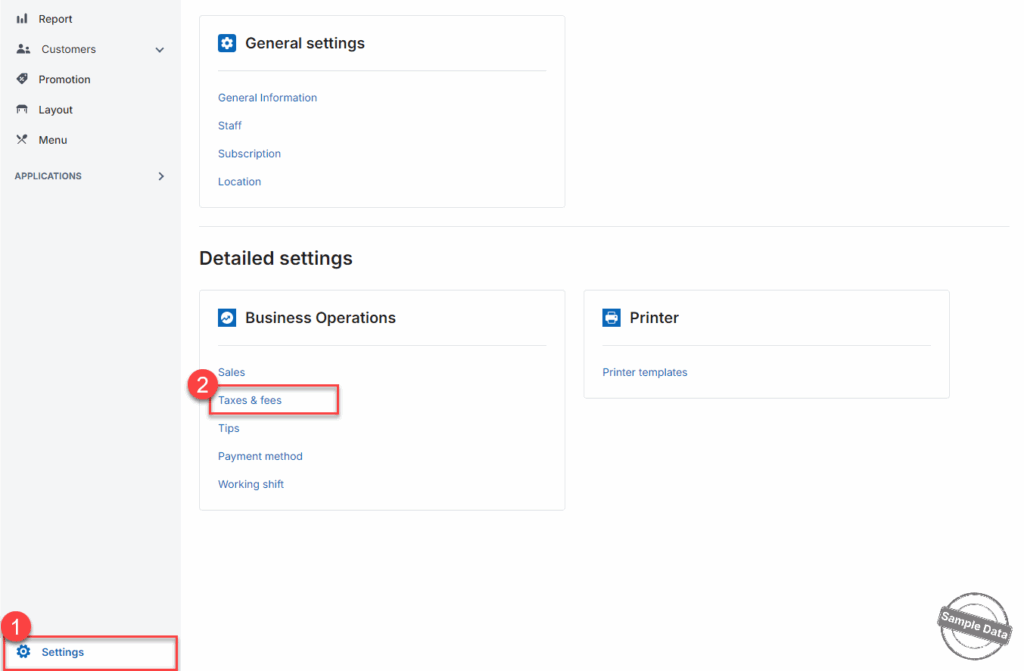
Go to Settings and select Taxes & fees.
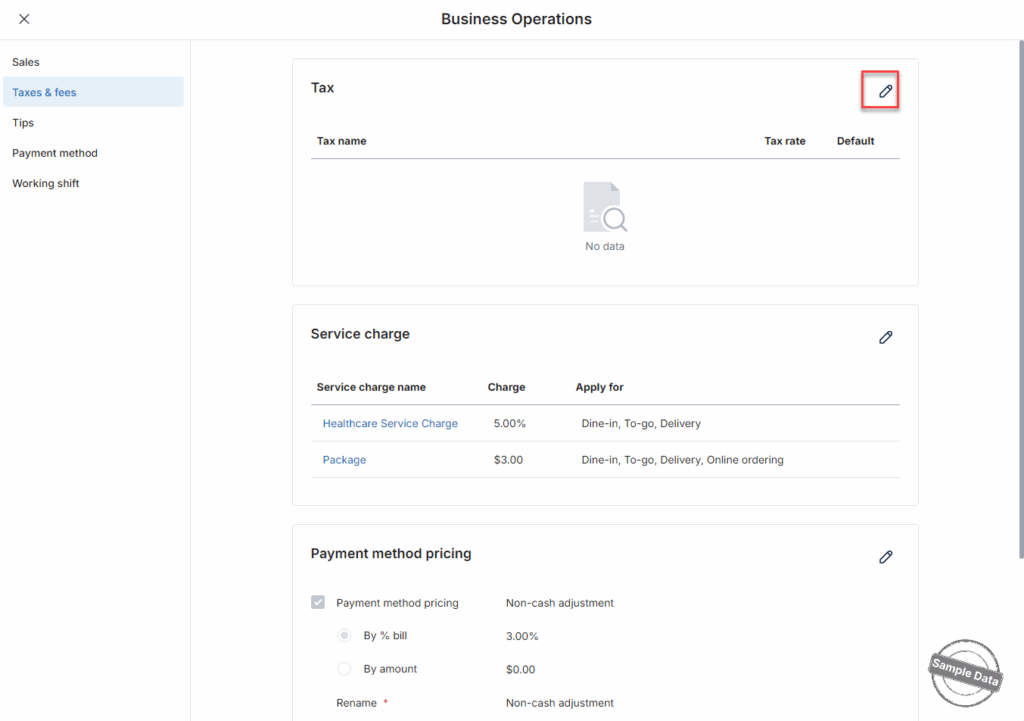
On the Tax section, click this icon 
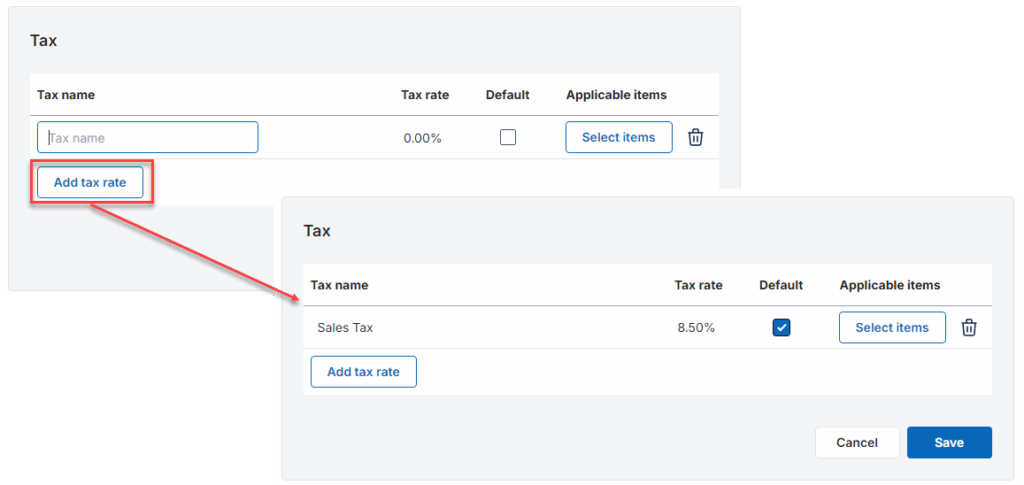
Click Add tax rate to create the tax rate you want to apply. Enter tax name, tax rate and put a check if this tax is default.
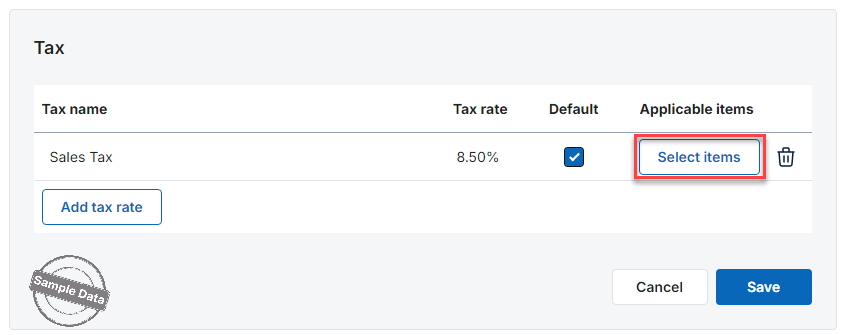
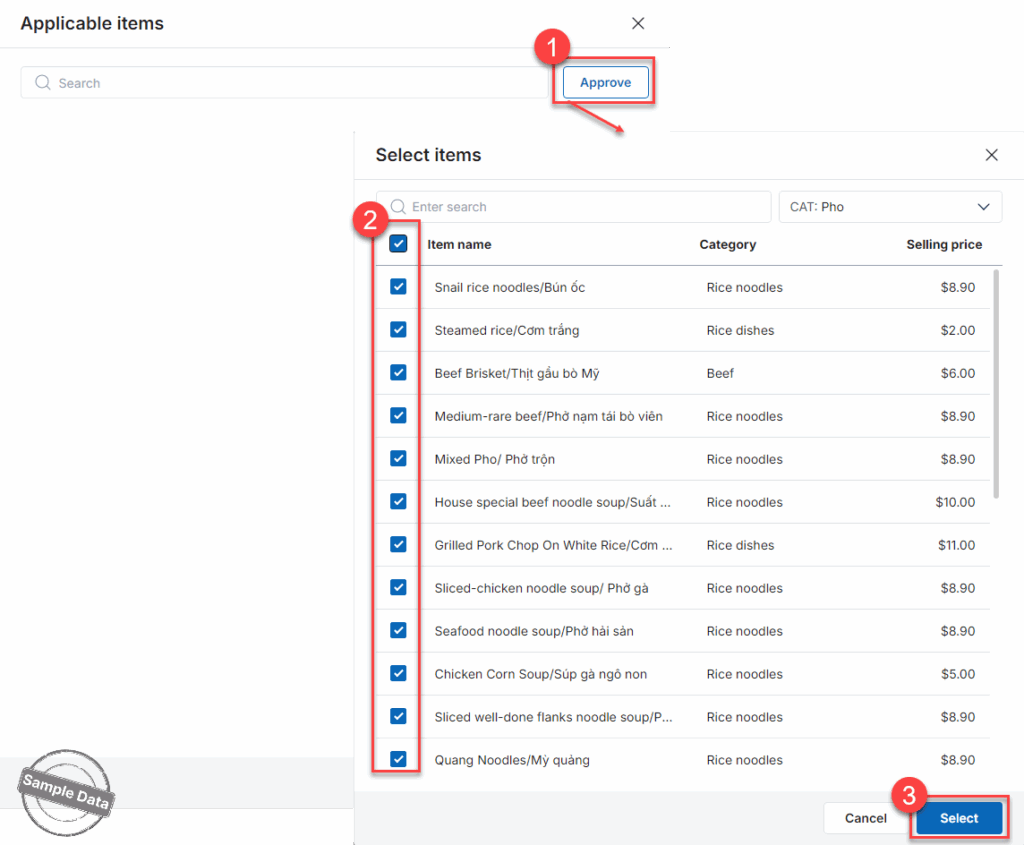
Click Select items to add items subject to this tax.
Click Approve. Check the applicable items and press Select.
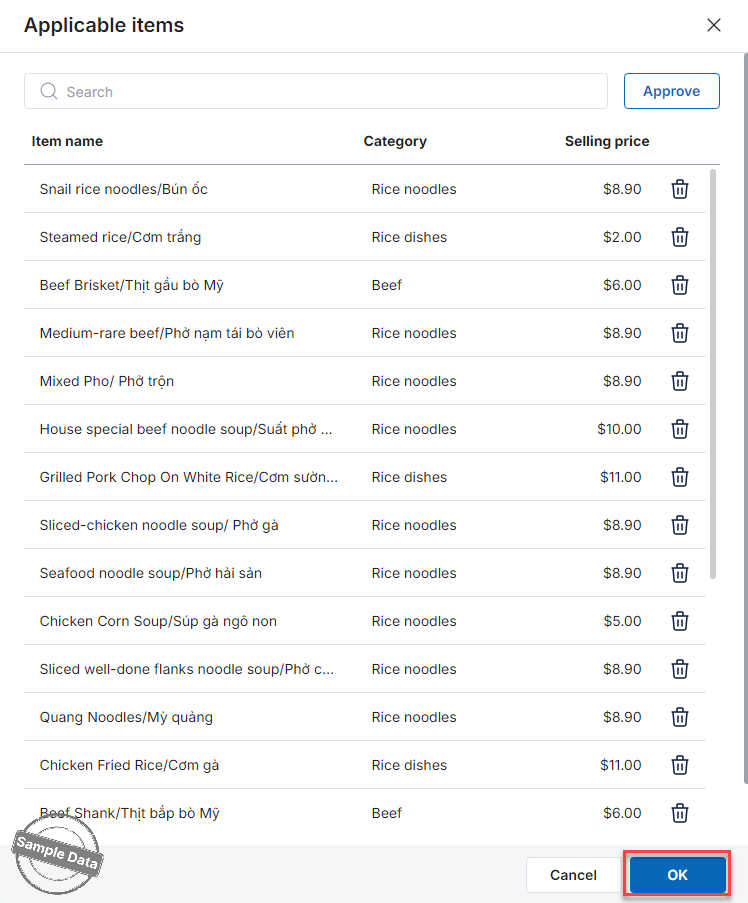
Then click OK.
Have a nice day!


