

Nội dung có trong bài
Ẩn
I. Purpose
The manager can set up and synchronize menu directly to Uber Eats.
II. Instruction steps
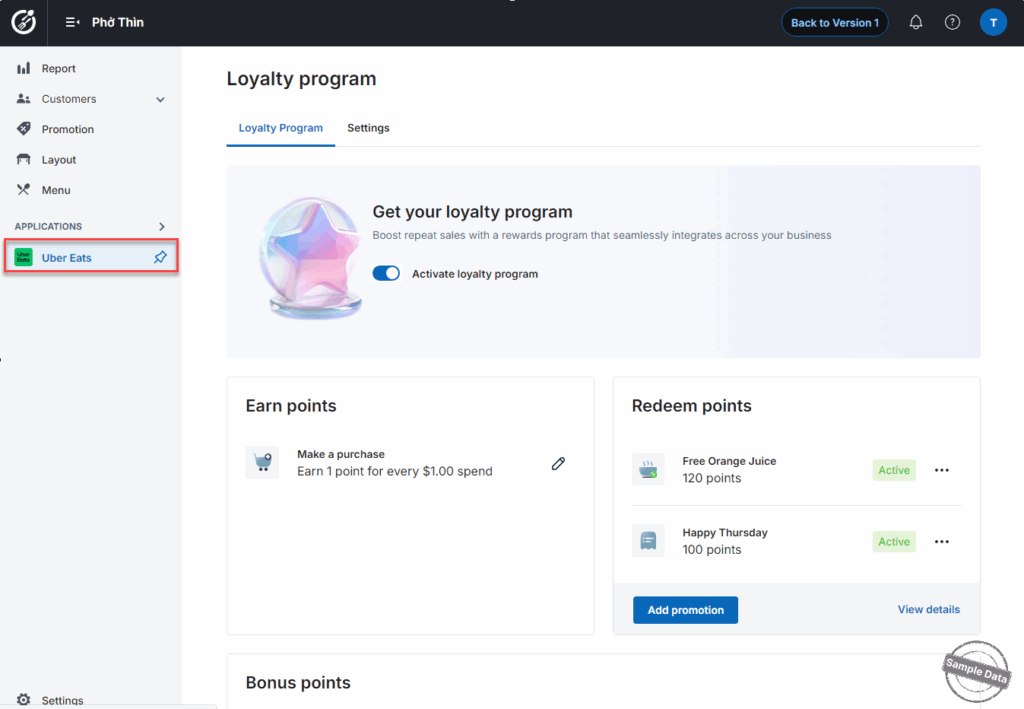
On the dashboard, go to Uber Eats. You can click this icon  to pin this app.
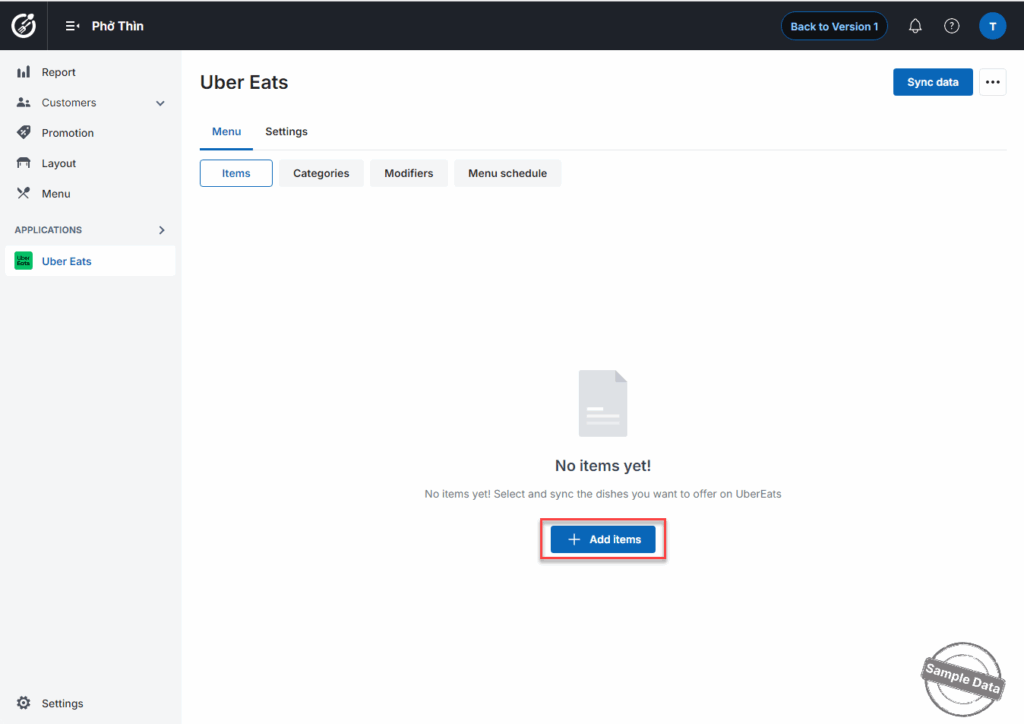
Click Add items.
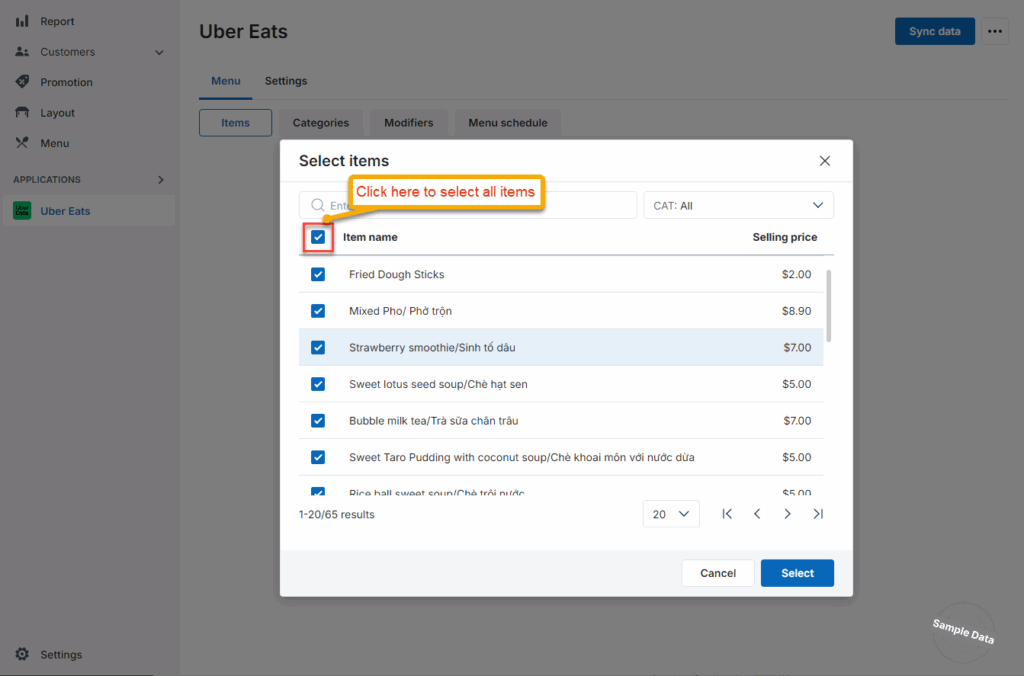
Select items to be sold on Uber Eats.
2. Edit item price
a. Edit manually
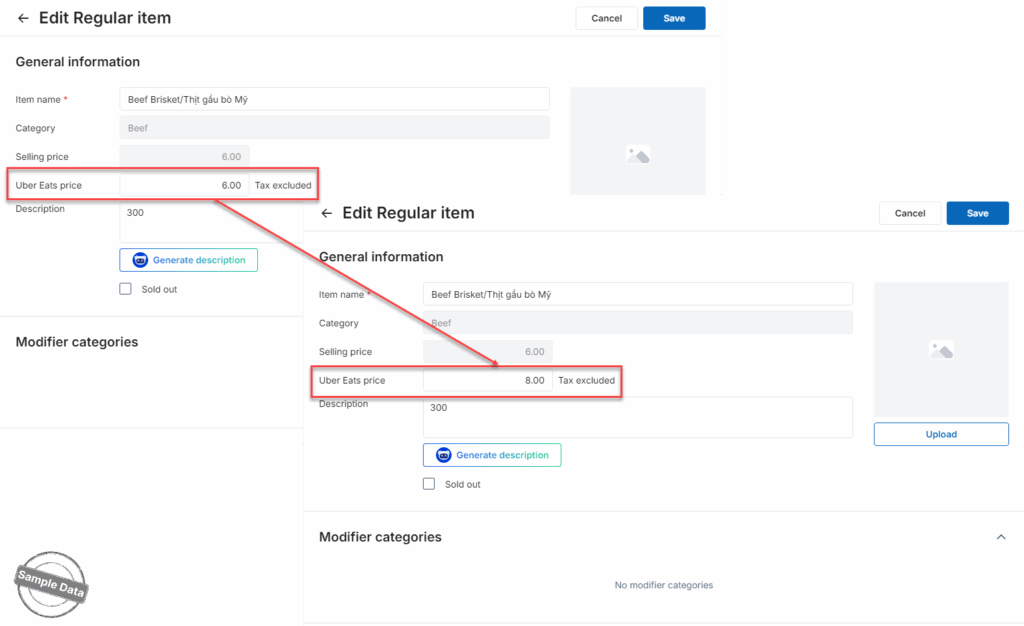
Click this icon on  the item you want to update.
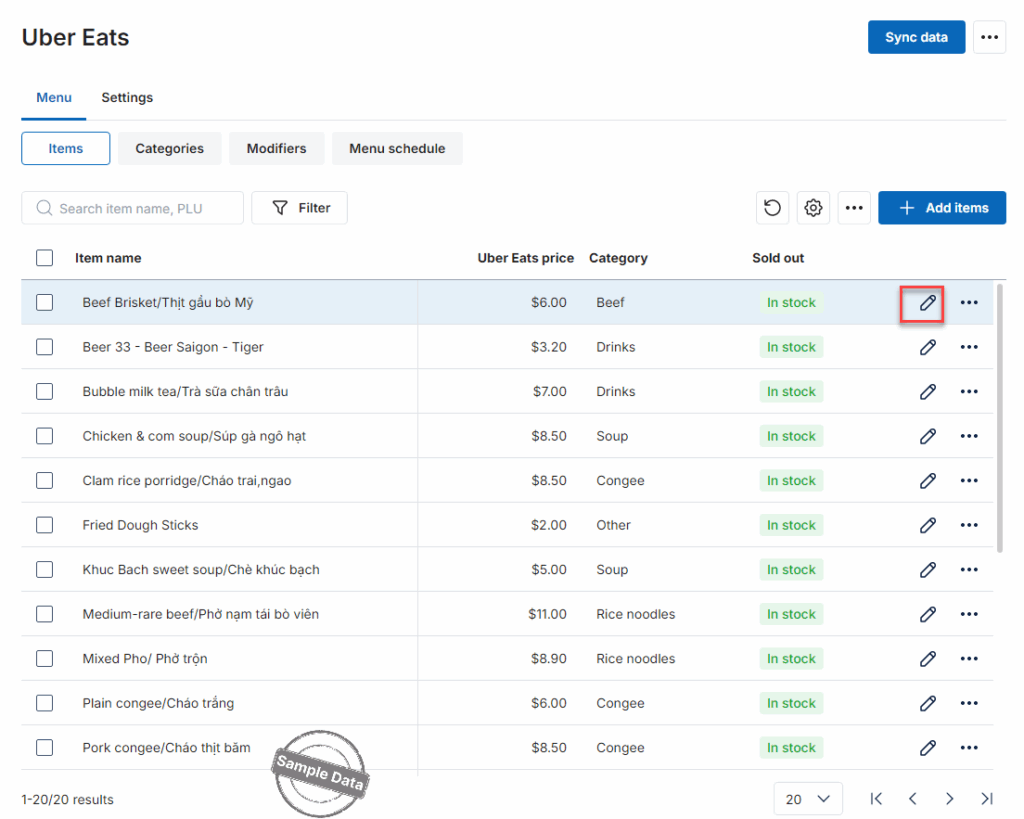
Enter the Uber Eats price and then click Save.
b. Quick edit
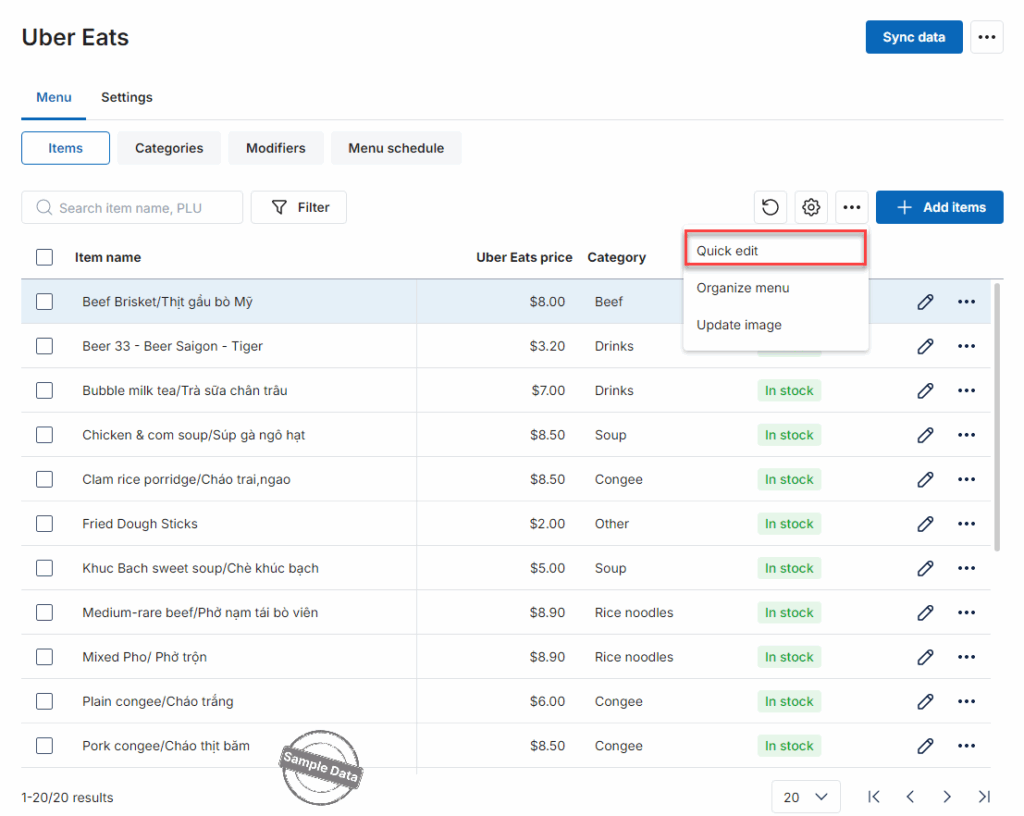
Click this icon  and select Quick edit.
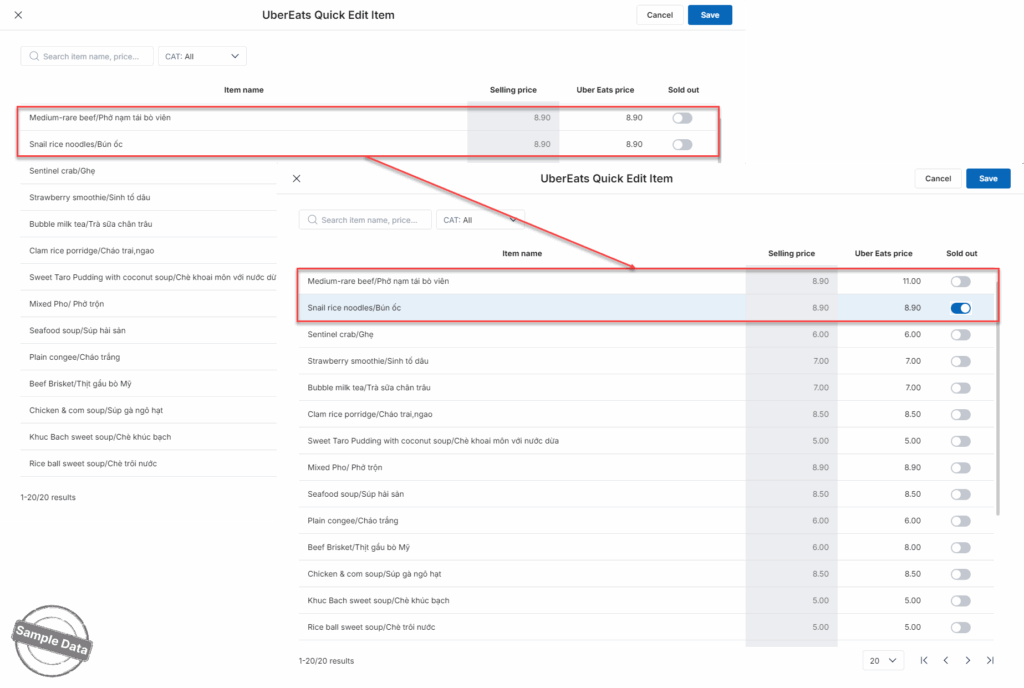
Here you can quickly edit the item price and status. Then click Save.
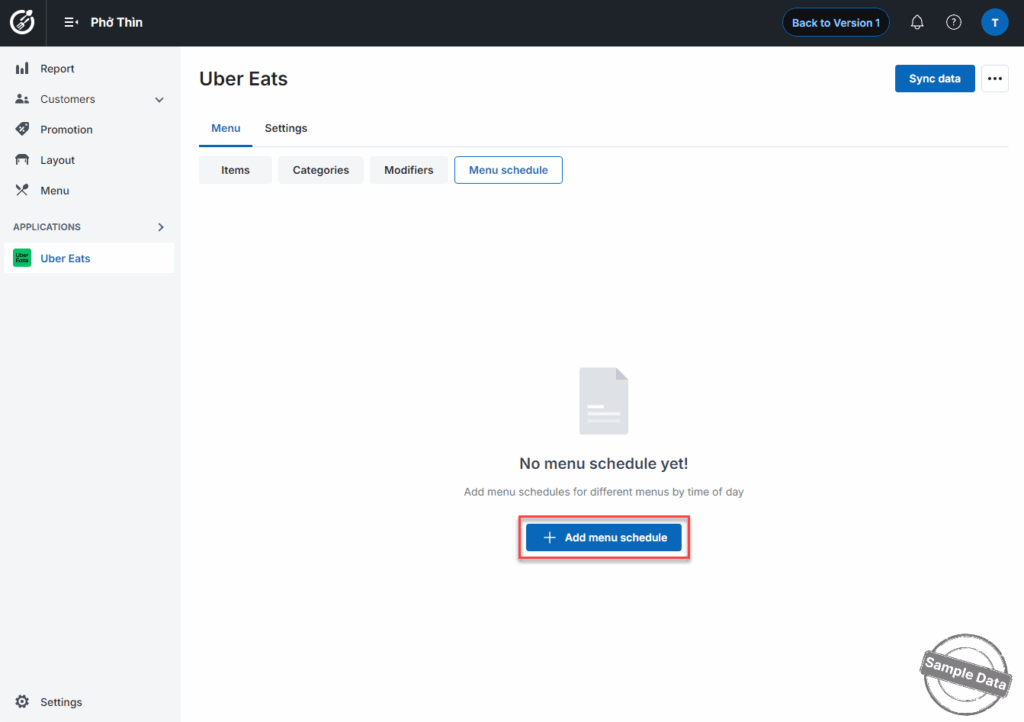
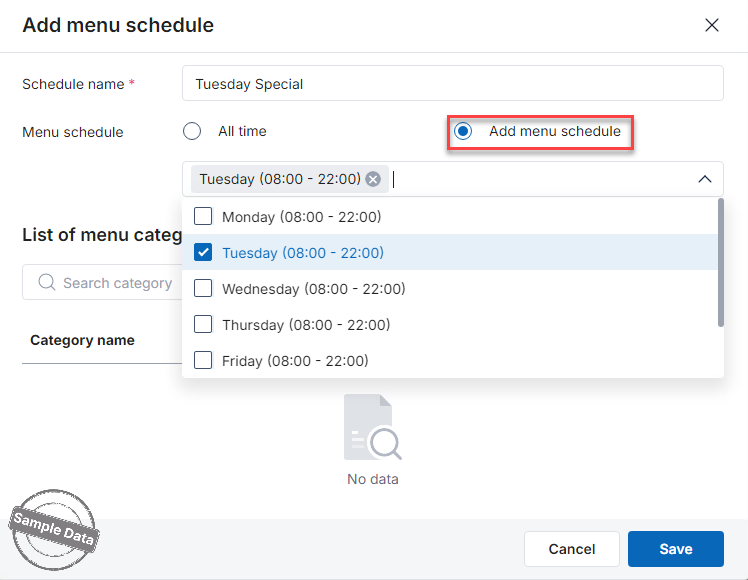
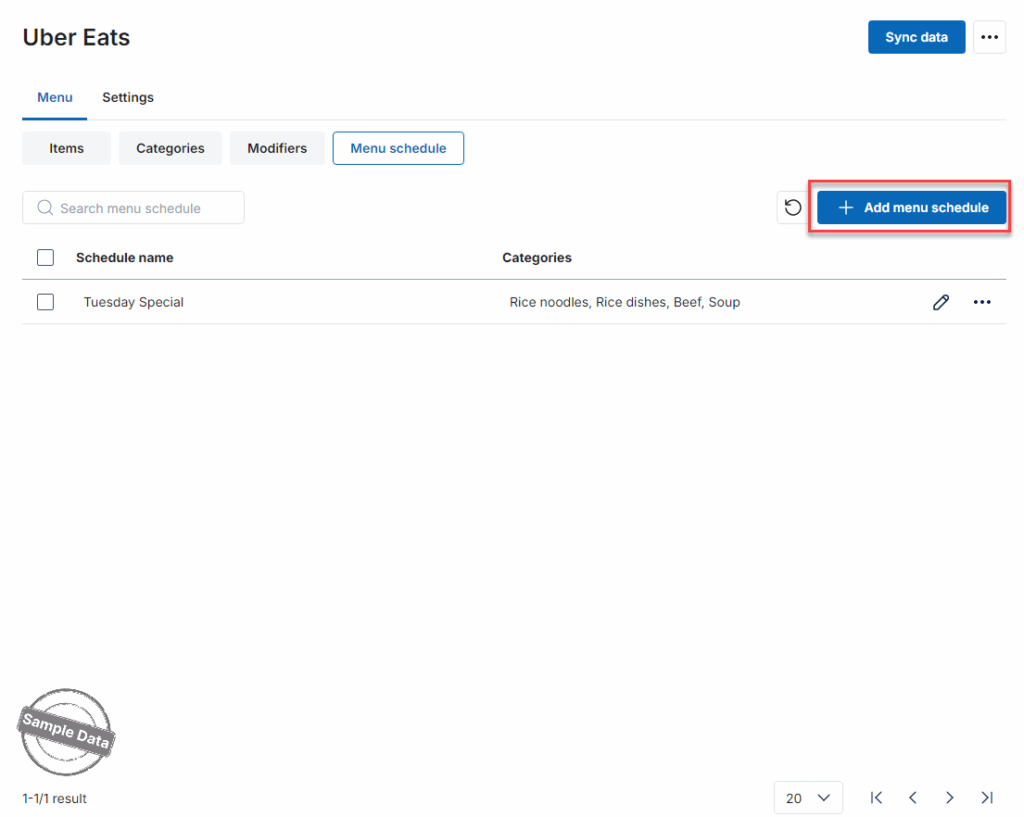
On Menu schedule tab, click Add menu schedule.
Enter the schedule name. Check Add menu schedule and select applicable schedule(s).
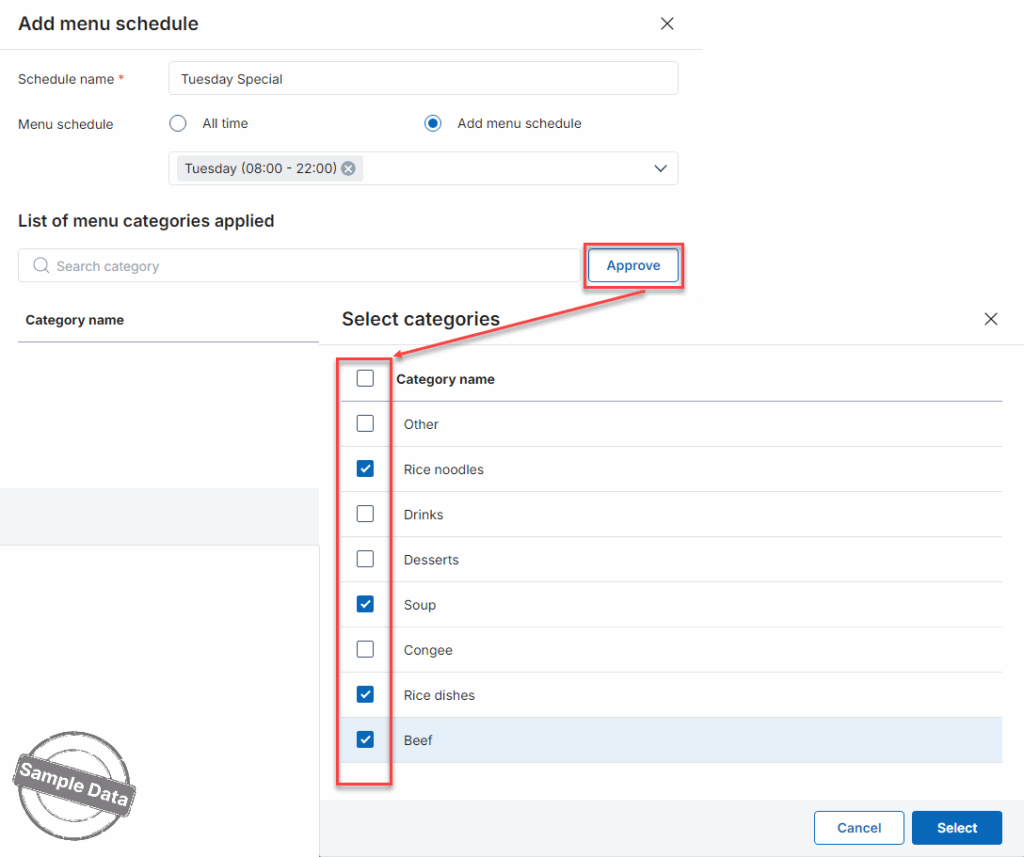
Click Approve to select applicable categories.
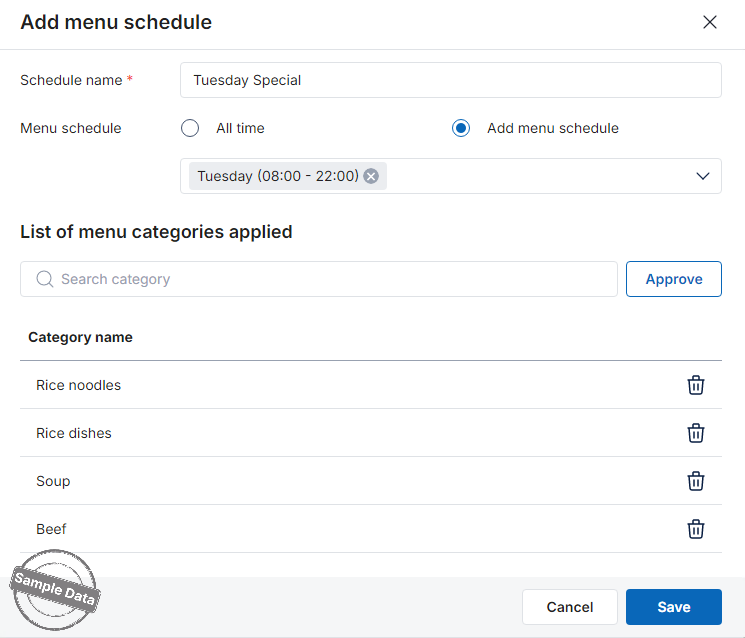
Then click Save.
Follow the same steps for other menu schedules.
Have a nice day!


