

Nội dung có trong bài
Ẩn
I. Purpose
Help staff quickly add another serving of an item that has already been sent to the Kitchen/Bar, without searching for it again in the menu or re-entering its original notes.
The Order more feature retains the item’s original notes and assigns the additional item to the same guest. Staff can move it to another guest at the table if needed, then send it to the Kitchen/Bar for preparation.
II. Instruction Steps
1. Add the item again
- On the PC/POS, reopen the customer’s order.
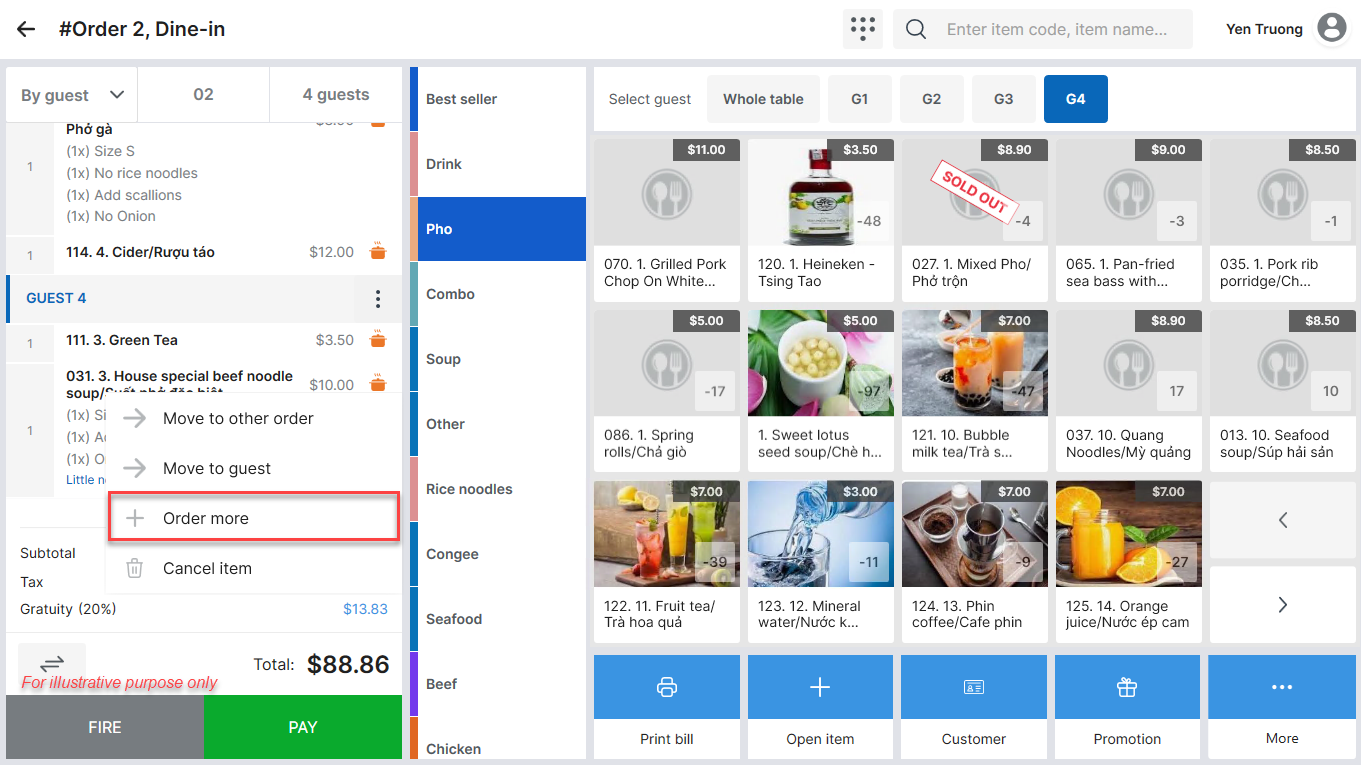
- Select the item the customer wants to order again.
- Select Order more.
The additional item is added to the same guest, with all original notes retained.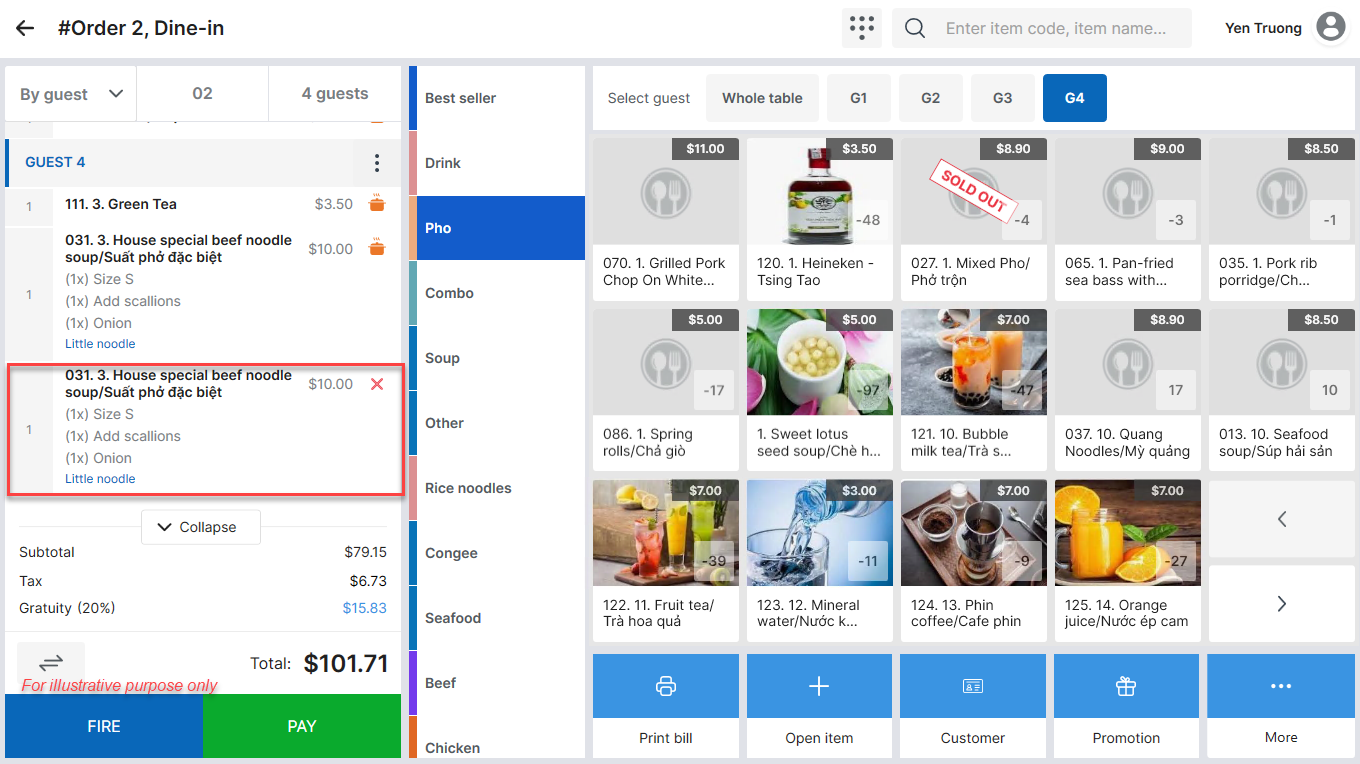
Note: To assign the additional item to another guest at the table, press and hold the item, then drag it to the intended guest.
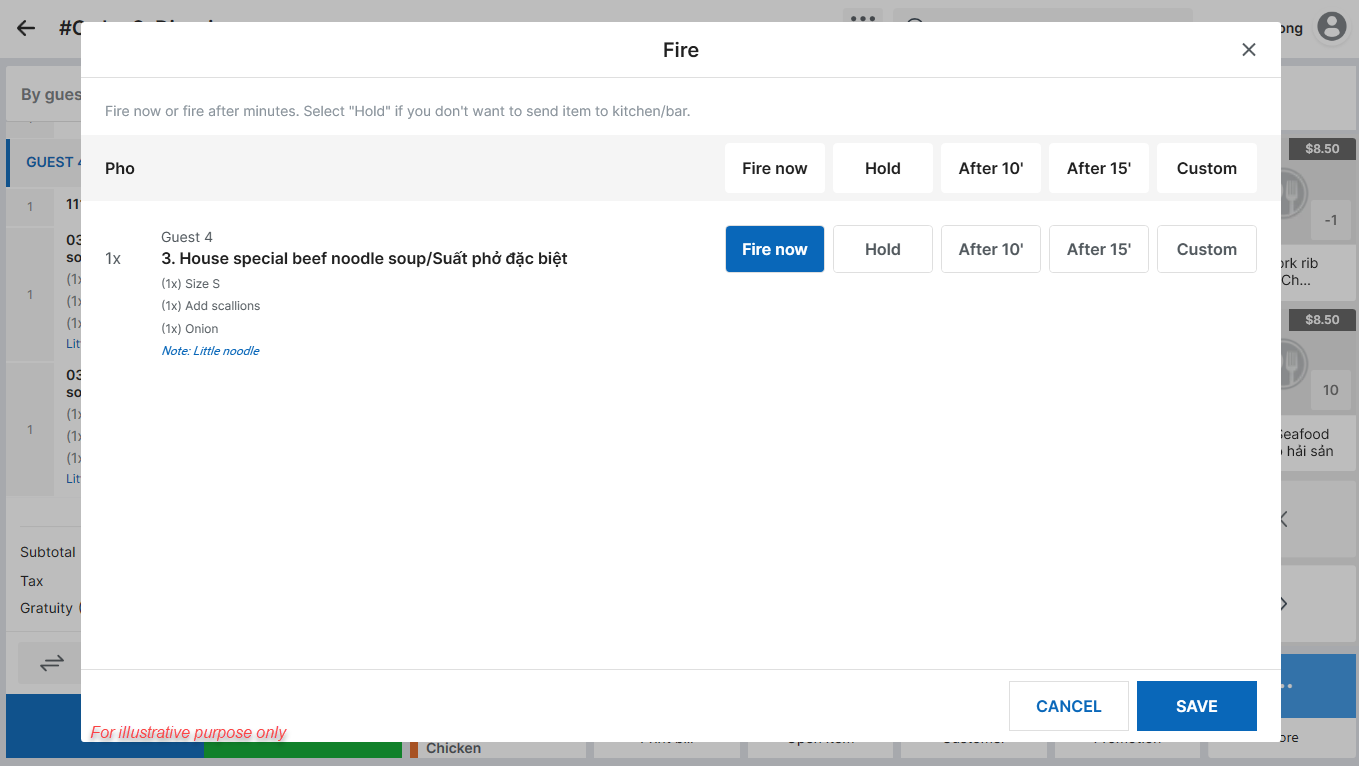
Tap Fire to send the newly added item to the Kitchen/Bar for preparation.
Have a nice day!


