

Nội dung có trong bài
Ẩn
I. Purpose
The Month-End Report feature allows managers to:
- Combine every daily End-of-Day (EOD) close in a calendar month into one locked month-end close.
- Export the summary to PDF.
II. Instruction steps
1. On the dashboard
- Navigate to Report → End-of-day report.
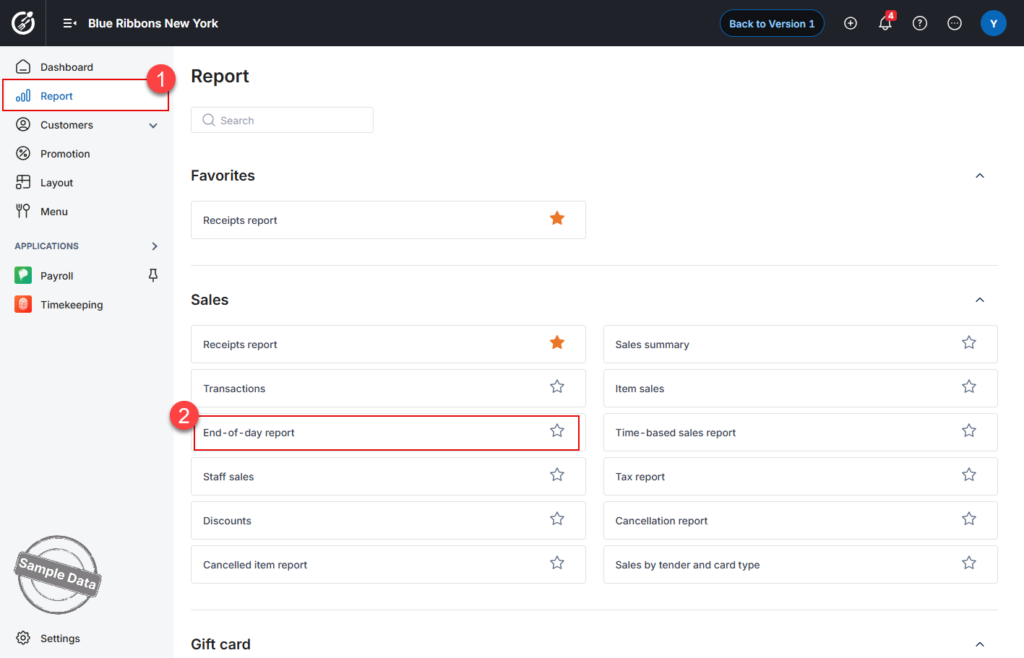
- Set the date range to the month you want to close.
- Click the icon
 and choose Export all to export the list of closing books or Export month-end report to export details of all closing books in the selected time range.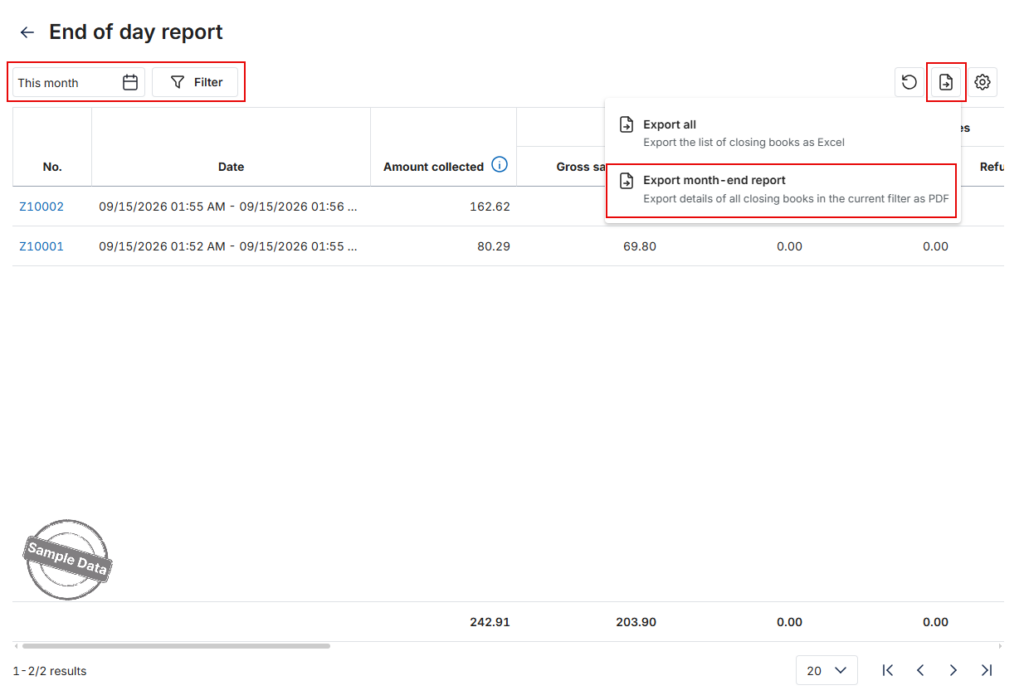
- Choose to download or save the pdf file.
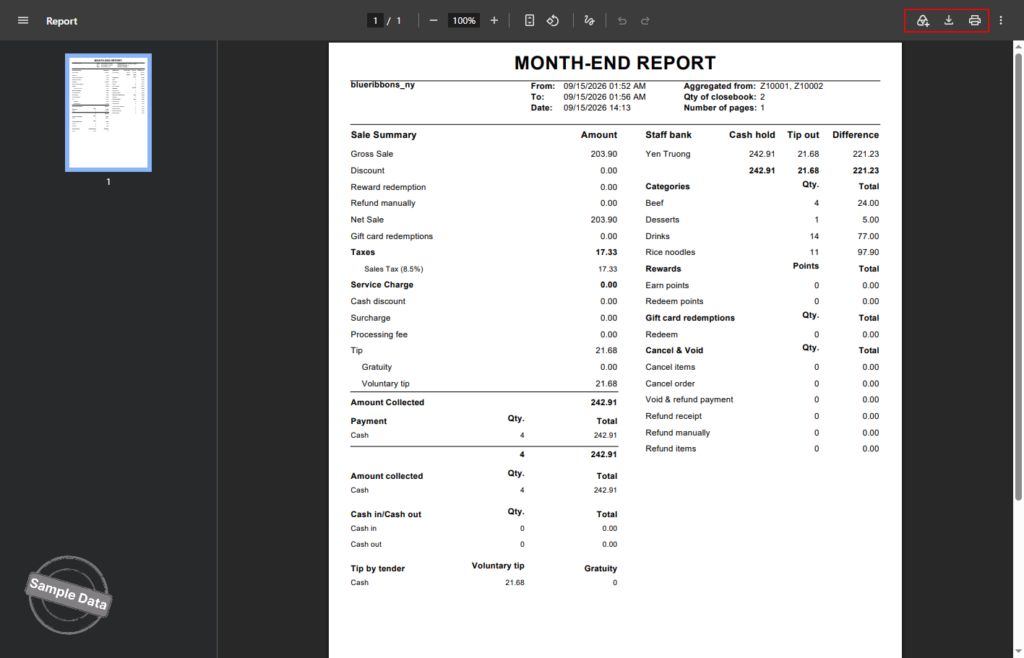
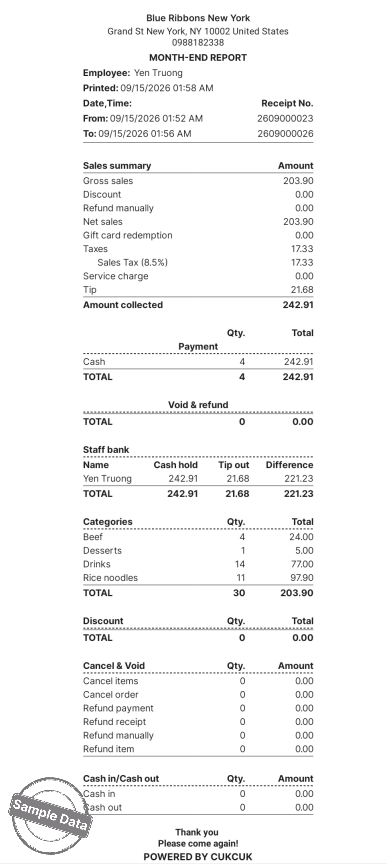
The export adds an “Aggregated from” column that lists the IDs of the daily closes included.
2. On POS
- Go to Report.
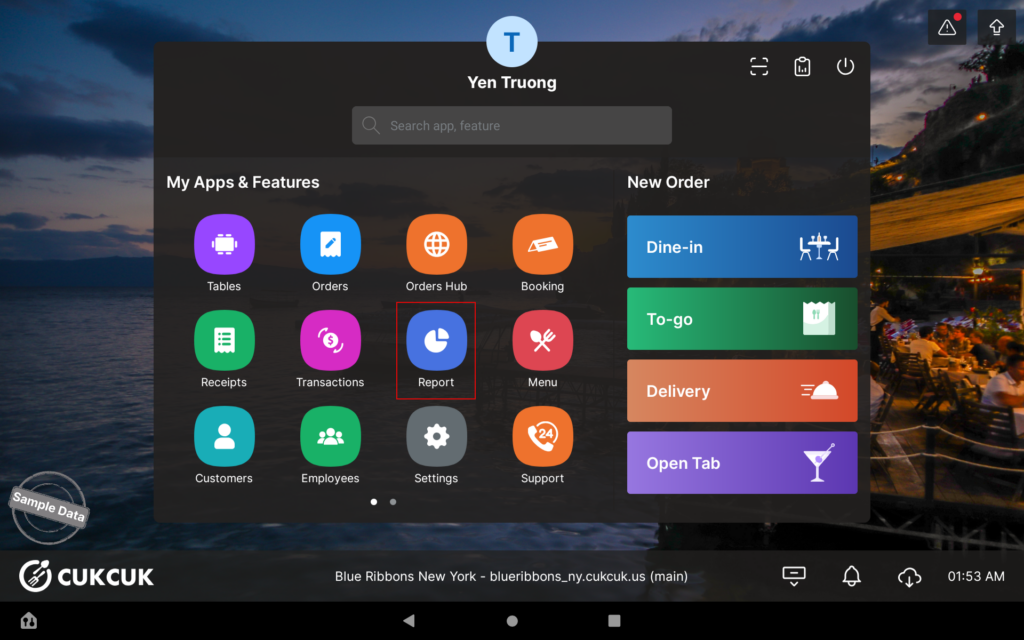
- Select EOD Report.
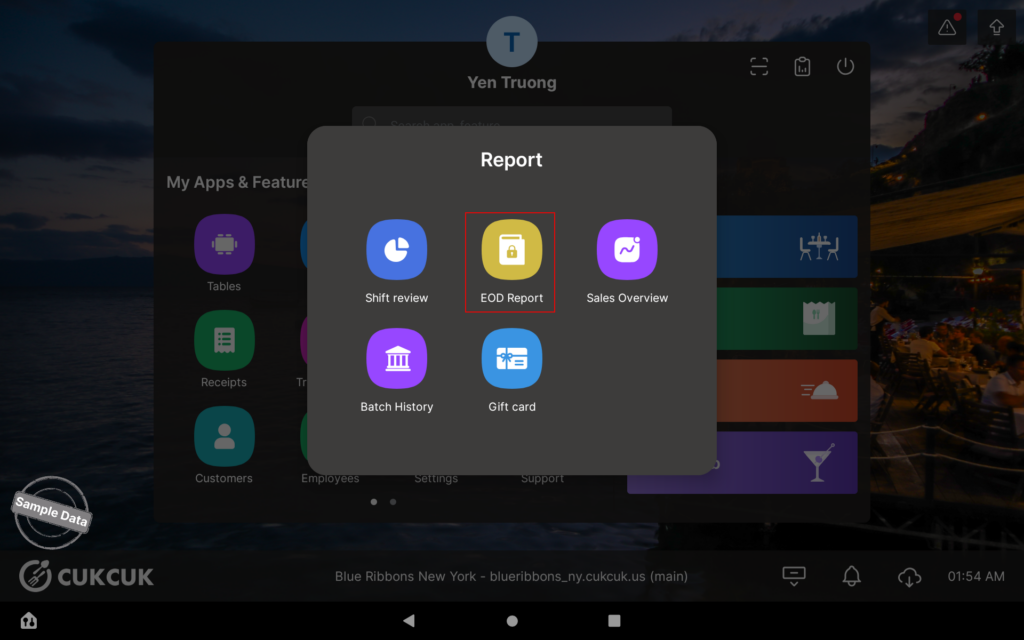
- Tick the daily EOD rows you wish to combine.
- Tap Export.
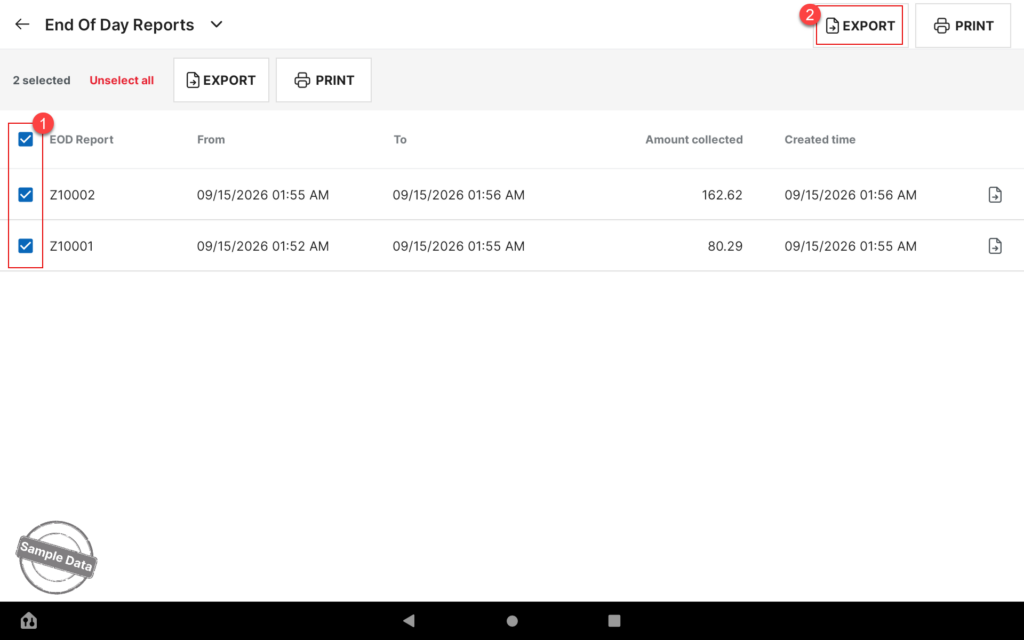
- Choose a save location for the file.
- Open the file and check.
Have a nice day!


