

Nội dung có trong bài
Ẩn
I. PURPOSE
In some restaurants, multiple employees share the same device. If one employee forgets to log out after finishing their shift, the next employee’s orders may be recorded under the previous account. This can lead to incorrect tip allocation.
To prevent this issue, restaurant managers can enable the Auto Logout feature when the device is inactive.
II. INSTRUCTION STEPS
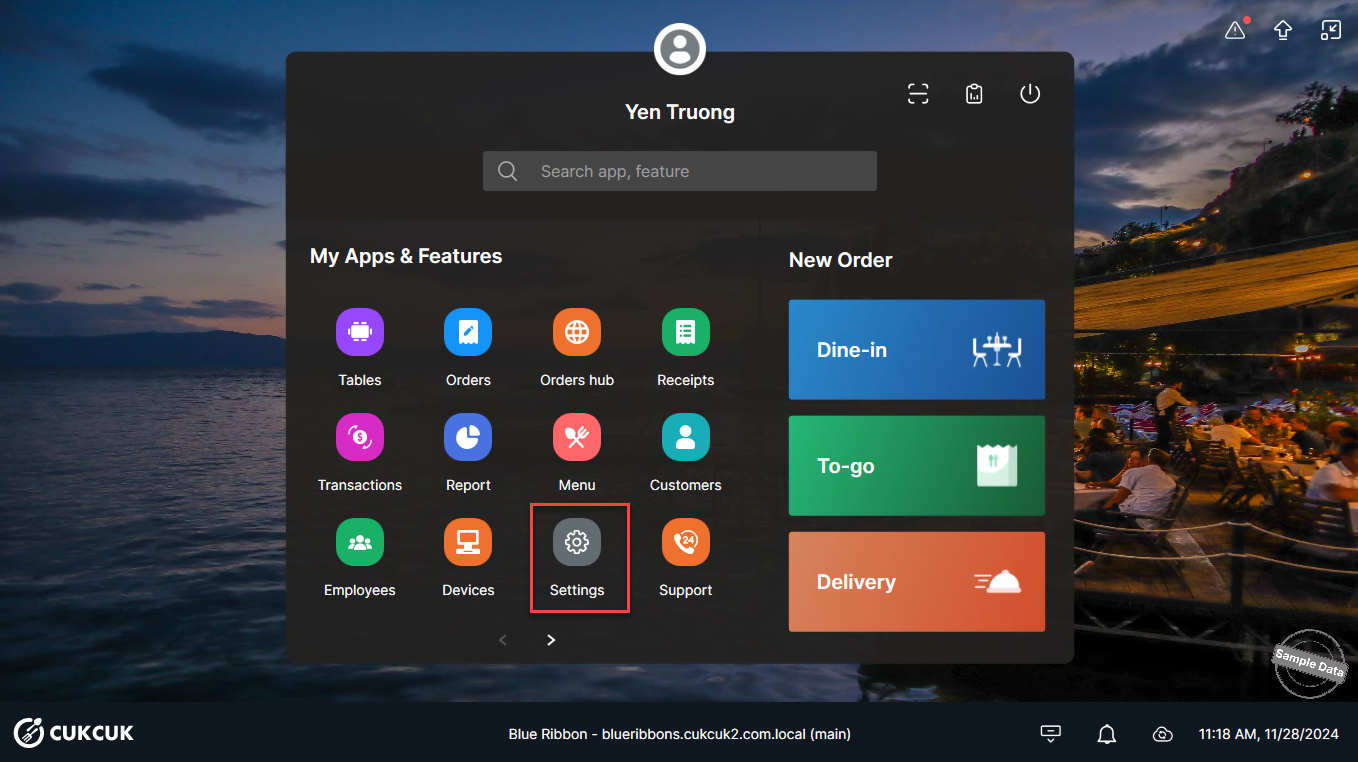
On the POS, go to Settings.
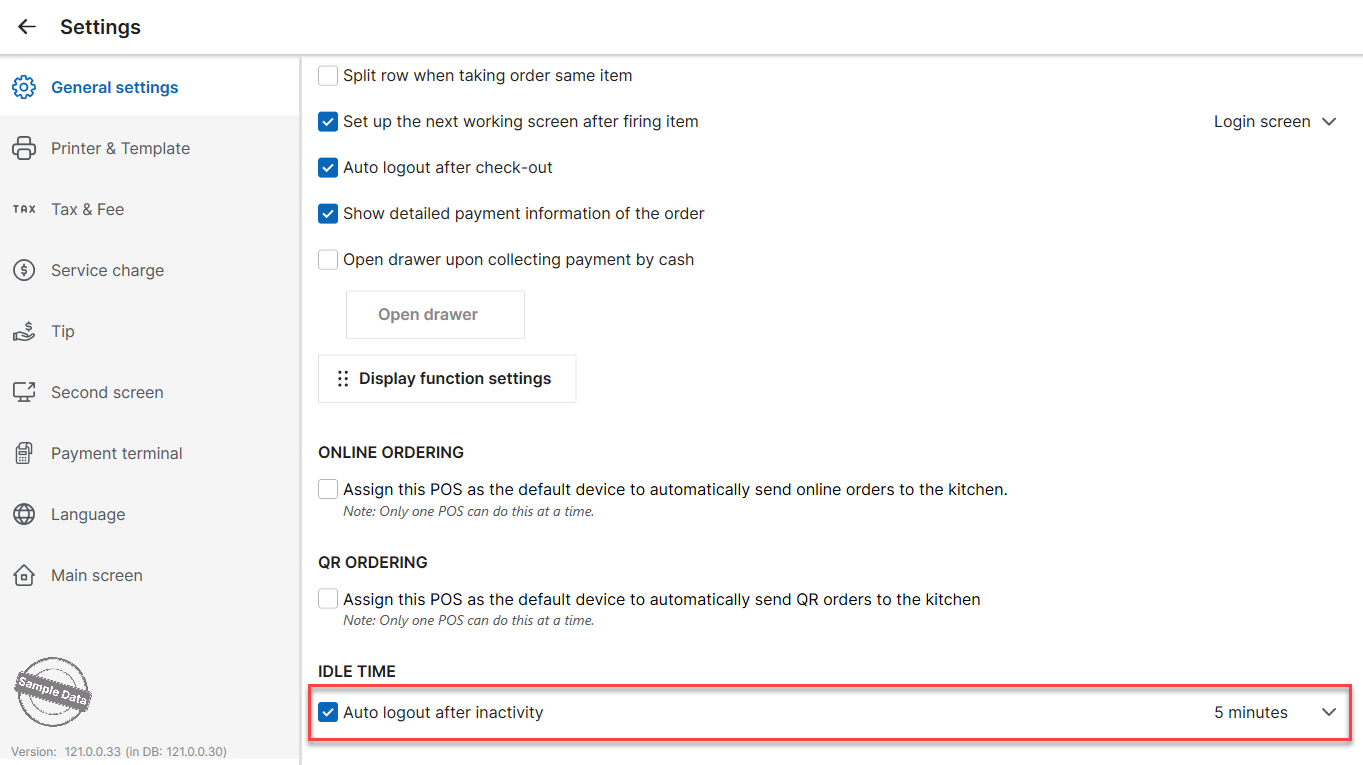
In the General Settings tab:
- Locate Idle time.
- Check Auto logout after inactivity.
- Select the number of minutes after which the system should automatically log out due to inactivity.
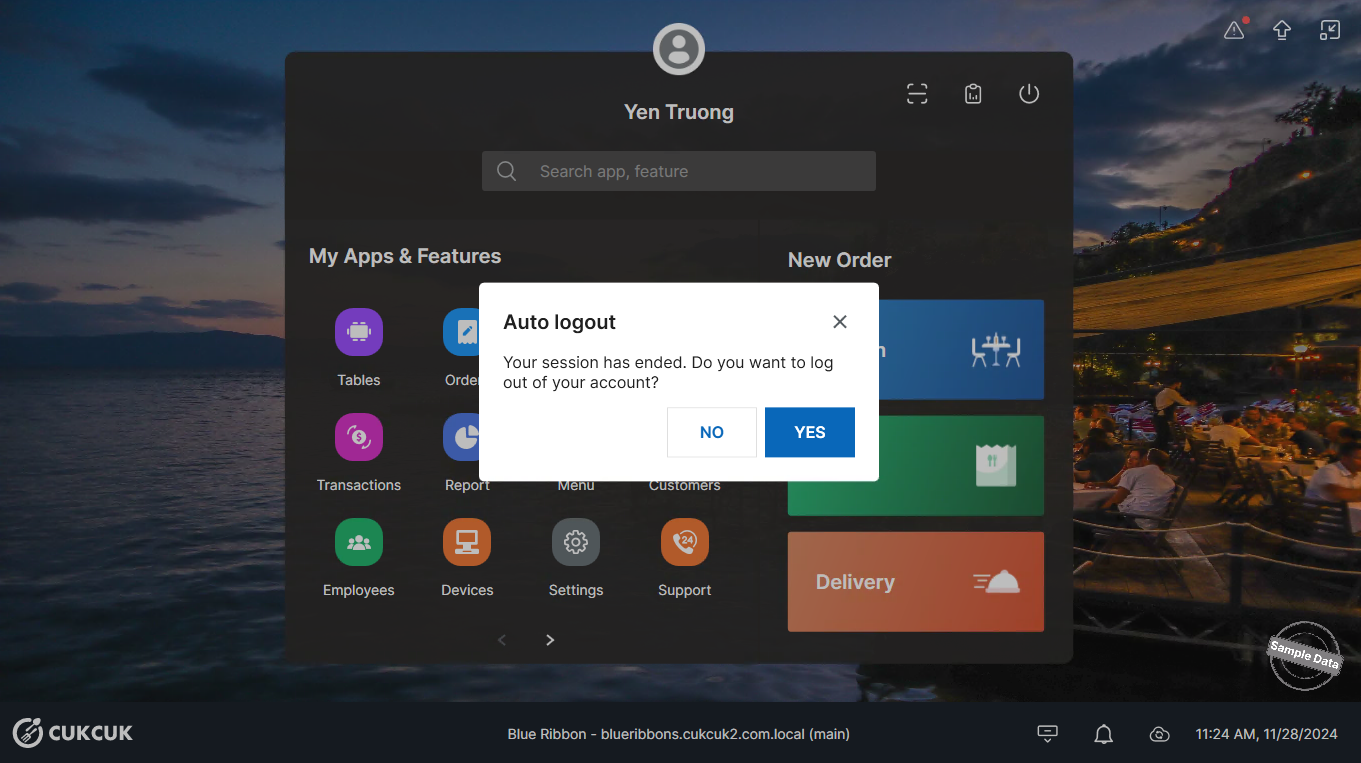
If no activity is detected within the configured time:
- The system will display a notification.
- If the employee selects Yes, the system will log out of the current account.
- If the employee selects No, they can continue working.
This ensures accurate order tracking and proper tip recording.
Have a nice day!


