

Nội dung có trong bài
Ẩn
I. PURPOSE
The restaurant can close the PAX terminal on the sales device at the end of a shift or at the end of the business day.
II. INSTRUCTION STEPS
1. Enable Manual Close Out
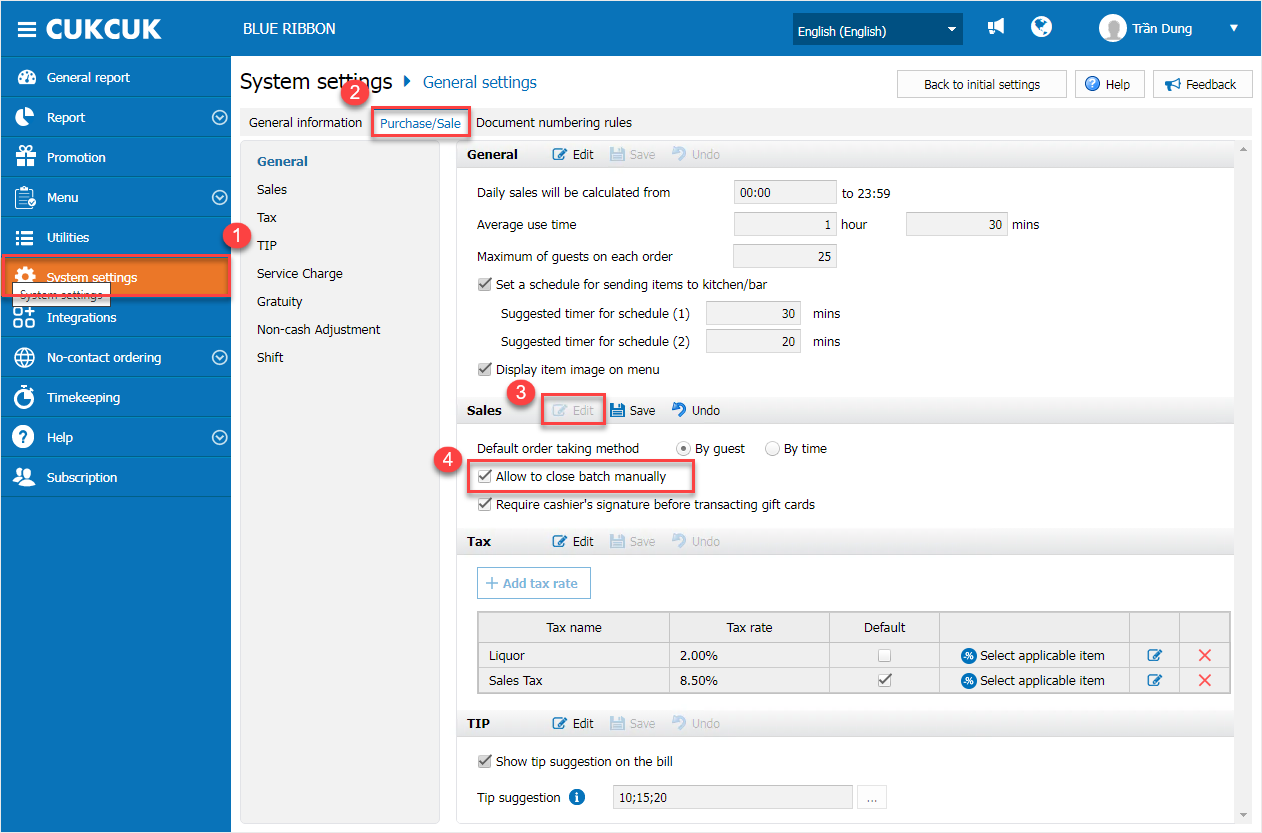
On the management page, go to System Settings / Purchase / Sale
Under the Sales section:
- Click Edit
- Check Allow to close batch manually
Then click Save.
Note: Only Restaurant Manager and System Administrator accounts can modify this setting to enable the Close Out function on the POS.
2. Perform Close Out on POS
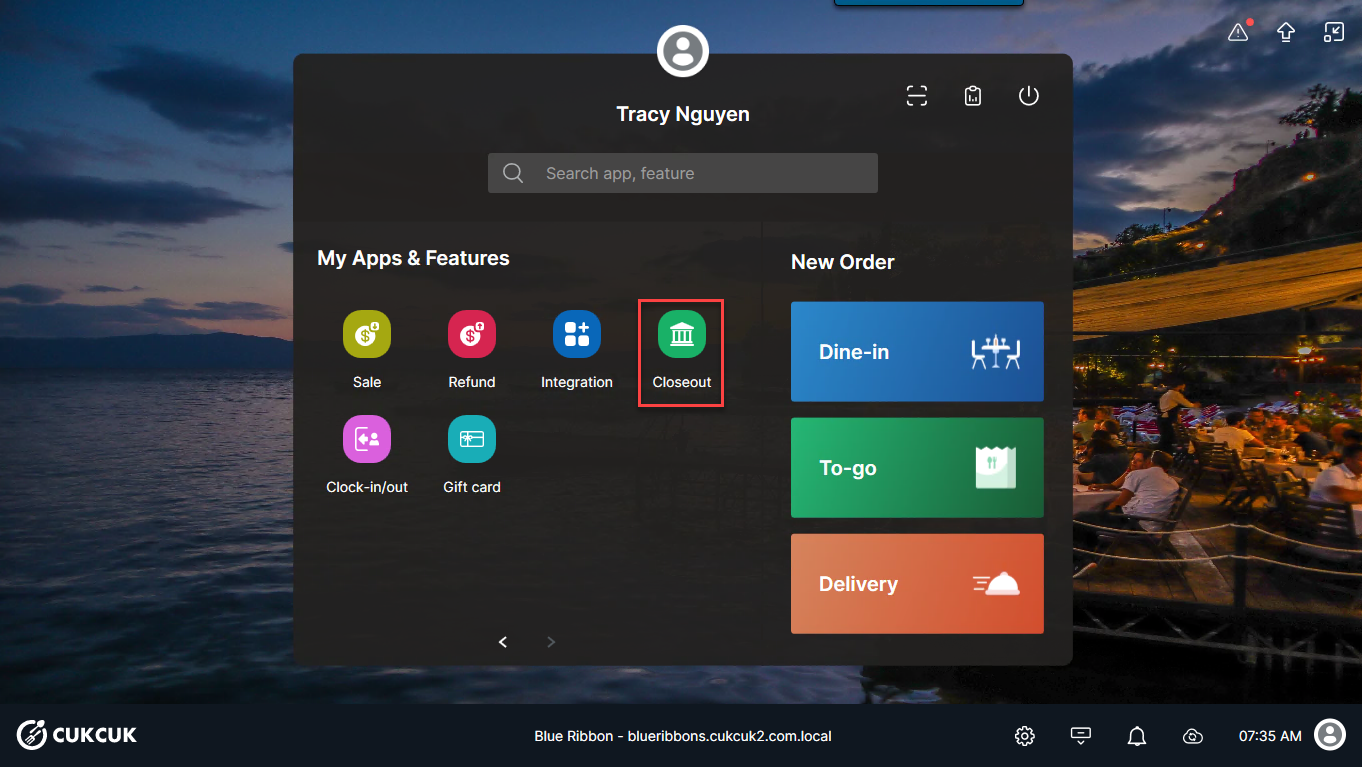
Log in to the POS sales application. Select Closeout.
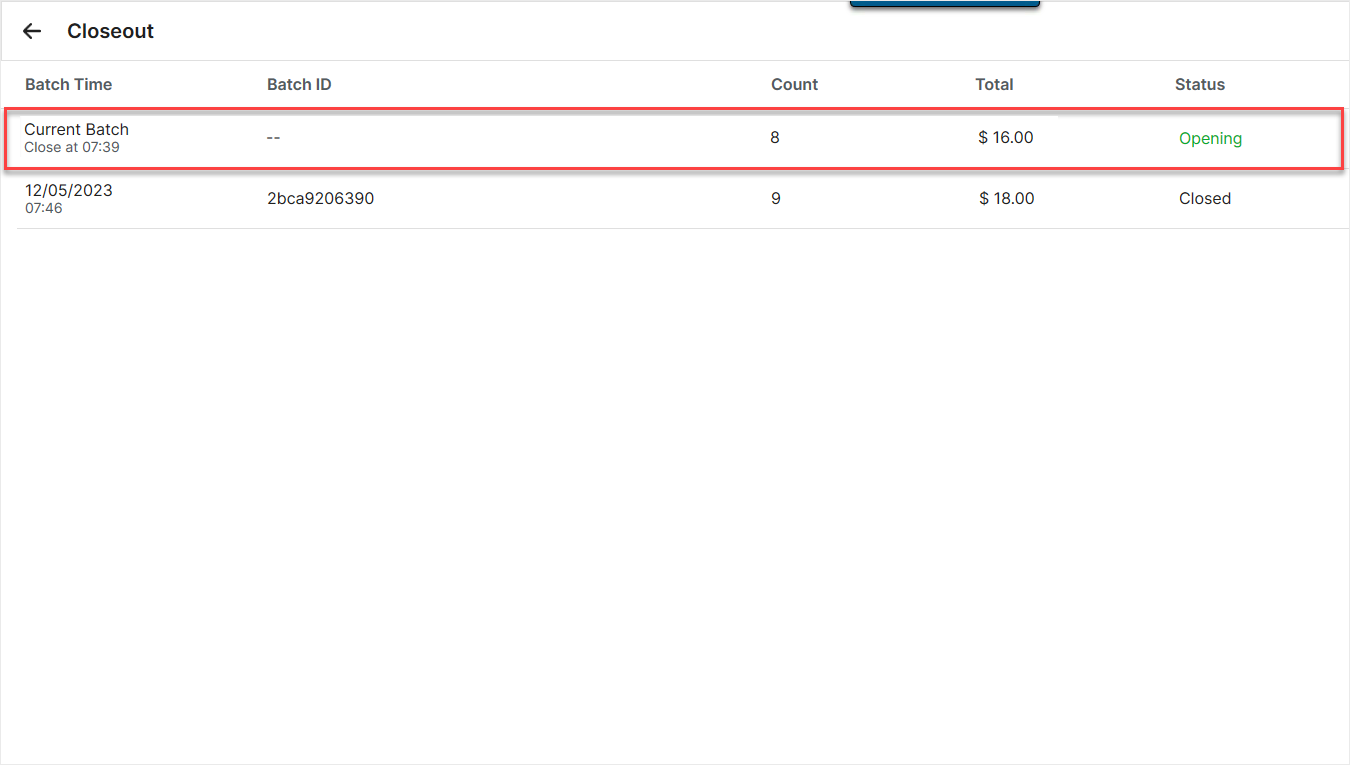
The screen will display the full list of previous Closeout records.
Select Opening to review details of pending transactions, including:
-
- Total number of transactions
- Total card payment amount
- Other related transaction details
On the transaction details screen, click Close out to close the card terminal batch.
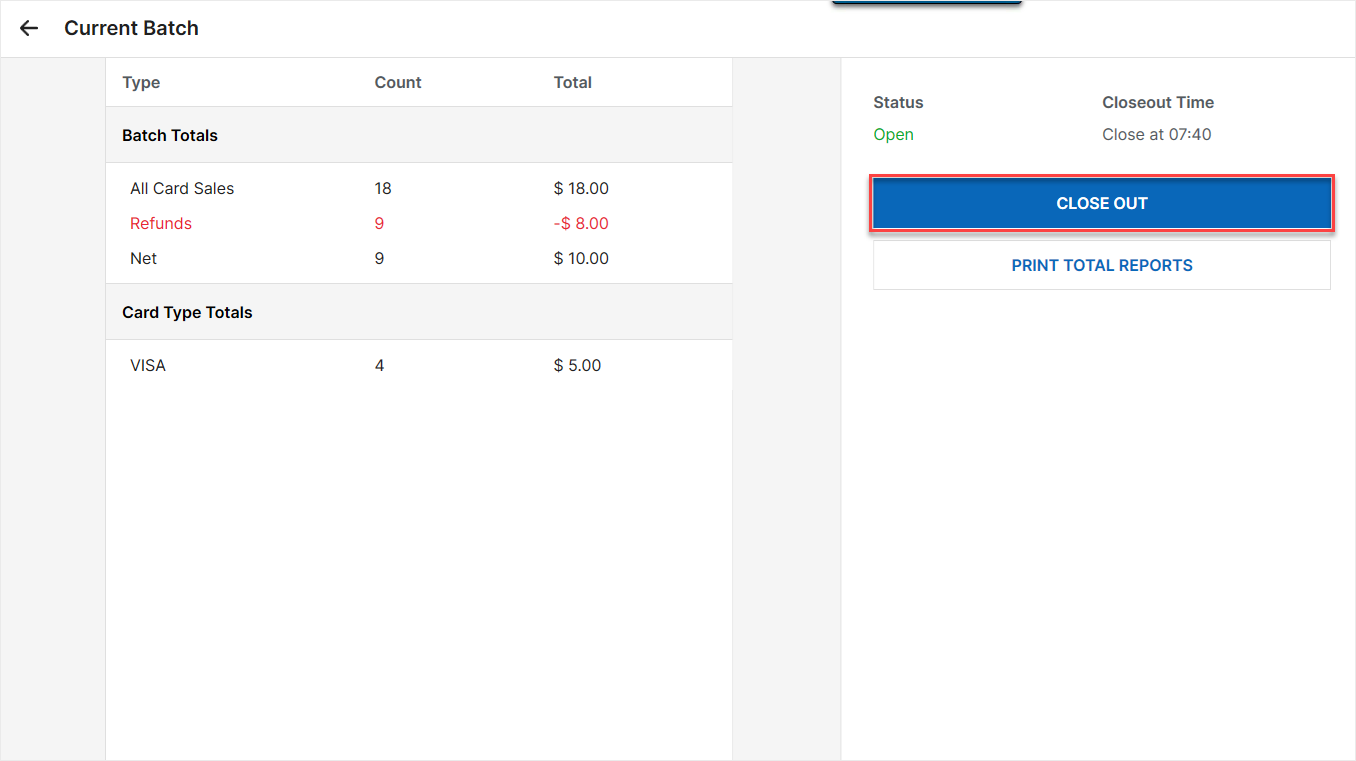
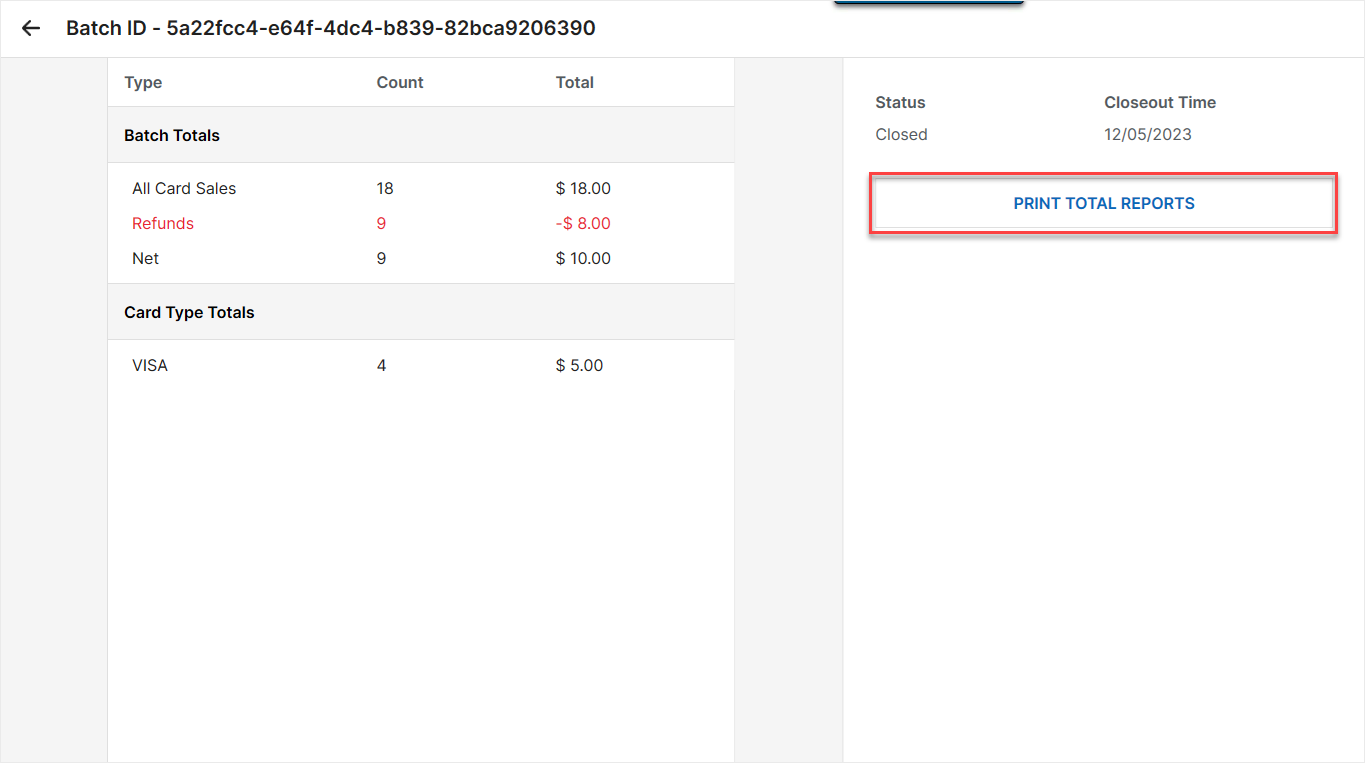
You can select Print total reports to print and review transaction summaries if needed.
Have a nice day!


