
1. Trang chủ
  2. Printers
  3. Printer Settings
  4. How to auto-print receipts after getting payment
  1. Trang chủ
  2. Printer
  3. How to auto-print receipts after getting payment

How to auto-print receipts after getting payment

To automatically print receipts after getting payment, please follow these steps:

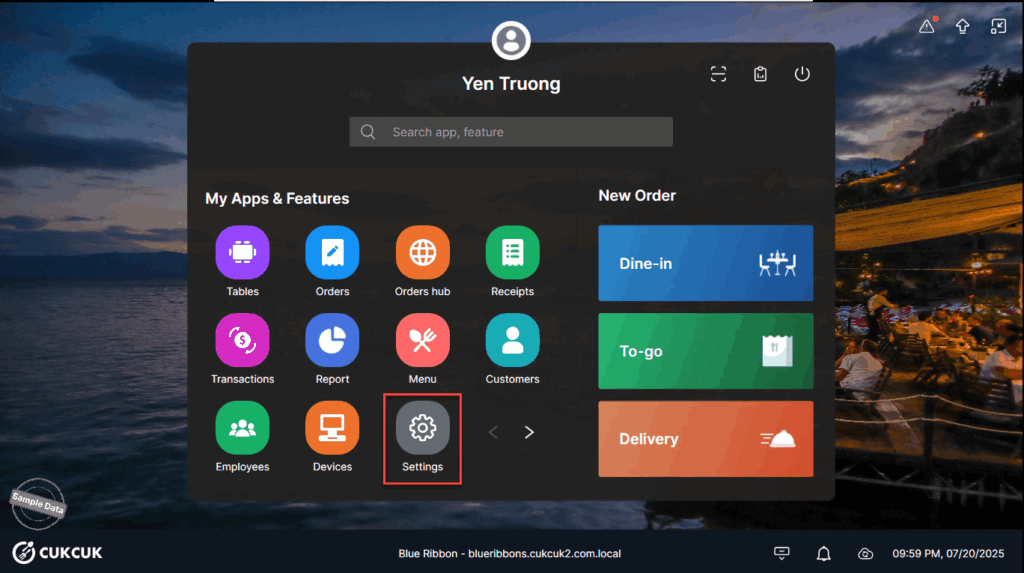
Go to Settings.
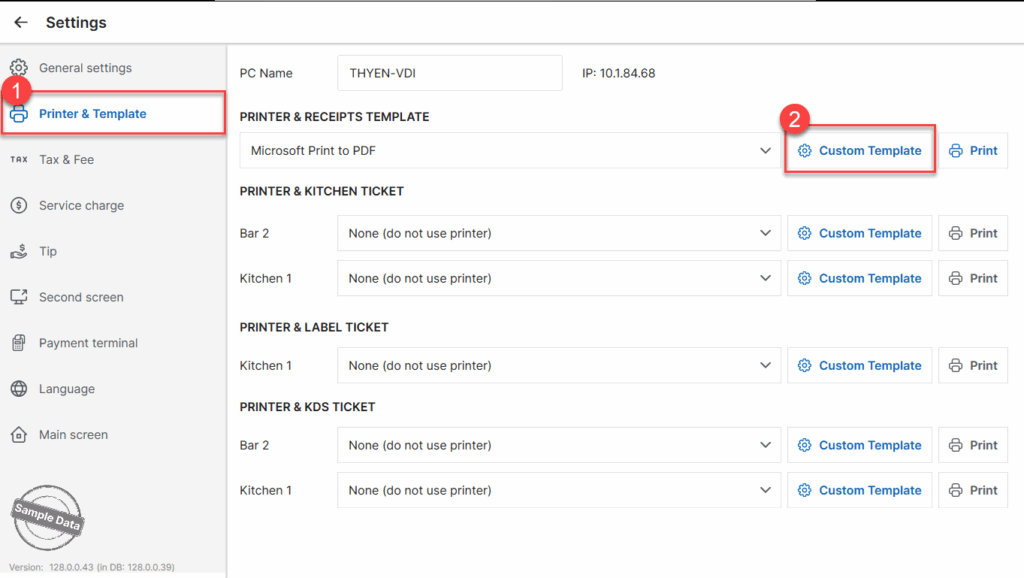
On Printer & Template tab, select Custom Template at Printer & Receipts Template
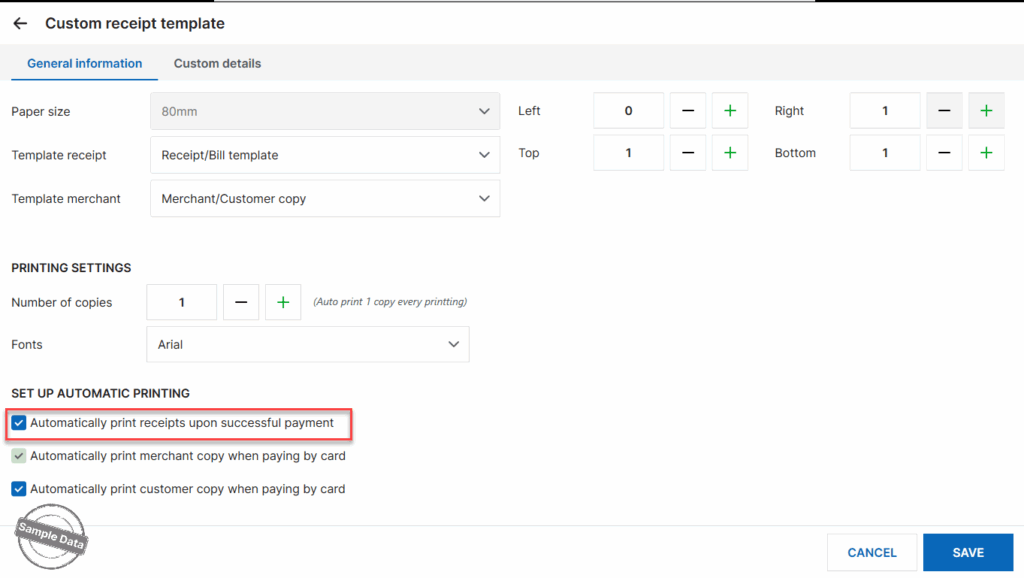
Check Automatically print receipts upon successful payment and click Save to apply changes.
Have a nice day!

Cập nhật 21/07/2025

Hãy giúp chúng tôi hoàn thiện trang trợ giúp phần mềm. Bài viết này có hữu ích với bạn không?

Bài viết liên quan

Refire Orders/Items
Xem thêm more
Set up label printer on the dashboard
Xem thêm more
Connect with the kitchen printer via USB
Xem thêm more
Add a print template for canceled orders with crossed-out items and a print template for void transactions
Xem thêm more
Customize receipt template and order template
Xem thêm more
Set up kitchen/bar print tickets
Xem thêm more