

Nội dung có trong bài
Ẩn
I. Purpose
Help staff mark specific items in a Dine-in order as To-go when customers want to take those items away, while keeping the rest of the order as dine-in.
The selected items display a To-go label on the order details screen so staff can identify them.
II. Instruction Steps
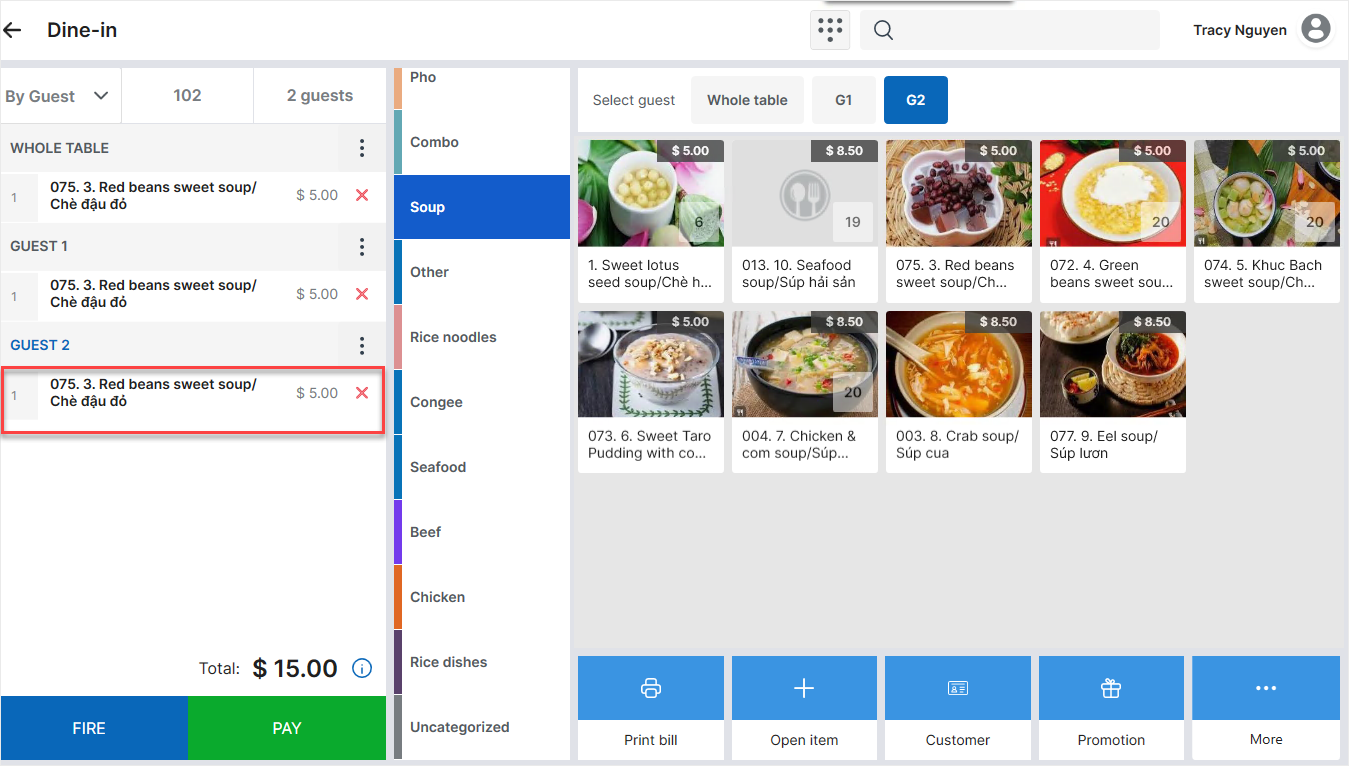
- On the Order details screen, select the newly added item in the order panel on the left side.
- Select Mark as “To-go”.
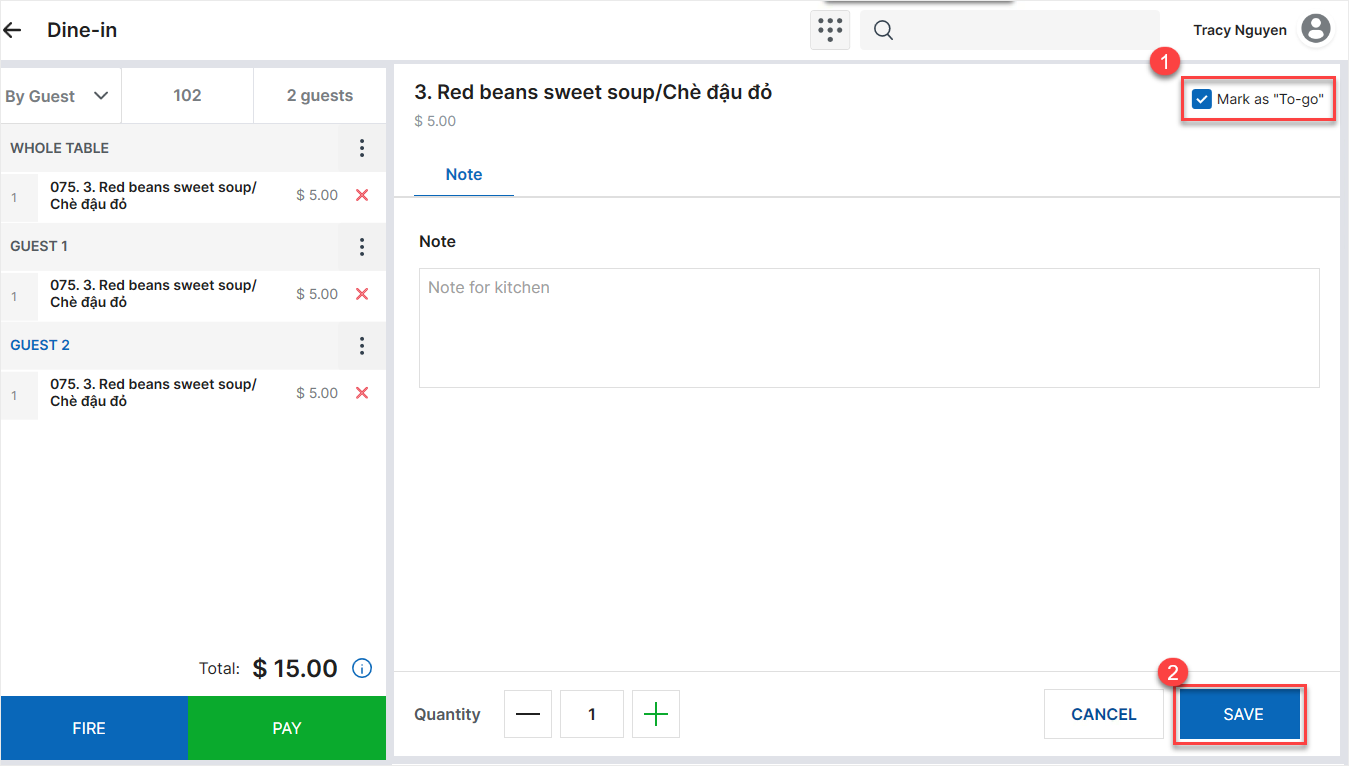
- Tap Save.
The To-go label appears below the selected item on the order details screen.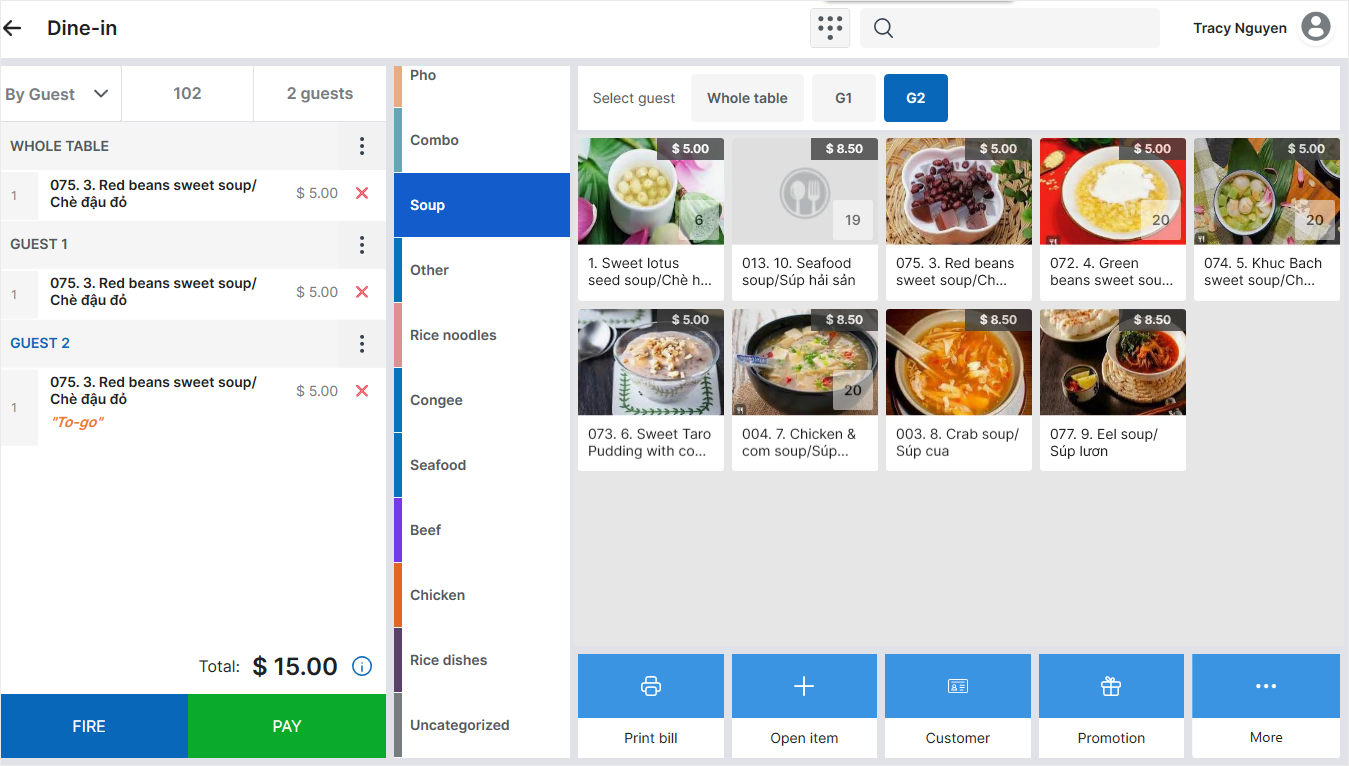
III. Notes
- Availability: This option is available only for Dine-in orders and items that have not yet been sent to the Kitchen/Bar.
- Moving items or combining orders: When an item is moved to another order or guest, or its order is combined with another order, the item retains its Mark as “To-go” selection.
- Changing the service type: When the order is changed to another service type, the Mark as “To-go” option is hidden for the item.
Have a nice day!


