

Nội dung có trong bài
Ẩn
I. Purpose
Allow customers to select the tip amount they want to add before payment on the secondary screen.
II. Instruction Steps
- When an order is ready for payment, the secondary screen shows suggested tip amounts based on the settings configured on the management site.
- Select the desired tip amount.
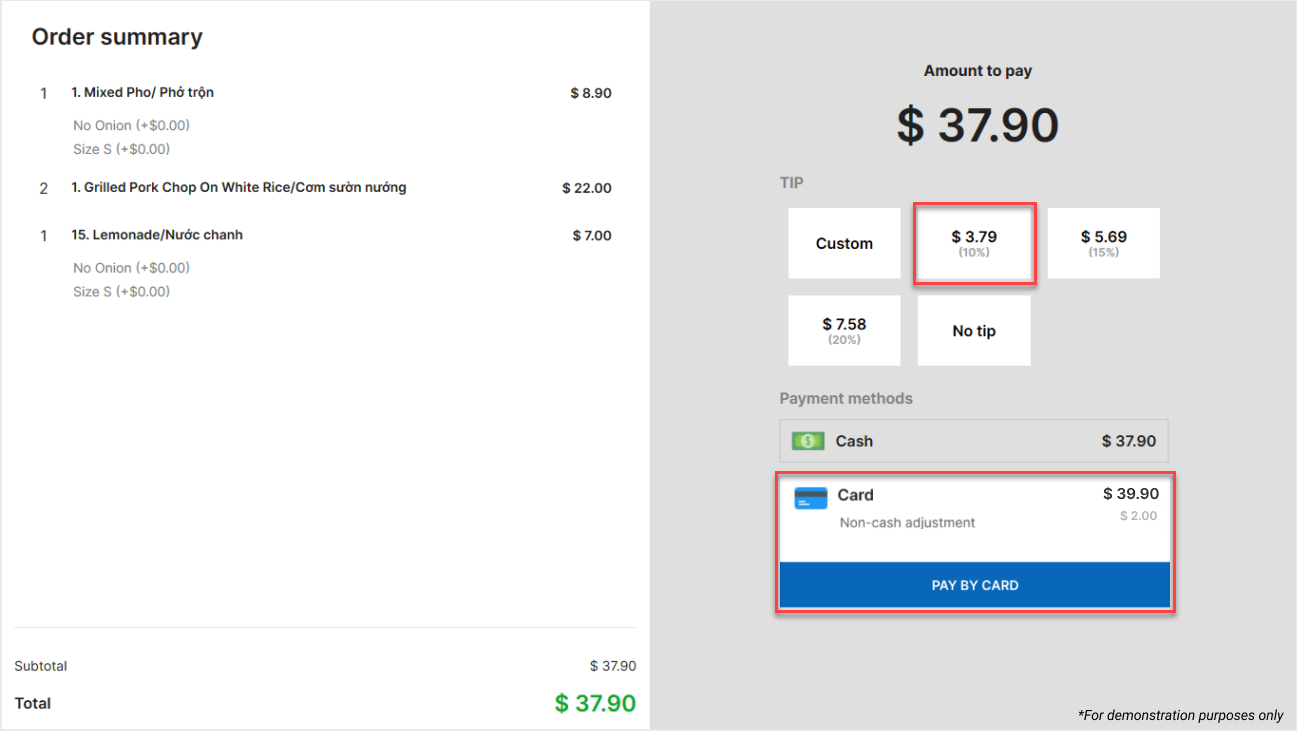
- Select a card payment method on the secondary screen.
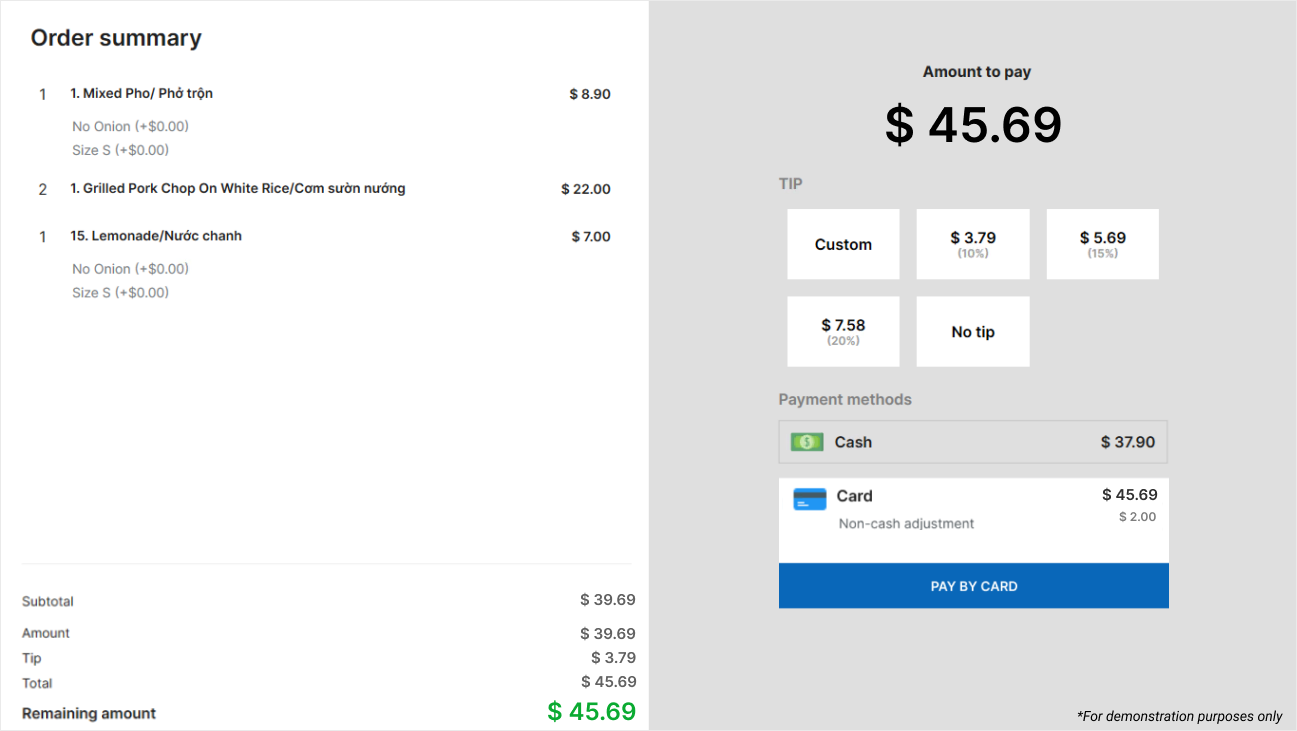
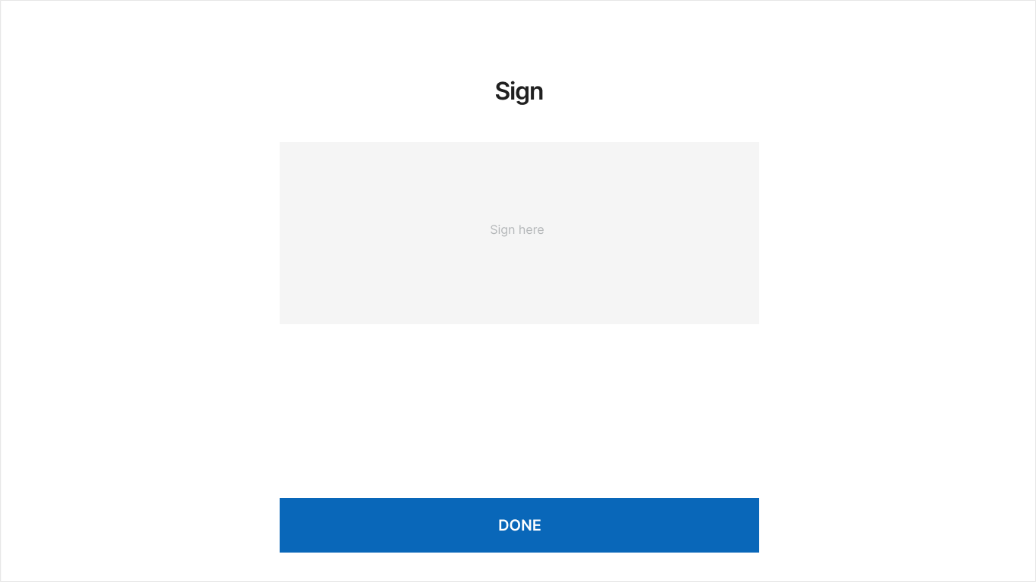
- After payment is successful, a confirmation screen appears for the customer to sign. Tap Done to complete the transaction.
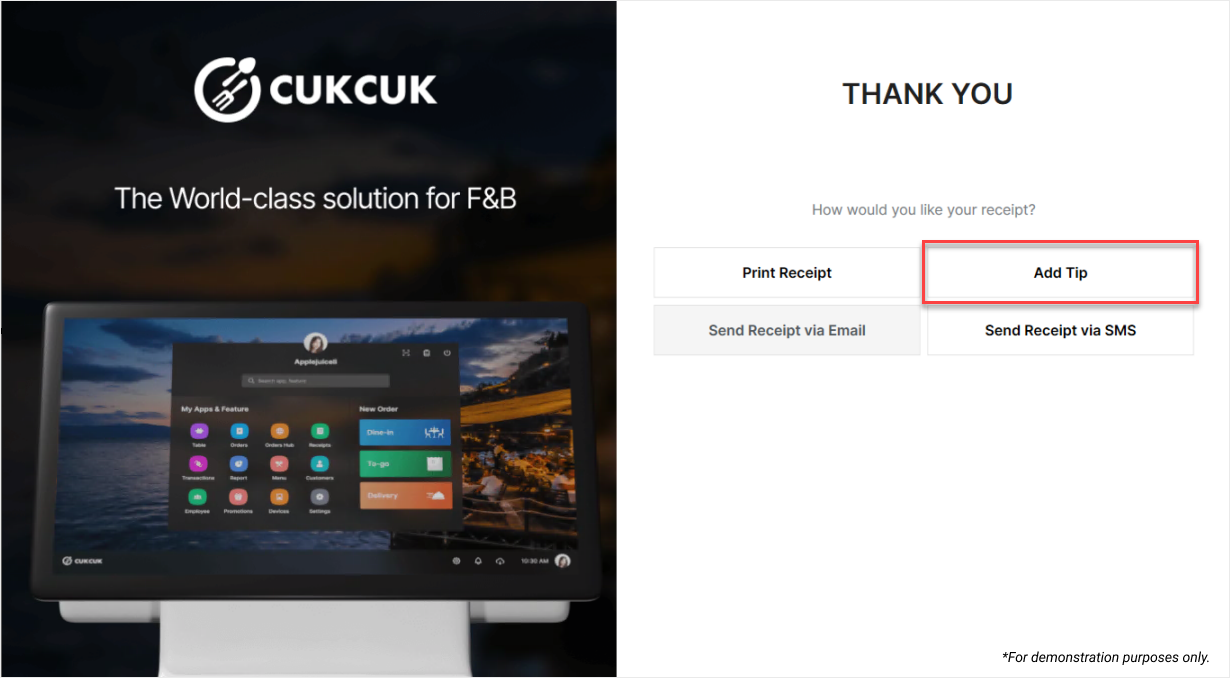
- On the Thank you screen displayed after payment, customers can add a tip by selecting Add tip and entering the amount they want to add.
Have a nice day!


