1. Trang chủ
  2. Features on Menu Item
  3. How to track order sending time
  1. Trang chủ
  2. Features on Orders
  3. How to track order sending time

How to track order sending time

Nội dung có trong bài Ẩn

I. Purpose

This feature helps servers easily track when each item was sent to the kitchen and how long the customer has been waiting. This allows servers to proactively update customers on their order status, coordinate with the kitchen, and improve the overall service experience.

II. Instruction steps

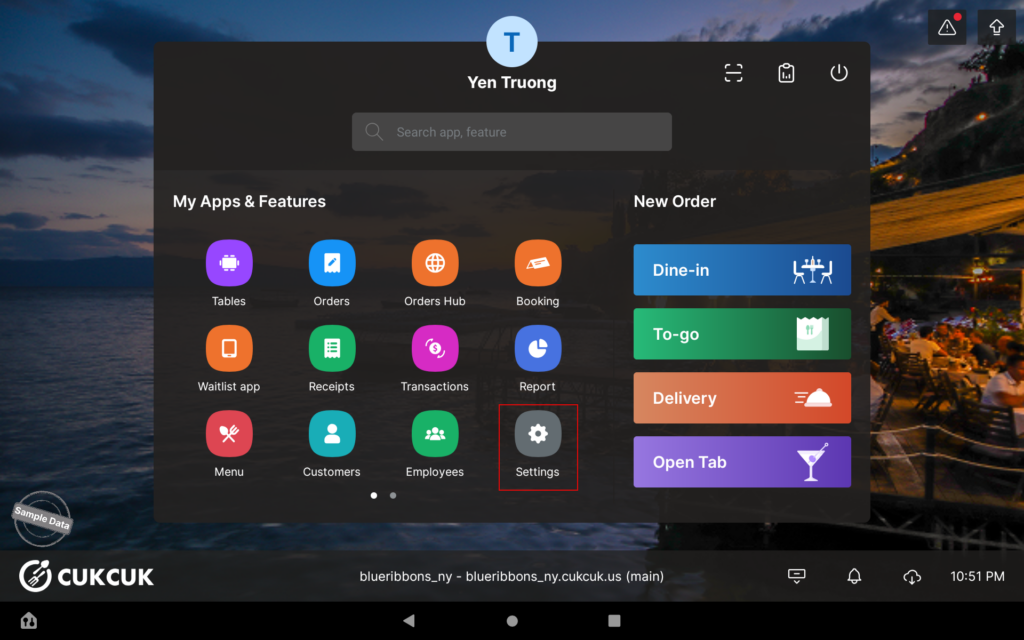
  1. On the POS, go to Settings.
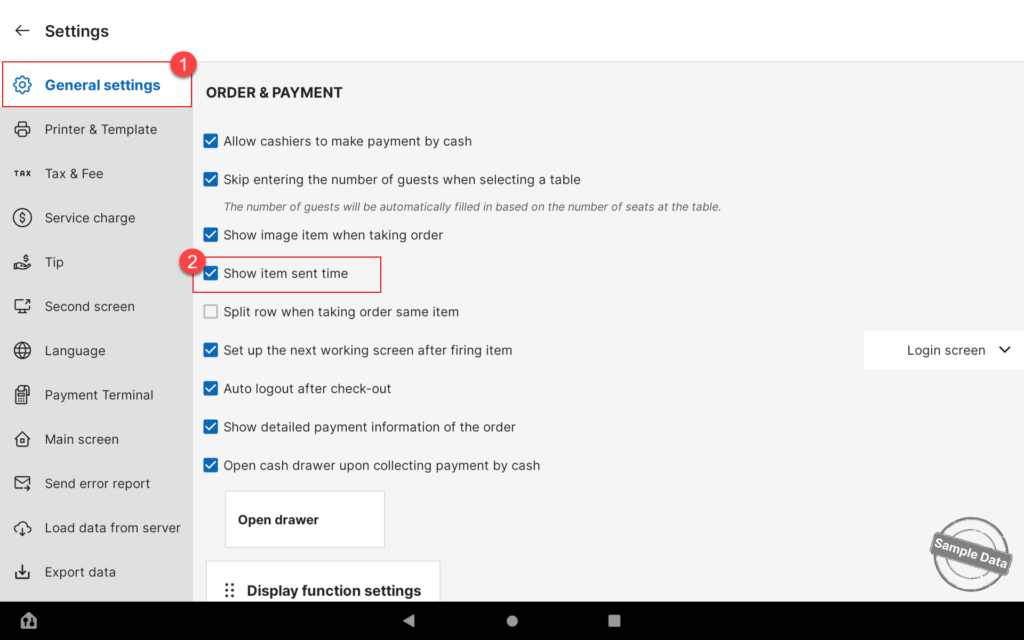
  2. In General Settings, check Show item sent time.
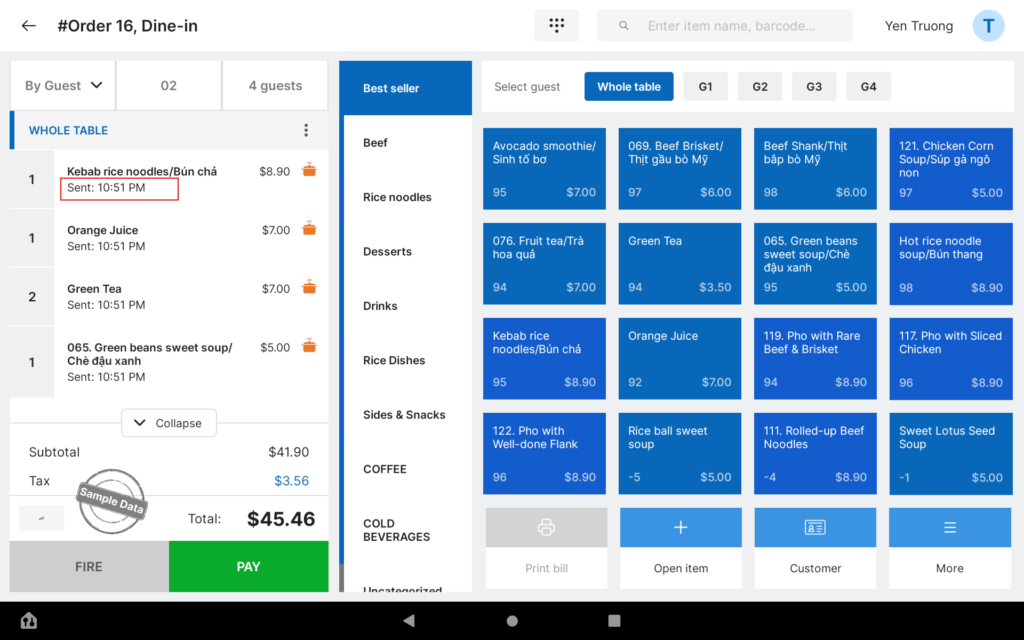
  3. After taking an order, go to Orders to view the detailed time when each item was sent to the kitchen.
Have a nice day!

Cập nhật 24/08/2026

Hãy giúp chúng tôi hoàn thiện trang trợ giúp phần mềm. Bài viết này có hữu ích với bạn không?

Bài viết liên quan

Take multiple separate orders for different groups of guests sitting at the same table
Xem thêm more
Thêm lại món đã gửi bếp vào order
Xem thêm more
Thêm nhanh STPV khi ghi order
Xem thêm more
Thêm mặt hàng khác vào thực đơn trên POS/PC
Xem thêm more
How to adjust selling price of an item upon taking order
Xem thêm more
Thêm món vào order khách hàng
Xem thêm more